
Best 5G Routers for Home and Mobile Internet
A Faster Router Cannot Fix the Wrong Cellular Connection
A good 5G router can turn a cellular signal into a practical home network, a private connection for a remote-work trip, or an automatic backup when cable internet fails. That versatility is why the category is so appealing. It is also why buying one is more complicated than choosing a conventional cable router. A traditional router receives internet from a modem through Ethernet. A 5G cellular router must first communicate with a mobile carrier, negotiate the right bands, work under that carrier’s device and plan rules, and then distribute the connection over Wi-Fi or Ethernet. Every link in that chain matters.
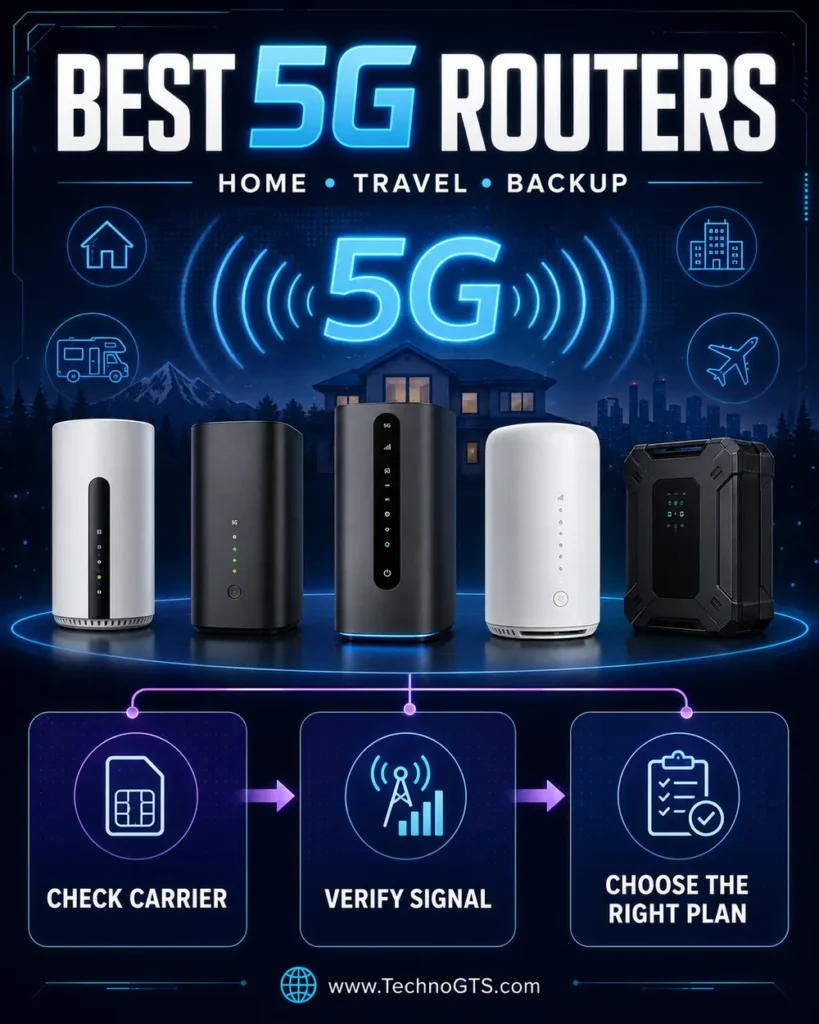
The headline numbers can therefore be misleading. A hotspot may advertise multi-gigabit 5G and Wi-Fi 7, yet produce modest results inside a building where the nearest tower offers only low-band 5G. Another router with less spectacular Wi-Fi specifications may be faster at the same address because its antennas, band support, placement, and carrier plan suit the location. We treat 5G capability as a system rather than a speed badge. That approach is essential when comparing the best 5G routers for home internet.
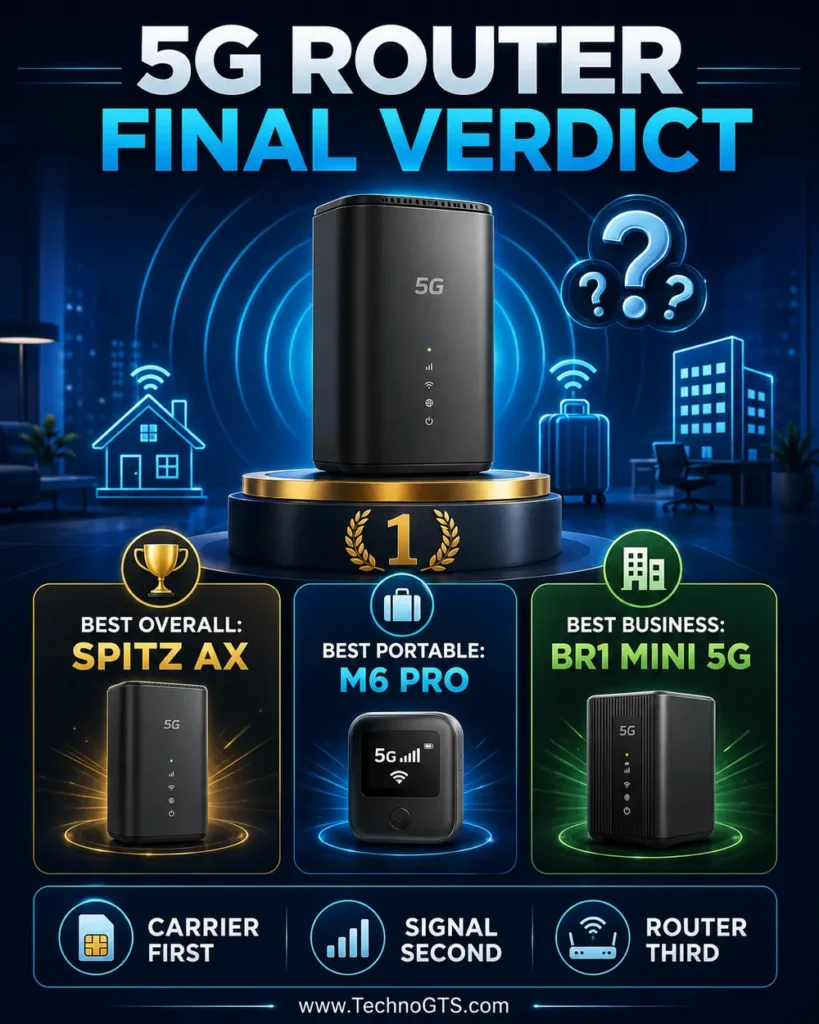
This guide covers five devices with meaningfully different jobs. The GL.iNet Spitz AX is our best overall choice for buyers who want an unlocked, configurable, dual-SIM gateway for a home, RV, or small office. NETGEAR’s Nighthawk M7 Pro is the premium choice for AT&T customers who want a Wi-Fi 7 mobile hotspot. The unlocked Nighthawk M6 Pro prioritizes carrier flexibility and travel. Inseego’s MiFi X PRO 5G is the approachable everyday mobile option. Peplink’s MAX BR1 Mini 5G is the professional pick for sites where managed failover matters more than consumer-friendly simplicity.
Before buying any of them, check the service at the exact location where the router will operate. A carrier coverage map is a starting point, not a guarantee of indoor performance. Test a compatible phone or borrowed hotspot near several windows, at different heights, and during both busy and quiet hours. Record download speed, upload speed, latency, and stability. If you are building a wider network around the cellular connection, our home networking resource center explains the other pieces that affect coverage and reliability.
It is equally important to distinguish a user-owned router from an internet provider’s gateway. Some home-internet plans are tied to carrier-supplied equipment, an approved address, or specific network-management terms. Moving a SIM from a phone or fixed-wireless gateway into an unlocked router may not be supported even when the physical card fits. Start with our 5G router category to understand the device types, then confirm the exact model, IMEI eligibility, plan, APN, and activation process with the carrier before ordering hardware.
We researched current manufacturer documentation, US carrier information, technical support pages, and deployment requirements. We did not claim laboratory or hands-on results that we did not perform. Specifications such as theoretical Wi-Fi rate, cellular generation, and Ethernet speed are treated as capabilities—not promises. Our recommendations emphasize compatibility, useful interfaces, power behavior, administration, antenna options, security, and the cost of the complete service.
The result is not a single universal winner. A stationary household needs better placement flexibility, Ethernet, external antennas, and stable AC operation. A traveler cares about battery life, size, international bands, and an easy touchscreen. A business needs remote management, resilient power, clear support, and predictable failover. The right product is the one that removes the bottleneck in your deployment without charging you for features the cellular link cannot use.
📡 Core buying rule: Select the carrier and verify signal first. Select the data plan second. Choose the router only after you know which bands, certifications, ports, and mobility features the deployment requires.
Quick Summary
Best overall — GL.iNet Spitz AX (GL-X3000): A versatile Wi-Fi 6 gateway with dual nano-SIM slots, Multi-WAN features, external antennas, a 2.5GbE WAN port, and unusually deep OpenWrt-based controls. It is the most balanced choice for a fixed location, RV, or technically confident household.
Best premium AT&T hotspot — NETGEAR Nighthawk M7 Pro (MR7400): A portable 5G hotspot pairing a Snapdragon X75 modem platform with BE5800-class Wi-Fi 7, a 2.5GbE port, touchscreen, and removable battery. Its carrier relationship makes plan fit especially important.
Best unlocked portable option — NETGEAR Nighthawk M6 Pro (MR6550): Certified by NETGEAR for AT&T, T-Mobile, and Verizon in its US unlocked version, with Wi-Fi 6E, mmWave and sub-6 support, 2.5GbE, external antenna ports, and a removable battery.
Best straightforward everyday hotspot — Inseego MiFi X PRO 5G: A practical Wi-Fi 6 mobile router with a color touchscreen, up to 32 Wi-Fi connections, Ethernet, USB-C, WPA3, and battery-preservation features for extended powered operation. Buy the carrier-specific variant that matches your service.
Best professional failover router — Peplink MAX BR1 Mini 5G: A compact, centrally manageable cellular router for branch sites, vehicles, retail, and monitored backup links. It favors reliability, mounting, remote operations, and service continuity over a polished consumer experience.
For a conventional broadband connection that does not need an integrated cellular modem, our Wi-Fi router guide will usually lead to a less expensive and simpler solution. If your main problem is weak coverage rather than the internet source itself, compare the placement and expansion options in our mesh Wi-Fi guide before replacing the gateway.
Smart Comparison Table
| Recommendation | Cellular/Wi-Fi focus | Physical networking | Power style | Strongest use case | Important limitation |
|---|---|---|---|---|---|
| GL.iNet Spitz AX | 5G NR; AX3000 Wi-Fi 6 | 2.5GbE WAN + 1GbE LAN; USB; microSD | AC/DC, stationary | Home, RV, flexible multi-WAN | Advanced settings require learning |
| NETGEAR Nighthawk M7 Pro | 5G sub-6/mmWave; BE5800 Wi-Fi 7 | 2.5GbE; USB-C | Removable battery/USB power | Premium AT&T mobility | Carrier and plan dependence |
| NETGEAR Nighthawk M6 Pro | 5G sub-6/mmWave; AXE3600 Wi-Fi 6E | 2.5GbE; USB-C; TS-9 antenna ports | Removable battery/USB power | Unlocked travel and temporary home use | Expensive; 6GHz has practical constraints |
| Inseego MiFi X PRO 5G | 5G sub-6; dual-band Wi-Fi 6 | 1GbE + USB-C | Battery/USB power | Everyday mobile work | Variant-specific carrier support |
| Peplink MAX BR1 Mini 5G | 5G sub-6; optional/integrated Wi-Fi SKU | Ethernet; antenna and deployment interfaces vary | Fixed DC installation | Business failover, fleet, remote site | Services and setup add complexity |
The table deliberately avoids calling advertised radio rates “internet speed.” Your usable result is governed by the slowest stage: cellular reception, carrier scheduling, plan priority, modem-to-router link, local Wi-Fi, or the client device. If you need more wired connections than a router provides, add one of the devices covered in our Ethernet switches guide. For a clean multi-gigabit path, pair it with appropriately specified Ethernet cables rather than assuming every old cable run is fault-free.
Why Trust Us
TechnoGTS evaluates networking products around the decision a reader actually has to make. For this guide, that means asking whether a device can establish the right cellular connection, remain stable in its intended environment, and deliver that connection to the devices that need it. We do not award a win simply because a product carries the newest Wi-Fi label or the largest theoretical number.
Our conclusions are grounded in manufacturer product pages and support documents, carrier listings, band and interface specifications, software features, power design, antenna support, and ownership constraints. For example, GL.iNet documents the Spitz AX as an AX3000 dual-SIM cellular gateway with one 2.5Gbps WAN port, one gigabit LAN port, OpenWrt-based firmware, and multi-WAN tools. NETGEAR’s official support matrix distinguishes the US unlocked MR6550 from regional models and carrier-specific alternatives. Those distinctions protect readers from treating similar-looking model numbers as interchangeable.
We also disclose the boundary of the work. This is a research-led comparison, not a claim that every device was benchmarked in one lab. Cellular testing performed at one address would not predict another reader’s result anyway. Building materials, tower direction, frequency, network congestion, weather, foliage, carrier policy, and plan priority can all change performance. We therefore describe a repeatable at-home verification process instead of inventing universal speed figures.
Readers assembling a complete network can use our broader networking and Wi-Fi hub to investigate downstream equipment. When a computer lacks the appropriate wired or wireless interface, our network adapter guide helps identify that client-side bottleneck in a separate decision.
✅ Editorial standard: Product positions are based on documented capability and deployment fit. Prices, plans, firmware features, certifications, and availability can change; verify them immediately before purchase.
Testing Methodology
Because 5G performance is location-dependent, we use a two-layer methodology: document verification followed by a practical test protocol that a buyer can reproduce. At the research layer, we compare supported cellular generations and bands, carrier certifications, SIM arrangement, Wi-Fi class, Ethernet rate, antenna connectors, power modes, battery behavior, security, management, failover, warranty, and ongoing service requirements.
At the deployment layer, place the router in at least three realistic locations. Include a high window facing the likely tower, the room where equipment will normally sit, and a central location that improves Wi-Fi distribution. Allow the modem to settle, confirm the connected cellular band where the interface exposes it, and run multiple tests over several hours. Record median—not just peak—download and upload throughput, unloaded latency, loaded responsiveness, packet loss, and any reconnections.
Next isolate the local-network stage. Test once over Ethernet if the router offers it, once near the router over 5GHz or 6GHz Wi-Fi, and once in a distant room. A fast Ethernet result paired with a slow distant-room result indicates a Wi-Fi coverage issue, not a cellular limitation. In that situation, an access point or mesh Wi-Fi system may be more effective than moving the cellular router away from its best signal location.
Finally test failure behavior. Disconnect the primary WAN on a multi-WAN router and observe whether traffic recovers, how long the transition takes, and whether important sessions survive. Check heat during extended transfers, battery discharge under load, and performance while charging. A portable hotspot used continuously on AC deserves special attention; battery-preservation or battery-removed operation can be more important than a slightly faster peak.
When a desktop test system depends on an older wireless card, use Ethernet or a current adapter so the client does not cap the result. Our USB Wi-Fi adapter guide explains that upgrade path. If Ethernet runs are involved, visually inspect connectors and verify link rate before blaming the cellular modem.
Selection Methodology
We began with products that serve US buyers and still have current manufacturer documentation. From that pool, we rejected models whose role duplicated a stronger selection, devices with unclear support, and ordinary Wi-Fi routers that merely accept a phone tether. The final five represent five distinct purchase intents: configurable home gateway, premium carrier hotspot, unlocked travel hotspot, uncomplicated mobile hotspot, and managed professional failover.
Compatibility received the highest weighting because an incompatible router has zero value. Cellular radio and antenna flexibility came next, followed by network interfaces, power design, administration, security, and total ownership cost. We gave less weight to theoretical Wi-Fi maximums because most cellular links will not saturate them and client support varies.
We also considered topology. A 5G gateway with one LAN port is not necessarily unsuitable for a home; it can feed a separate router or switch. Conversely, a portable hotspot with cutting-edge Wi-Fi may still be a poor permanent gateway if its power, thermal, or management design does not fit continuous operation. The recommendation labels reflect these real-world roles.
For readers deciding between integrated cellular hardware and a standard router plus modem, the Wi-Fi 6 router section provides useful context on mature local-network options. Buyers considering a newer LAN independently of the cellular modem can explore Wi-Fi 7 routers, but should not pay for Wi-Fi 7 solely because the upstream service says 5G.
GL.iNet Spitz AX (GL-X3000): Best Overall 5G Router
Product Snapshot
| Attribute | Details |
|---|---|
| Best for | Flexible home, RV, cabin, or small-office cellular internet |
| Wi-Fi | Dual-band Wi-Fi 6, AX3000 class |
| Wired | One 2.5Gbps WAN and one 1Gbps LAN |
| SIM | Two nano-SIM slots sharing one modem |
| Standout features | Multi-WAN, failover, load balancing, OpenWrt-based firmware, external antennas |
| Watch-out | Dual SIM is not dual active cellular; plan/APN setup may require manual work |
The GL.iNet Spitz AX is our best overall recommendation because it behaves like a real router first and a cellular modem second. It can use cellular, Ethernet, repeater, or tethering inputs; prioritize them; and move traffic to an available path when another fails. That architecture suits a household testing 5G as its primary connection, an RV moving between carriers, or a small office keeping cellular as backup.
Its dual nano-SIM arrangement is useful but must be understood correctly. The slots let the single cellular modem select between services; they do not create two simultaneous independent 5G radios. That still provides valuable carrier flexibility, especially when one network performs better at home and another along a travel route. It does not provide the same resilience as two active modems in an enterprise appliance.
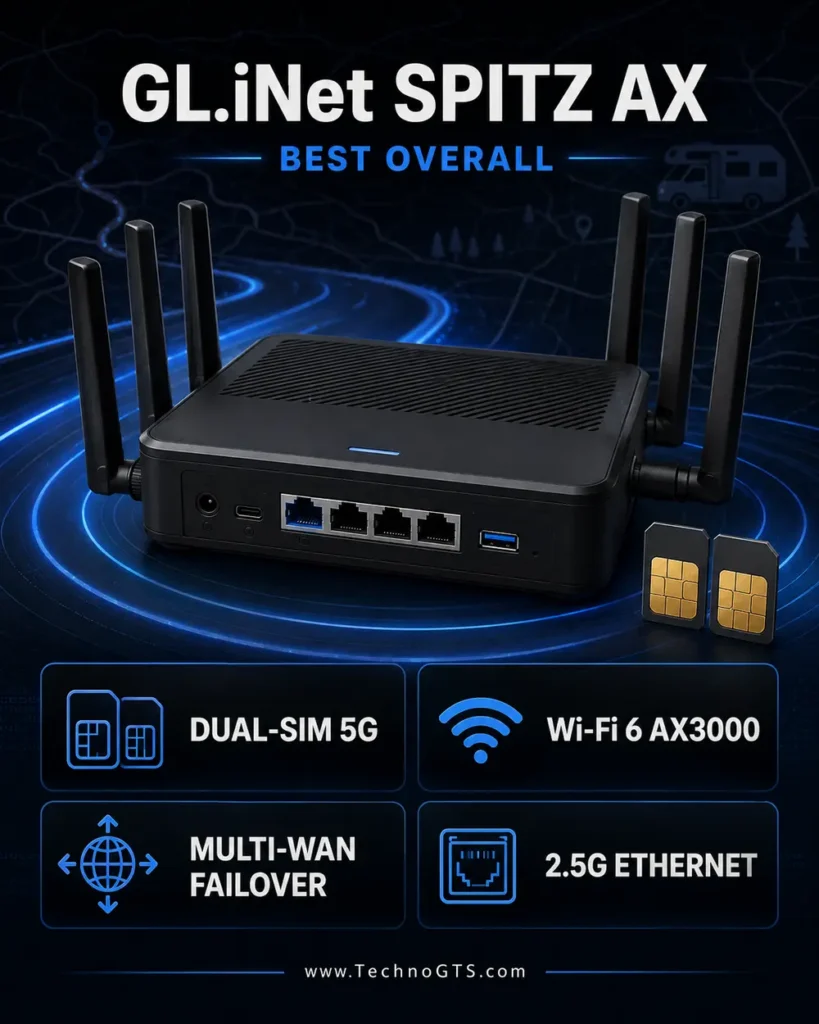
The local network is well balanced. Wi-Fi 6 offers a combined advertised class of 574Mbps on 2.4GHz and 2402Mbps on 5GHz, while the 2.5GbE WAN port can accept a fast wired source or feed certain designs depending on configuration. A separate gigabit LAN port serves a computer, switch, or downstream router. Six removable external antennas—four cellular and two Wi-Fi—make the device physically larger than a hotspot but give installers more freedom.
GL.iNet’s firmware is the defining advantage. It is based on OpenWrt and exposes VPN client/server options, DNS privacy, AdGuard Home readiness, remote management through GoodCloud, traffic policies, and plug-in expansion. Beginners can use the graphical interface, while experienced users can go deeper. That freedom is valuable, but it also creates more opportunities for a bad rule, overlapping subnet, or unsupported customization.
What We Like
- Strong deployment flexibility: Cellular, Ethernet, repeater, and tethering inputs support primary, backup, and travel scenarios.
- Dual-SIM failover choice: Two SIM slots reduce the inconvenience of physically swapping cards, provided both services are properly activated.
- Useful wired path: The 2.5GbE WAN and gigabit LAN are more practical for a stationary network than hotspot-only USB connections.
- External antennas: Removable cellular antennas allow more deliberate signal-improvement strategies.
- Advanced privacy tools: WireGuard, OpenVPN, encrypted DNS options, and network-wide filtering are integrated into a capable interface.
What Could Be Better
- Dual SIM uses one modem, so it cannot bond two cellular radios or keep both active at once.
- The advanced interface can overwhelm users who only want a carrier-managed plug-and-play box.
- Carrier approval, plan eligibility, and APN behavior still require confirmation despite broad band support.
- The router is transportable, but it lacks the pocketable battery convenience of a true mobile hotspot.
Performance and Connectivity Analysis
The Spitz AX uses a 5G NR modem and supports 5G standalone and non-standalone operation depending on network, module, and firmware conditions. Its external cellular antennas can be repositioned, and compatible third-party directional or roof antennas may improve difficult installations when selected and cabled correctly. Cable loss at cellular frequencies is real; a long, poor-quality run can erase the benefit of a higher-gain antenna.
The 2.5GbE interface ensures the wired input is not limited to one gigabit, while the LAN port remains gigabit. Most users will see a much lower cellular rate, but the headroom is useful when the device switches to a fast wired WAN. For more ports, attach a switch and plan the topology with our Ethernet switch recommendations.
Wi-Fi 6 is appropriate for the role. A nearby compatible client can obtain a fast local link, yet the real advantage is efficient service for multiple ordinary devices. Large or difficult homes should optimize the Spitz for cellular reception and let a separate access point system handle coverage. Our Wi-Fi extender guide explains why an extender is a targeted fix rather than a substitute for proper placement.
Setup, Security, and Daily Use
Initial setup involves installing an activated nano-SIM, attaching the antennas, powering the router, and opening the administration interface. Automatic carrier profiles may work immediately; otherwise the correct APN and authentication details must be entered. Change the administrator password, update firmware, rename the wireless networks, and use WPA2/WPA3 settings compatible with your clients.
Multi-WAN policies deserve deliberate testing. Put the cheaper or unlimited connection first, then cellular backup, or reverse the priority if 5G is the main service. Configure health checks conservatively so a brief delay does not cause needless switching. Verify data usage after failover because a large cloud backup can consume a metered plan quickly.
VPN performance is substantial for a compact router but below its raw Wi-Fi rate; GL.iNet lists up to 150Mbps for OpenVPN and 300Mbps for WireGuard in local Ethernet testing. Treat those as favorable-condition ceilings. Encryption, server distance, protocol, and CPU load affect actual throughput.
Who Should Buy It?
Choose the Spitz AX if you want ownership and control: your SIM, your carrier plan, removable antennas, multi-WAN logic, and a configurable network. It is particularly compelling for RV owners, rural households with two viable carriers, temporary work sites, and technical users who want a compact cellular gateway rather than a carrier appliance.
Skip it if you need a pocket hotspot, an all-inclusive carrier service with minimal setup, or two simultaneously active cellular modems. Those use cases are better served by a battery-powered NETGEAR/Inseego device or a higher-tier professional platform.
Bottom Line
The GL.iNet Spitz AX wins on adaptable architecture, not on one sensational number. Its combination of dual-SIM selection, external antennas, Wi-Fi 6, multi-WAN, 2.5GbE, and OpenWrt-based control gives advanced home and mobile deployments room to grow.
NETGEAR Nighthawk M7 Pro (MR7400): Best Premium Wi-Fi 7 Hotspot
Product Snapshot
| Attribute | Details |
|---|---|
| Best for | AT&T users wanting a high-end portable 5G/Wi-Fi 7 hotspot |
| Wi-Fi | BE5800-class Wi-Fi 7; two bands concurrently |
| Wired | 2.5GBASE-T Ethernet and USB-C |
| Cellular platform | Snapdragon X75; sub-6GHz and mmWave support |
| Mobility | Touchscreen, removable battery, GPS |
| Watch-out | Carrier-specific positioning and plan costs |
The NETGEAR Nighthawk M7 Pro is the technological showcase of this list. It combines a modern Snapdragon X75 cellular platform with Wi-Fi 7, 2.5GbE, a color touchscreen, and a removable battery in a compact body. For an AT&T customer who moves between client sites, events, hotels, and temporary offices, it can replace a phone hotspot with a more capable and manageable connection.
Wi-Fi 7 is useful here primarily for local efficiency and future client support, not as a guarantee that cellular internet will reach 5.8Gbps. NETGEAR advertises aggregate BE5800-class Wi-Fi and high theoretical 5G capability, but the device operates two Wi-Fi bands concurrently rather than all three at the same time. Six-gigahertz operation also has power and regulatory conditions. A well-performing 5GHz link may be the better everyday choice.
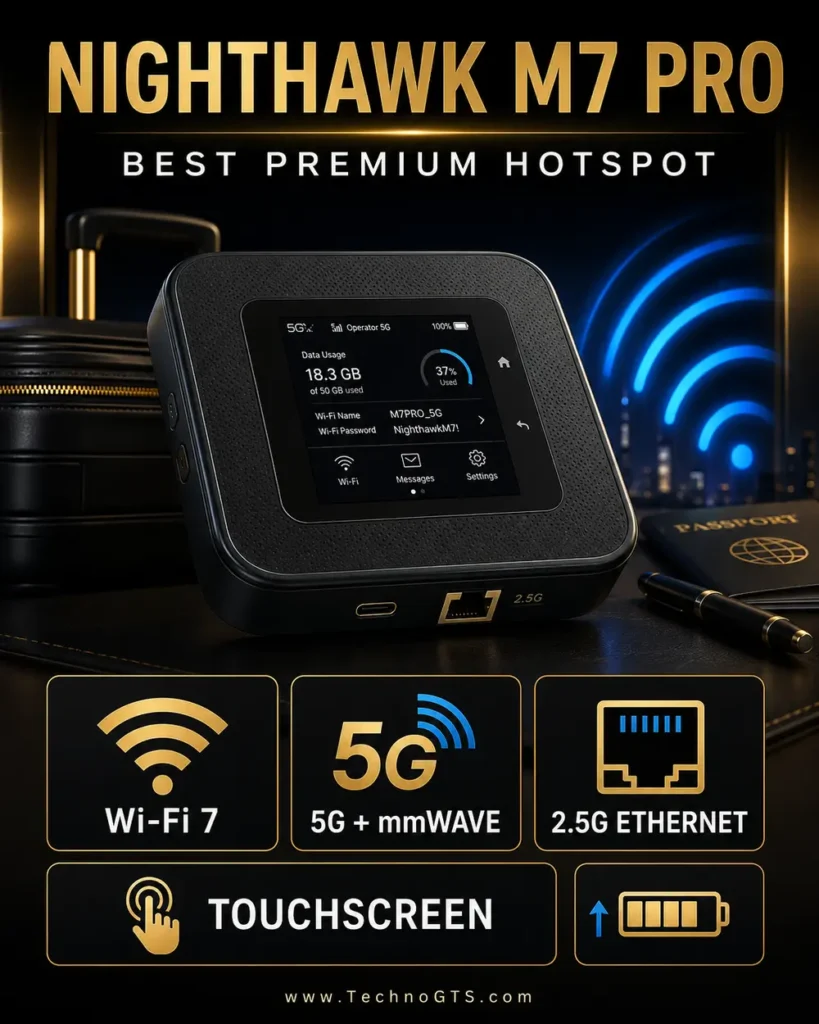
The 2.5GbE port transforms the hotspot from a purely wireless gadget into a legitimate temporary gateway. Connect one computer directly for a stable workstation link, or feed a router/switch when building a small event network. Removing the battery and using appropriate external power can support a more stationary role, though a purpose-built fixed router remains preferable for permanent unattended installations.
AT&T’s product listing emphasizes 5G+, Wi-Fi 7, a 2.8-inch display, and a removable battery. NETGEAR’s support documentation identifies MR7400-1A1NAS as AT&T-certified for North America. That makes the service relationship central to the purchase. Confirm hotspot data allowance, throttling rules, activation fees, installment terms, and whether your intended use is permitted.
What We Like
- Current-generation radio platform: Snapdragon X75, sub-6GHz, and mmWave create broad performance potential on supported AT&T spectrum.
- Wi-Fi 7 local network: Strong client capacity and low-latency features for compatible devices.
- 2.5GbE connection: Provides a stable wired path and an easy handoff to other network equipment.
- Portable administration: Touchscreen access reduces dependence on an app for basic status and settings.
- Replaceable battery: Better for long-term ownership than a permanently sealed cell.
What Could Be Better
- The premium hardware price is only the start; an appropriate hotspot plan may dominate ownership cost.
- Wi-Fi 7 and mmWave availability are conditional, and neither guarantees a fast connection at a given address.
- It is AT&T-oriented rather than the best choice for carrier-hopping.
- Battery life falls with heavy traffic, weak signal, bright display use, and high-performance radio modes.
Performance and Connectivity Analysis
The X75 platform supports advanced 5G features and mmWave, while the router’s band implementation is tuned to its market. Millimeter-wave can be exceptionally fast at close range with a clear radio path, yet its indoor reach is limited. C-band and other sub-6GHz spectrum will be more relevant for most homes and travel stops. Low-band spectrum can cover greater distances but normally offers less capacity.
NETGEAR describes Wi-Fi throughput up to 5.8Gbps in aggregate and cellular potential up to 6Gbps in its launch material. These are radio ceilings, not expected speed-test numbers. A more useful evaluation asks whether the hotspot maintains a stable band, provides acceptable upload, keeps latency consistent under load, and serves the required clients without overheating or exhausting the plan.
For a stationary setup, connect Ethernet and compare it against Wi-Fi at short range. If Ethernet is much faster, optimize local wireless settings or attach a dedicated router. Explore our Wi-Fi 7 router coverage if you want a larger home LAN with multiple multi-gigabit ports and broader antenna placement.
If the final client is an older laptop, upgrading its interface can matter more than changing the hotspot. The options in our network adapter guide help separate client limitations from cellular limitations.
Setup, Security, and Daily Use
The touchscreen makes setup approachable: activate the service, install the SIM as directed, power on the unit, follow carrier prompts, and change the network credentials. Keep firmware current, disable unused guest access, and use WPA3 where every essential device supports it. Maintain a fallback 2.4GHz network for older smart devices only when necessary.
Data monitoring should become a routine. Operating systems, game consoles, cloud photo libraries, and security cameras can transfer far more than expected. Configure metered-connection behavior on clients and pause large updates when the plan is limited. A hotspot’s connected-device capacity does not mean the data plan can economically support that many active users.
For desk use, provide ventilation and avoid prolonged heat exposure. If powered continuously, follow NETGEAR’s supported battery/power guidance. A removable battery is valuable, but careless charging in hot environments can still shorten its life.
Who Should Buy It?
Buy the M7 Pro when AT&T performs well in the locations you use, the correct hotspot plan is available, and you genuinely need premium portable networking. It suits mobile professionals, production teams, exhibitors, remote workers, and households wanting a sophisticated temporary backup.
Do not buy it merely because Wi-Fi 7 sounds faster than Wi-Fi 6E. If the cellular service is modest or all clients are older, the M6 Pro or MiFi X PRO may deliver equivalent practical internet at a lower total cost.
Bottom Line
The M7 Pro is the most advanced portable device here, pairing 5G, Wi-Fi 7, touchscreen control, removable power, and 2.5GbE. Its value is excellent for the right AT&T user and poor for anyone who has not first validated coverage and plan economics.
NETGEAR Nighthawk M6 Pro (MR6550): Best Unlocked Portable 5G Router
Product Snapshot
| Attribute | Details |
|---|---|
| Best for | Travelers and professionals who need US carrier flexibility |
| Wi-Fi | AXE3600-class Wi-Fi 6E |
| Wired | 2.5GBASE-T, USB-C, two TS-9 antenna ports |
| Carrier position | US unlocked model certified for AT&T, T-Mobile, and Verizon |
| Battery | Removable 5040mAh; manufacturer rates up to 13 hours |
| Watch-out | Verify exact regional model and plan; expensive |
The Nighthawk M6 Pro MR6550 remains a particularly attractive portable router because the US unlocked model is documented for AT&T, T-Mobile, and Verizon. That does not make every plan interchangeable or guarantee activation, but it gives informed buyers more freedom than a carrier-exclusive hotspot. International band coverage also makes it useful for frequent travelers who are willing to verify local service.
Its Wi-Fi 6E radio is less new than the M7 Pro’s Wi-Fi 7 system but still substantially faster than most cellular connections. The device supports 2.4GHz plus either 5GHz or 6GHz configurations, a useful reminder that “tri-band” does not always mean three simultaneous active bands. Six-gigahertz offers clean short-range spectrum for compatible clients; 5GHz usually provides a better blend of range and compatibility.
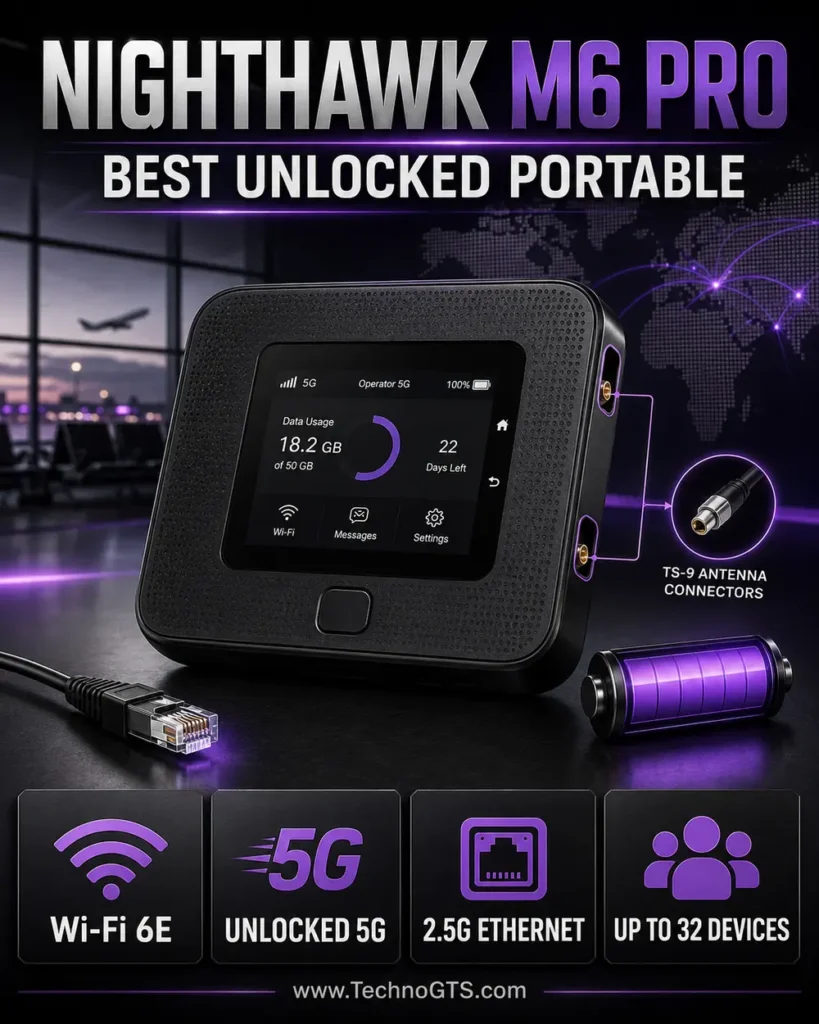
The 2.5GbE port is a major practical advantage. In a hotel, studio, temporary office, or home backup arrangement, it can connect one critical system without Wi-Fi variability or feed a larger router. Two TS-9 RF ports allow a compatible external MIMO antenna, which can help in a parked RV or building when placement and cable quality are planned correctly.
NETGEAR lists up to 32 connected devices, a 2.8-inch touchscreen, a removable 5040mAh battery, and up to 13 hours of battery life under specified conditions. Those are useful capacity indicators, not promises under every workload. Weak cellular signal forces the radio to work harder; Ethernet, 6GHz, heavy uploads, and numerous active clients change runtime.
What We Like
- Unlocked US model: Official certification across the three largest US networks is unusually flexible.
- Broad interface set: 2.5GbE, USB-C, touchscreen, and TS-9 antenna ports fit both travel and temporary fixed use.
- Wi-Fi 6E: Provides a clean 6GHz option for nearby compatible devices.
- Remove-the-battery mode: NETGEAR describes broader Wi-Fi coverage when powered without the battery, useful for desk operation.
- International potential: Wide band support and SIM swapping suit carefully planned travel.
What Could Be Better
- “Unlocked” does not override carrier IMEI databases, plan rules, APNs, or roaming policy.
- The purchase price is high compared with a carrier-supplied gateway.
- Six-gigahertz range is shorter, and its operation is subject to regional/power conditions.
- The square portable body is convenient, but not a rugged industrial enclosure.
Performance and Connectivity Analysis
The MR6550 uses Qualcomm’s Snapdragon X65 modem-RF platform and supports sub-6GHz plus mmWave in the US model. NETGEAR publishes extensive LTE and 5G band coverage, including bands relevant to major US networks. Actual carrier aggregation combinations and enabled features depend on firmware, service, and network.
For indoor use, start with the hotspot near a window and compare several sides of the building. Use the on-device indicators or web interface to inspect signal. Do not select a spot based only on bars; a location with slightly fewer bars on a higher-capacity band may outperform a strong low-band connection. Test upload and latency alongside download.
The 2.5GbE port offers the cleanest diagnostic route. Once cellular performance is known, compare 5GHz and 6GHz Wi-Fi. If a desktop lacks modern Wi-Fi, connect directly or use an appropriate option from our USB Wi-Fi adapter recommendations.
For a permanent whole-home network, consider using the M6 Pro as the WAN source and a conventional system for distribution. Our home networking guide explains how to avoid double NAT where bridge/IP passthrough options and carrier addressing permit it.
Setup, Security, and Daily Use
Confirm that the box says MR6550-100PAS or the exact supported US unlocked SKU rather than assuming every M6 Pro is identical. Activate a suitable data-only or hotspot plan, insert the nano-SIM, and complete the carrier’s procedure. If the connection fails, verify IMEI acceptance, APN, SIM provisioning, and plan eligibility before changing random radio settings.
Create a strong administrative password separate from the Wi-Fi password. Enable WPA3 where practical, keep firmware updated, and turn off WPS or guest access if not required. When traveling, the private hotspot is safer than an open venue network, but devices still need updated software, encrypted services, and sensible firewall rules.
Battery management determines long-term satisfaction. For mobile use, lower screen timeout and choose the wireless mode needed. For extended stationary use, follow the supported AC/battery configuration and keep the unit cool. Carrying a compatible USB-C power source helps, but confirm required power delivery rather than using an underpowered phone charger.
Who Should Buy It?
The M6 Pro is ideal for users who value carrier choice, international mobility, Ethernet, and external antenna support more than the latest Wi-Fi generation. Consultants, traveling families, field teams, and households with changing carrier needs can justify its premium.
A buyer committed to AT&T and eager for Wi-Fi 7 should compare the M7 Pro. A fixed-location user who wants dual-SIM policies and deeper routing should choose the Spitz AX. A budget-oriented mobile worker may prefer the simpler MiFi X PRO.
Bottom Line
The US unlocked Nighthawk M6 Pro is the most versatile battery-powered choice in our lineup. Its value comes from credible cross-carrier support and unusually complete interfaces—not from assuming that every SIM will automatically work.
Inseego MiFi X PRO 5G: Best Straightforward Everyday Hotspot
Product Snapshot
| Attribute | Details |
|---|---|
| Best for | Everyday mobile work and carrier-supported portable connectivity |
| Wi-Fi | Simultaneous dual-band Wi-Fi 6 |
| Wired | 1Gbps Ethernet and USB-C |
| Capacity | Up to 32 Wi-Fi connections |
| Management | 2.4-inch touchscreen, mobile app, optional centralized tools |
| Watch-out | Different carrier variants have different radios and activation paths |
The Inseego MiFi X PRO 5G earns its place by focusing on the functions most users actually need. It distributes sub-6GHz 5G over simultaneous dual-band Wi-Fi 6, provides Ethernet and USB-C, supports up to 32 wireless connections, and offers a color touchscreen. It is less about winning a specification contest and more about making secure mobile internet manageable.
Inseego markets the platform for mobile and extended powered use. A proprietary battery-preservation mode is intended to support continuous AC operation, a meaningful feature for a hotspot that may spend weekdays on a desk and weekends in a bag. The Ethernet port enables a stable workstation or downstream network connection without requiring an adapter.
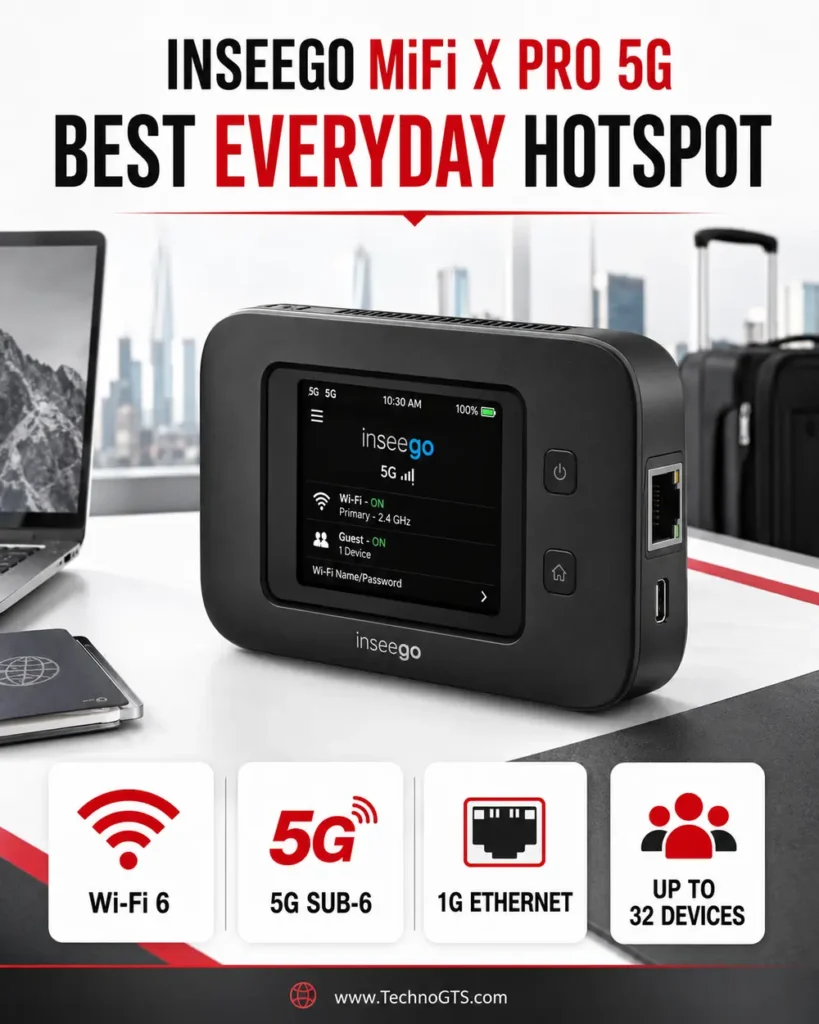
The product name covers carrier and regional variants, so precise identification is essential. A Verizon MiFi X PRO 5G UW is not automatically equivalent to a T-Mobile or generic enterprise version. Band support, mmWave, firmware, carrier locks, accessories, and even specifications can differ. Purchase by exact SKU and carrier documentation, not by family name alone.
Security features include WPA3, guest-network separation, VPN pass-through, OpenVPN support in documented variants, and enterprise-oriented controls. Those tools are useful for remote work, but configuration still matters. A default password left on a label, overly broad guest access, or outdated firmware can undermine capable hardware.
What We Like
- Approachable operation: Touchscreen and app reduce setup friction for non-specialists.
- Simultaneous dual-band Wi-Fi 6: Supports ordinary 2.4GHz devices and faster 5GHz clients together.
- Ethernet included: A genuine advantage for laptops, kiosks, cameras, or downstream routers.
- Battery-preservation mode: Better aligned with mixed mobile and stationary use.
- Business-friendly security: WPA3 and management options make it more than a basic consumer hotspot.
What Could Be Better
- Carrier-specific naming makes comparison confusing; exact SKU research is mandatory.
- A gigabit Ethernet port offers less headroom than the NETGEAR models’ 2.5GbE ports.
- Wi-Fi 6 lacks the 6GHz option of Wi-Fi 6E/7 products.
- Carrier plans can impose hotspot caps even when the hardware supports many clients.
Performance and Connectivity Analysis
Inseego documents 5G carrier aggregation and Qualcomm X62/X65 modem platforms across the family, with advertised 5G speed up to 1Gbps on its general MiFi X PRO page. That figure is more conservative than some competitors’ theoretical peaks, but it remains conditional. Network allocation, radio bands, placement, congestion, and plan management determine actual results.
Simultaneous dual-band Wi-Fi 6 is sensible for mixed-device groups. Put high-throughput laptops on 5GHz and leave smart accessories on 2.4GHz. A guest network can isolate visitor devices. If a large home has dead zones, do not increase transmit power indiscriminately; optimize cellular placement and use the guidance in our mesh Wi-Fi coverage hub.
Ethernet is valuable for measurement and fixed devices. If you need multiple jacks, connect an Ethernet switch only after confirming the topology and address behavior. A hotspot plan may not be designed for dozens of always-on cameras or large backups even though the LAN can physically connect them.
Setup, Security, and Daily Use
Buy through the carrier or an authorized channel that clearly states model and lock status. Complete activation before a critical trip. On first use, update the software, change administration and Wi-Fi credentials, review the guest network, and set a data-usage warning below the plan threshold.
The touchscreen makes it easy to share credentials, see usage, and review signal without opening a laptop. That convenience is particularly valuable for a family or team, but avoid exposing the device where strangers can read or manipulate it. Use screen lock features where available.
For continuous powered operation, use the recommended charger and battery-preservation setting. Inseego notes that a charger may not be included on some versions and recommends 18W for optimal charging on its general product page. Verify the package contents for the specific carrier unit.
Who Should Buy It?
Choose the MiFi X PRO when you want a capable, relatively simple hotspot bought for a known carrier and plan. It fits remote workers, students, small field crews, traveling families, and users who prefer a touchscreen workflow over an enthusiast router interface.
Skip it if unlocked multi-carrier flexibility, 6GHz Wi-Fi, 2.5GbE, or removable external antennas are essential. The Nighthawk M6 Pro or Spitz AX is better aligned with those requirements.
Bottom Line
The MiFi X PRO is the pragmatic pick: 5G, simultaneous Wi-Fi 6, Ethernet, touchscreen control, and sensible powered-use features in a portable format. Its success depends on selecting the correct carrier variant.
Peplink MAX BR1 Mini 5G: Best for Professional Failover
Product Snapshot
| Attribute | Details |
|---|---|
| Best for | Retail, branch, fleet, remote site, kiosk, and monitored backup |
| Cellular | One 5G sub-6GHz modem; broad carrier-certified SKU availability |
| Management | InControl cloud management; SpeedFusion ecosystem |
| Installation | Compact fixed router with external antenna and DC-oriented deployment |
| Variant note | Wi-Fi and no-Wi-Fi SKUs exist; check product code carefully |
| Watch-out | Subscription/support features and installation add ownership cost |
The Peplink MAX BR1 Mini 5G is not the most glamorous router in the comparison. It is the one we would shortlist when an unattended site must stay visible and manageable. Peplink positions it for mass deployments, vehicles, retail, IoT, and professional backup. Its value lies in policy control, remote administration, installation options, and an ecosystem designed around unreliable WAN links.
The router contains one 5G modem, so dual SIM does not imply two active cellular connections. It can select a provisioned service and combine cellular with other WAN paths according to model and license capabilities. Businesses that truly need two simultaneous carrier radios should move up to a dual-cellular product rather than assuming a SIM slot creates radio redundancy.
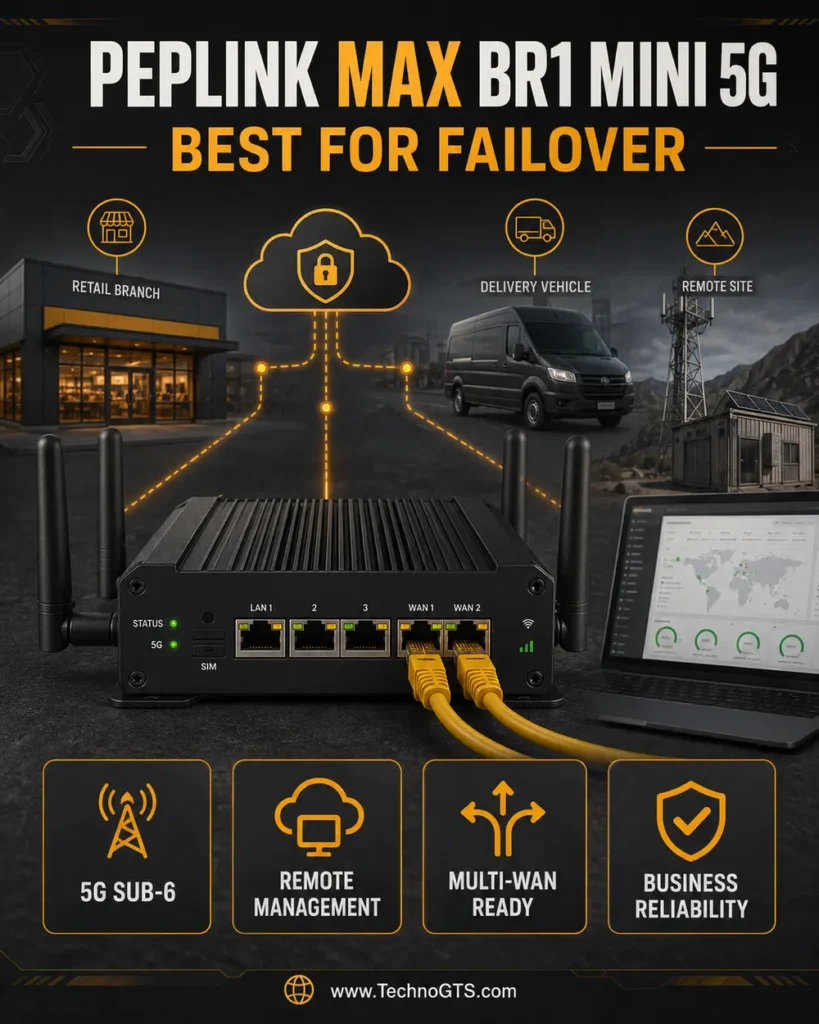
Peplink’s InControl platform supports centralized configuration, monitoring, and zero-touch deployment. SpeedFusion services can improve continuity through hot failover, smoothing, or bonding depending on product, subscription, and configuration. These are valuable for voice, transactions, telemetry, and remote access, but they are not free magic. They may require licensing, cloud data, endpoint infrastructure, and careful testing.
The BR1 Mini family contains closely related SKUs. Peplink lists a 5G version with built-in Wi-Fi as well as configurations without Wi-Fi. US carrier certifications include AT&T, T-Mobile, Verizon, and FirstNet on documented variants. Confirm the exact product code, modem region, Wi-Fi capability, accessories, power supply, antennas, and PrimeCare term in the quotation.
What We Like
- Purpose-built reliability: Designed for fixed and mobile professional deployments rather than occasional personal tethering.
- Central administration: InControl makes distributed fleets and branches easier to monitor.
- Broad carrier certification: Documented US options cover major networks and FirstNet.
- External antenna architecture: Better suited to roof, vehicle, cabinet, and remote-site installation.
- Expandable continuity tools: SpeedFusion and failover policies address session-sensitive applications.
What Could Be Better
- The product family and licenses are harder to understand than a consumer hotspot.
- Some SKUs omit Wi-Fi, and accessories may be separate.
- A single modem cannot provide simultaneous active-active carrier redundancy.
- Ongoing cloud/support/service costs must be included in procurement.
Performance and Connectivity Analysis
Peplink documents a global sub-6GHz modem with 5G standalone and non-standalone support plus an extensive band list. This breadth is helpful for fleets and deployments across carriers, but certification and actual network enablement remain SKU-specific. There is no mmWave focus; the router prioritizes broadly useful sub-6 coverage.
Professional results depend heavily on antennas. Select cellular, Wi-Fi, and GPS antennas appropriate to the SKU, frequency range, environment, connector, grounding, cable length, and mounting surface. A vehicle roof antenna can outperform equipment buried in a cabinet, while an indoor branch may need a short low-loss run to a window-facing antenna.
The local network design should match the job. A no-Wi-Fi BR1 Mini can feed an existing firewall or access point and avoid overlapping radios. A Wi-Fi SKU can support a compact all-in-one deployment. If the site already has a strong LAN, review our wired networking resources to preserve negotiated link rates and proper installation.
For wireless distribution beyond a small zone, use dedicated infrastructure rather than expecting a compact cellular router to cover a warehouse. Our Wi-Fi router section provides a starting point for the access layer.
Setup, Security, and Daily Use
Professional installation begins with a deployment plan: carrier A, carrier B or wired WAN roles; health checks; traffic priorities; data caps; remote-management ownership; firmware policy; VPN design; and alert recipients. Document every SIM, IMEI, APN, account, antenna, cable, and power source. Test the full unit on a bench before sending it to a remote location.
Failover testing must include real applications. A basic ping may recover while a VPN, voice call, payment tunnel, or camera stream breaks. Test loss of wired WAN, loss of cellular registration, degraded signal, DNS failure, power interruption, and data-plan exhaustion. Determine which sessions survive and how operators are alerted.
Security should use least privilege. Create separate administrator roles, enable multifactor authentication where supported, restrict remote access, maintain configuration backups, and schedule firmware review. Cellular connectivity can bypass the physical perimeter of a branch, making disciplined cloud-account security essential.
Who Should Buy It?
The BR1 Mini 5G is best for organizations or technical owners who value remote management, rugged installation, carrier certification, and tested failover. Retail locations, kiosks, fleets, construction sites, remote cameras, and branch offices are natural fits.
Most households do not need its complexity. The Spitz AX provides more consumer-friendly routing flexibility, while a Nighthawk or MiFi is easier to carry. Buy Peplink when downtime and truck rolls have a measurable cost.
Bottom Line
Peplink wins the professional slot because it turns 5G into managed infrastructure. Specify the exact SKU and service package carefully; the right configuration is a dependable tool, while the wrong one may arrive without the Wi-Fi or licensing you assumed.
Detailed Buying Guide: Build the Cellular Path Before You Buy the Box
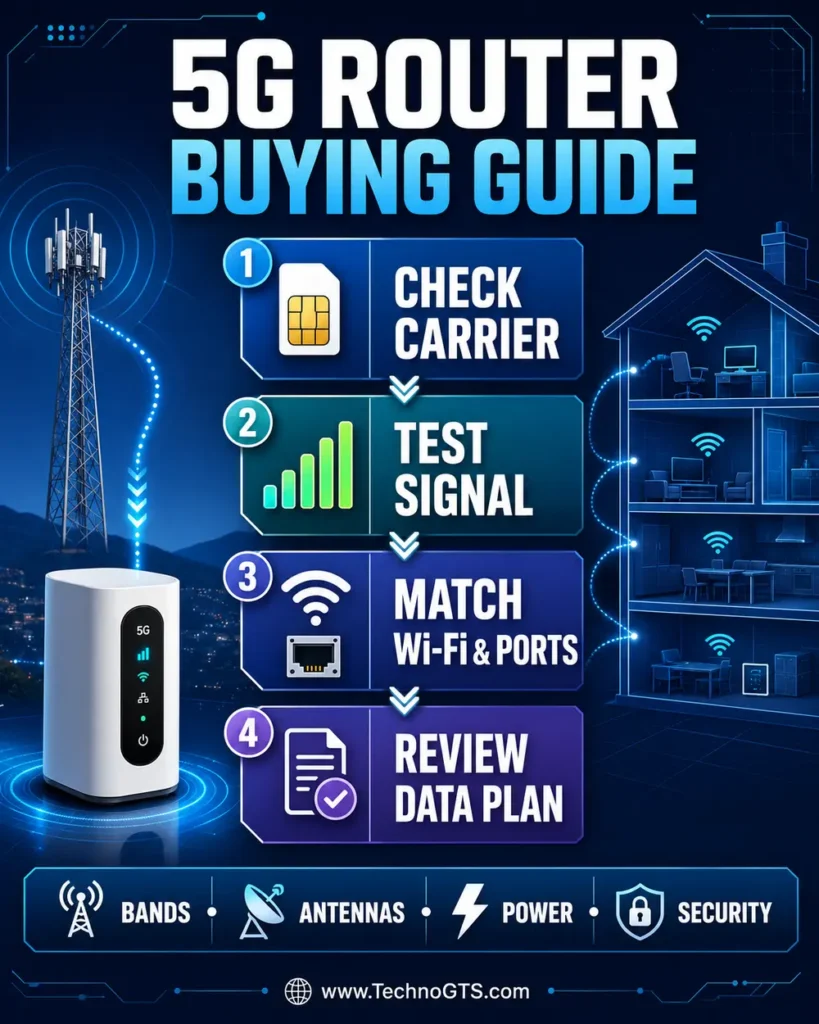
1. Decide Whether 5G Is Primary, Portable, or Backup
Primary home internet requires stable AC operation, strong antennas, Ethernet, sufficient data, and predictable congestion. Portable use prioritizes battery, weight, touchscreen control, USB charging, and roaming. Backup service prioritizes automatic failover, health checks, low standby cost, and the ability to preserve important sessions.
Trying to make one device excel at all three roles creates compromises. A battery hotspot is delightful in a backpack but not ideal in a hot attic. An enterprise gateway is excellent in a cabinet but awkward on a café table. Define the main role and one secondary role; do not optimize for every hypothetical.
If your current connection is adequate and only Wi-Fi coverage is poor, a cellular router is the wrong fix. Start with our Wi-Fi extender category for a small isolated dead spot or mesh Wi-Fi systems for broader whole-home coverage.
2. Validate Carrier Service at the Exact Address
Coverage maps are estimates. Test near the intended location with a current phone on the same carrier and, ideally, the same priority class. Repeat at morning, evening, and weekend peaks. A network that reaches 400Mbps at dawn and 25Mbps after dinner may still be usable, but it should not be purchased under the assumption of a constant 400Mbps.
Measure upload because video meetings, cloud backup, cameras, and remote access depend on it. Measure latency under load because a fast download can coexist with severe queueing. Observe connection drops over hours, not minutes. If two carriers are plausible, a month of prepaid testing can be cheaper than returning expensive hardware.
For broader planning around routers, clients, and wired backhaul, browse the TechnoGTS networking and Wi-Fi portal. When a computer has no current radio, the network adapters section can prevent an old client from distorting the trial.
3. Confirm Model, Bands, Certification, and IMEI
“5G” is not a universal frequency. US networks use several low-, mid-, and high-band channels. A router must support the relevant bands and carrier aggregation combinations, and the carrier may require certification or an approved IMEI. A global model with many bands can still lack a combination or firmware feature your network uses.
Always capture the complete SKU. MR6550-100PAS carries meaning beyond “M6 Pro.” Peplink product codes distinguish modem region and Wi-Fi configuration. Carrier versions of the MiFi X PRO differ. Compare the exact SKU against the manufacturer’s current support matrix and ask the carrier to confirm activation.
Do not assume an unlocked phone plan belongs in a router. Carriers can identify device type and enforce plan rules. Use an approved tablet, hotspot, data-only, fixed-wireless, or business plan as required. Written confirmation is more useful than a forum anecdote.
4. Understand Sub-6GHz, C-Band, and mmWave
Sub-6GHz includes frequencies below 6GHz and spans very different propagation characteristics. Low-band 5G reaches farther and penetrates buildings better, but often provides limited capacity. Mid-band, including C-band and carrier-specific spectrum, offers a strong balance of speed and coverage. It is the most relevant high-performance layer for many US households.
Millimeter-wave operates much higher and can deliver remarkable rates in small coverage zones. Walls, glass treatments, foliage, people, and distance can attenuate it. It is valuable at venues and dense urban locations but should not be the sole reason to buy a home router unless you have verified a usable signal.
LTE support remains important. A 5G router may anchor to LTE in non-standalone mode or fall back where 5G is unavailable. Good LTE band coverage can make the difference between a graceful fallback and no service.
5. Evaluate Signal Quality, Not Only Bars
Signal bars compress complex information into an icon. Advanced interfaces may expose RSRP, RSRQ, SINR, connected band, and cell identity. RSRP relates to reference-signal power, RSRQ to quality, and SINR to signal relative to interference and noise. Better quality can outperform higher raw power.
Move the router in small increments and rotate it. Test high shelves and multiple windows. Keep it away from metal cabinets, large appliances, and heat sources. Record settings and results so you can return to the best position. A phone’s ideal location is not always identical because antennas and band selection differ.
External antennas can help when the router supports them. Match frequency coverage, MIMO lead count, connector type, polarization, and impedance. Use the shortest practical low-loss cable, weatherproof outdoor connections, ground the system as required, and comply with installation codes. An antenna cannot create network capacity that the carrier does not provide.
6. Choose Between Internal, TS-9, and SMA Antennas
Portable hotspots use compact internal antennas and may expose two TS-9 connectors. TS-9 is convenient but physically delicate; strain relief matters. Stationary gateways often use threaded SMA connectors that support larger antennas and more permanent cabling. Wi-Fi connectors may use reverse-polarity versions, so do not attach an antenna solely because it appears to fit.
Directional antennas concentrate reception toward a known tower and can reduce interference. Omnidirectional antennas are easier for travel or places with several tower directions. MIMO systems require multiple correctly oriented elements. Buying one high-gain antenna for a multi-port 5G modem can degrade performance.
7. Separate Cellular Speed From Wi-Fi Speed
A BE5800 label describes an aggregate theoretical local wireless class across supported streams/bands. It does not mean a phone will download at 5.8Gbps from the internet. The client may support fewer spatial streams, the router may use only two bands concurrently, and the cellular link may be far slower.
Wi-Fi 6 is sufficient for most 5G deployments. Wi-Fi 6E adds 6GHz for compatible nearby clients, reducing congestion but shortening practical range. Wi-Fi 7 can improve efficiency and latency with compatible clients, yet its best features require support at both ends. Spend first on the cellular side, antennas, placement, and plan.
Readers planning a separate local network can compare Wi-Fi 6 router options and Wi-Fi 7 router options independently of the 5G modem.
8. Get the Ethernet Path Right
Ethernet is important for desktops, game systems, workstations, cameras, and router-to-router handoff. A 2.5GbE port gives headroom for unusually fast cellular or a wired WAN, but the connected switch and client must also support 2.5GbE. A gigabit port is adequate for most current 5G results and often more stable than Wi-Fi.
Count ports. Portable hotspots typically provide one. A switch adds capacity without replacing the router. Avoid creating loops, and understand whether the Ethernet jack is LAN-only, WAN-only, or configurable. Check whether IP passthrough/bridge mode exists if connecting a second router.
Use our Ethernet cable guide to select and troubleshoot cabling, and our Ethernet switch guide when one port must serve several wired devices.
9. Understand NAT, CGNAT, and Public IP Limitations
Mobile carriers commonly use carrier-grade NAT. Your router may receive a private carrier address, which prevents unsolicited inbound IPv4 connections. Port forwarding in the local router cannot overcome upstream CGNAT. Gaming, self-hosting, remote cameras, and inbound VPN servers may therefore need a carrier public/static IP option, IPv6, a relay service, or an outbound tunnel.
Connecting a second router can add another layer of NAT. IP passthrough or bridge features may reduce local double NAT, but carrier NAT can remain. Test the actual application before deployment. A successful speed test says nothing about inbound reachability.
10. Compare SIM, eSIM, and Dual-SIM Behavior
Physical nano-SIM slots are simple and transferable when carrier terms permit. eSIM can streamline remote provisioning, but support depends on hardware, firmware, provider, and commercial arrangements. Some routers use a physical eSIM adapter rather than a native consumer eSIM experience.
Dual SIM often means two subscriptions connected to one modem that can switch between them. It does not mean two simultaneous networks, aggregated speed, or instant zero-loss failover. A single modem must detach and register on the other service. Dual-modem routers cost more but can maintain two active connections.
11. Calculate the Real Data-Plan Requirement
Estimate monthly use by category: streaming, work calls, cloud backup, game downloads, operating-system updates, cameras, smart-home traffic, and guest devices. A household can consume hundreds of gigabytes or more; a mobile hotspot plan may include much less high-speed data. “Unlimited” frequently includes priority, hotspot, resolution, or congestion terms.
Read the current plan disclosure. Determine high-speed allowance, deprioritization, throttled rate, video policy, roaming, overage, activation, equipment financing, taxes, and whether the service is restricted to an approved address. Business plans may offer static IP or higher support but cost more.
12. Plan Power, Battery, Heat, and Outages
A fixed router should recover automatically after power loss and remain stable under continuous traffic. A portable hotspot should have a replaceable or well-managed battery, supported continuous-power mode, and a charger with sufficient output. Heat is the common enemy: direct sunlight, a closed car, and an unventilated cabinet reduce performance and battery life.
For backup internet, pair the router and essential network gear with a properly sized UPS. Calculate actual watts and desired runtime. Test automatic restart after the UPS is exhausted. A hotspot battery can bridge a short outage, but the attached switch or Wi-Fi system may still lose power.
13. Review Security and Management
At minimum, demand supported firmware updates, WPA2/WPA3, a stateful firewall, separate administrator credentials, and the ability to disable unused services. Business deployments benefit from role-based administration, audit visibility, centralized configuration, alerts, and backups.
VPN client support can secure traffic across untrusted upstream Wi-Fi or enforce policy for devices that cannot run a VPN app. It also reduces throughput and may not change carrier NAT. VPN server use requires reachable addressing or an intermediary service.
For devices that need a client-side wireless upgrade, our USB Wi-Fi adapter category offers a focused path. For the entire LAN, the home networking section helps connect security choices across routers, switches, and endpoints.
14. Budget for the Complete Ownership Stack
The purchase price is only one line. Include service plan, activation, taxes, antennas, mounts, low-loss cables, power supply, UPS, switch, cloud management, VPN or bonding data, support renewal, replacement battery, and potential professional installation. Over three years, service usually costs more than hardware.
An expensive unlocked hotspot can be economical if it replaces several carrier devices during travel. A carrier-supplied gateway can be economical for one address. A professional router is justified when it prevents a truck roll or failed transaction. Value is the cost of the solved problem, not the lowest retail price.
15. Use a Prepurchase Checklist
- Exact model/SKU documented
- Carrier confirms IMEI and plan eligibility
- Relevant 5G and LTE bands supported
- Signal tested at the actual location
- Data allowance fits realistic use
- Ethernet and Wi-Fi topology planned
- Antenna connectors and accessories confirmed
- Continuous-power behavior verified
- Firmware/support policy acceptable
- Return window long enough for peak-hour testing
Product Comparison Tables
Best Choice by Use Case
| Use case | First choice | Why | Alternative |
|---|---|---|---|
| Flexible fixed home/RV gateway | GL.iNet Spitz AX | Dual SIM, multi-WAN, antennas, OpenWrt controls | Peplink BR1 Mini 5G |
| Premium AT&T mobile hotspot | Nighthawk M7 Pro | Wi-Fi 7, X75, 2.5GbE, touchscreen | Nighthawk M6 Pro |
| Unlocked US travel | Nighthawk M6 Pro | Certified for AT&T/T-Mobile/Verizon, broad interfaces | MiFi X PRO carrier variant |
| Simple carrier-supported portability | Inseego MiFi X PRO | Wi-Fi 6, touchscreen, Ethernet, battery preservation | Nighthawk M6 Pro |
| Managed branch/fleet failover | Peplink BR1 Mini 5G | InControl, carrier certification, installation ecosystem | GL.iNet Spitz AX |
Connectivity and Expansion
| Product | Wi-Fi generation | Ethernet | External cellular antenna path | SIM approach | Battery |
|---|---|---|---|---|---|
| GL.iNet Spitz AX | Wi-Fi 6 | 2.5GbE WAN + 1GbE LAN | Four SMA cellular ports | Two nano-SIM, one modem | No |
| Nighthawk M7 Pro | Wi-Fi 7 | 2.5GbE | Check carrier/model accessories | Carrier nano-SIM | Removable |
| Nighthawk M6 Pro | Wi-Fi 6E | 2.5GbE | Two TS-9 ports | Unlocked nano-SIM | Removable 5040mAh |
| MiFi X PRO 5G | Wi-Fi 6 | 1GbE | Variant-dependent | Carrier/variant-specific | Integrated/removable by variant; verify |
| Peplink BR1 Mini 5G | SKU-dependent | Deployment-focused Ethernet | External antennas | Multi-SIM selection, one modem | No |
Ownership and Complexity
| Product | Setup difficulty | Best management style | Recurring-cost sensitivity | Best buyer profile |
|---|---|---|---|---|
| GL.iNet Spitz AX | Medium | Local web UI + GoodCloud | Medium | Enthusiast or technical household |
| Nighthawk M7 Pro | Easy–medium | Touchscreen + carrier/NETGEAR UI | High | AT&T mobile professional |
| Nighthawk M6 Pro | Medium | Touchscreen + web UI | High | Carrier-flexible traveler |
| MiFi X PRO 5G | Easy | Touchscreen + app | High | Everyday mobile user |
| Peplink BR1 Mini 5G | High | InControl + documented operations | Medium–high | Business/installer |
If these tables reveal that your need is local coverage rather than cellular access, compare a standard Wi-Fi router or mesh system first. If 5G remains the right WAN, preserve its best signal location and extend the LAN separately.
For wired expansion, a switch and verified cabling are usually cleaner than forcing every device onto the hotspot. See our Ethernet switches and Ethernet cables sections for those components.
Frequently Asked Questions
1. Can a 5G router replace cable or fiber internet?
It can when local 5G is stable, the plan permits enough data, and latency/upload meet your applications. Test during peak hours before canceling wired service. Fiber normally offers more consistent latency, upload, and capacity; cable may also be more predictable. 5G is especially attractive where wired options are slow, expensive, temporary, or unavailable.
Review the complete setup in our home networking guide and compare conventional hardware in the Wi-Fi router category.
2. Do I need a special SIM card or data plan?
Usually you need a plan that explicitly supports a hotspot, router, tablet, fixed-wireless gateway, or business data device. A phone SIM may fit but be blocked, mis-provisioned, or subject to different tethering limits. Ask the carrier to validate the exact router IMEI and plan before purchase.
The 5G routers category provides device context, while our networking hub helps map the complete system.
3. Is an unlocked 5G router compatible with every carrier?
No. Unlocked means the device is not restricted to one carrier; it does not guarantee every band, certification, APN, or plan. Regional variants also differ. The US unlocked NETGEAR MR6550 is officially documented for major US carriers, but activation and service rules still apply.
4. Is Wi-Fi 7 necessary in a 5G router?
Not for most people. Wi-Fi 6 can distribute a typical 5G connection efficiently. Wi-Fi 7 is worthwhile for premium compatible clients, busy local traffic, or future readiness, but it cannot increase the cellular connection itself. Compare the role of a dedicated Wi-Fi 7 router with mature Wi-Fi 6 routers.
5. What is the difference between a 5G router and a mobile hotspot?
A fixed 5G router normally has stronger external antennas, more routing controls, fixed power, Ethernet, and mounting options. A mobile hotspot emphasizes battery, touchscreen, size, and quick sharing. Some premium hotspots blur the boundary by adding Ethernet and stationary modes.
6. Can I use a 5G router in an RV?
Yes, if the router’s power input, temperature range, antennas, carrier coverage, and plan suit travel. Secure the device, route antenna cables safely, and never leave a lithium-battery hotspot in extreme heat. Multi-carrier testing is particularly valuable because routes cross coverage zones.
Use a USB Wi-Fi adapter for an older onboard computer, or add an Ethernet switch for fixed devices.
7. Does dual SIM make the internet twice as fast?
Usually not. In routers such as the Spitz AX and BR1 Mini, two SIM slots share one modem and provide selection/failover. They cannot transmit through both cellular networks simultaneously. True bonding requires multiple active modems plus compatible software/service, and even then overhead and application behavior matter.
8. Why is my 5G speed slower than my phone?
The devices may use different bands, carrier aggregation, antenna designs, plan priority, or locations. Your phone may also display 5G while testing a different server or time. Put both in the same position, disable unrelated traffic, and repeat multiple measurements. Check Ethernet from the router to isolate Wi-Fi.
For client bottlenecks, consult our network adapters guide and USB Wi-Fi adapter guide.
9. Will an external antenna always improve 5G speed?
No. It can improve signal quality when correctly selected, positioned, polarized, and cabled. It can also reduce performance if it omits required MIMO leads, uses lossy cable, targets the wrong tower, or overloads a strong signal. Measure before and after across several periods.
10. Can I connect a mesh system to a 5G router?
Yes. Ethernet from the 5G gateway to a mesh router is common. Use bridge, access-point, or IP-passthrough modes where supported to avoid unnecessary double NAT. Keep the cellular gateway in its best signal location and place mesh nodes for household coverage.
See our mesh Wi-Fi section and home networking resources for topology guidance.
11. What is CGNAT, and why does it matter?
Carrier-grade NAT lets a provider share public IPv4 addresses among customers. It often prevents inbound port forwarding, even when the router has a port-forward rule. Remote hosting, some games, and cameras may need IPv6, a carrier static/public IP, a relay, or an outbound VPN/tunnel.
12. Is 2.5GbE useful when 5G is slower than one gigabit?
It can still be useful for future headroom, fast wired WAN failover, and avoiding a one-gigabit bottleneck at rare high-speed sites. For most users, stable gigabit Ethernet is enough. Every device and cable in the path must negotiate the higher rate.
Check our Ethernet cable recommendations and Ethernet switch recommendations before building a multi-gigabit LAN.
13. How many devices can a 5G hotspot support?
Manufacturers commonly advertise 32 or more, but that is a connection limit rather than a performance promise. Thirty-two idle devices are easy; several 4K streams, backups, calls, and game downloads can overwhelm the cellular plan or radio. Capacity planning should use simultaneous traffic and data allowance.
14. Can I leave a battery hotspot plugged in all the time?
Only according to the manufacturer’s supported power guidance. Heat and constant high state of charge can age batteries. Prefer a battery-preservation mode or supported battery-removed operation, use the correct charger, provide airflow, and inspect the battery for swelling.
15. Does 5G provide lower latency than cable?
Sometimes, but not inherently at every location. Radio scheduling, tower backhaul, carrier routing, congestion, and signal quality affect latency. Fiber usually provides the most consistent low latency. Test unloaded and loaded latency to the services you use.
16. Can a Wi-Fi extender improve cellular reception?
No. A Wi-Fi extender repeats the local wireless network; it does not improve the router’s 5G connection to the tower. Move the cellular router or use a compatible external cellular antenna. Use an extender only when the WAN is good and one local Wi-Fi area is weak.
Our Wi-Fi extender guide explains that distinction, while the 5G router section focuses on the upstream connection.
17. Which router is best for international travel?
The unlocked Nighthawk M6 Pro is the strongest portable candidate here, but verify bands, local certification, SIM availability, plan terms, and roaming in every destination. Some countries restrict cellular routers or require registration. A global band list is helpful, not a universal guarantee.
18. Which router is best for home internet backup?
The Spitz AX is a strong enthusiast/home option because it supports multiple WAN methods and failover. Peplink’s BR1 Mini 5G is better for professionally monitored sites. A Nighthawk or MiFi hotspot can provide manual or simple wired backup where automatic policy is unnecessary.
19. Should I buy a carrier gateway instead of my own router?
A carrier gateway is often easier to activate, supported under the service, and inexpensive upfront. User-owned hardware offers more control, antenna choices, and carrier flexibility but introduces compatibility responsibility. Compare three-year total cost, not only hardware price.
Explore Wi-Fi routers when you want to place a separate LAN behind a carrier gateway, or mesh Wi-Fi when whole-home distribution is the priority.
20. What should I test during the return window?
Test every intended carrier, room, antenna, Ethernet mode, VPN, failover path, power state, and critical application. Measure peak and off-peak speed, upload, latency, packet loss, heat, battery, reconnect behavior, and monthly data projection. Save screenshots and firmware/model details so support can reproduce problems.
Final Verdict
The GL.iNet Spitz AX is the best 5G router for most technically confident buyers because it combines dual-SIM selection, external antennas, Wi-Fi 6, multi-WAN logic, Ethernet, and deep configuration in one flexible gateway. It is the device most likely to adapt when a household moves, a carrier changes, or a backup connection is added.
Choose the NETGEAR Nighthawk M7 Pro when you are an AT&T customer who wants the strongest portable feature set and can justify Wi-Fi 7, 2.5GbE, and premium hardware. Choose the Nighthawk M6 Pro MR6550 when unlocked US carrier flexibility matters more than having the latest Wi-Fi label. Choose the Inseego MiFi X PRO 5G for a simpler carrier-supported mobile workflow. Choose the Peplink MAX BR1 Mini 5G when remote management, installation, and tested failover are business requirements.
No ranking can substitute for an address-level trial. Confirm the model and plan, test signal during congestion, place the router for the cellular link, and build the local network around that location. The 5G routers hub can help you continue the device research, while the home networking hub covers the switches, access points, cabling, and clients that complete the system.
🏁 Our final recommendation: Start with the carrier trial, then buy the GL.iNet Spitz AX for flexible fixed/mobile deployment. Pick a Nighthawk or MiFi for true pocket mobility, and reserve Peplink for environments where managed uptime has a measurable value.
Research References
- GL.iNet Spitz AX official product page
- NETGEAR Nighthawk M6 Pro official product page
- NETGEAR mobile hotspot model specifications
- AT&T Nighthawk M7 Pro product listing
- Inseego MiFi X PRO official product page
- Peplink mobile routers overview
Disclosure: Specifications, carrier certifications, plan rules, prices, and availability can change. Verify the exact SKU and current service terms before purchase. TechnoGTS may earn a commission from qualifying purchases if affiliate links are added, without changing the price paid by the reader.