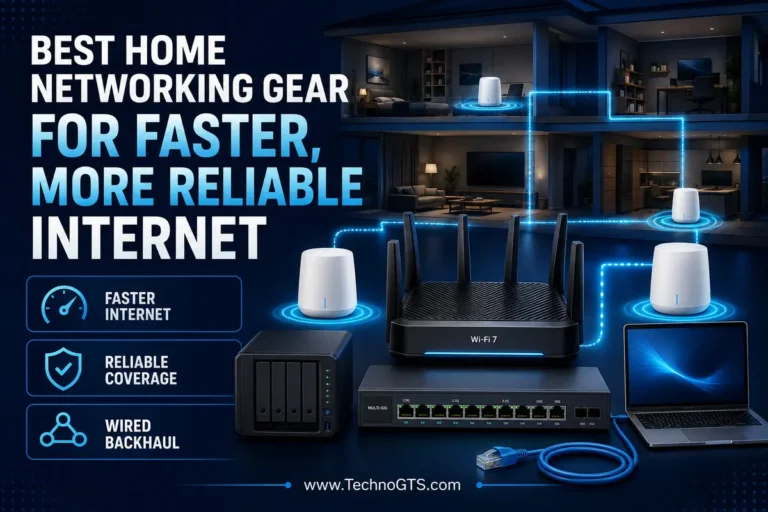
Best Ethernet Switches for Home and Small Offices
Build the Wired Network Before It Becomes a Bottleneck
A good Ethernet switch is one of the least glamorous and most useful devices in a home or small office. It turns one LAN connection from a router into several wired connections for desktops, network-attached storage, access points, printers, televisions, game consoles, cameras, and VoIP phones. Once installed correctly, a switch can work quietly for years without asking for attention. Choosing the wrong one is equally easy: a buyer can run out of ports immediately, pay for 2.5GbE that the rest of the network cannot use, underestimate a PoE power budget, or buy an unmanaged box when VLAN separation is the real requirement.

The first decision is not brand. It is the job the switch must perform. A family entertainment center may need five silent Gigabit ports and no configuration. A hybrid-work office may need eight ports, VLANs, traffic prioritization, and port mirroring. A design studio moving large files to a NAS can benefit from 2.5GbE on every workstation. A camera installation may need eight PoE+ ports but care more about the total watt budget than raw switching speed. Start with the topology explained in the TechnoGTS home networking section, then choose hardware that fits that topology.
An Ethernet switch does not replace a router. The router connects networks, provides internet access, performs NAT and firewall duties, and usually assigns local IP addresses. The switch expands the wired LAN behind it. In a common setup, one switch port connects to a LAN port on the router and the remaining ports serve devices. That uplink consumes a physical port unless the model provides a separate dedicated uplink. Readers comparing the network’s central gateway should use the Wi-Fi router category rather than expecting a switch to improve routing or internet service by itself.
Gigabit Ethernet remains appropriate for most US homes and small offices. It easily supports typical broadband plans, office applications, 4K streaming, backups, and Wi-Fi access points whose real traffic stays below 1 Gbps. 2.5 Gigabit Ethernet becomes valuable when the internet plan exceeds 1 Gbps, a NAS and workstations can negotiate 2.5GbE, or Wi-Fi 6/6E/7 access points have multi-gig uplinks. It often works over existing Cat 5e cabling at standard channel lengths when the cable and installation meet specifications, making it a practical step between 1GbE and more expensive 10GbE.
Management is another dividing line. An unmanaged switch is plug-and-play: connect power and cables, and it forwards traffic automatically. A smart-managed or Layer 2 switch can add VLANs, QoS controls, loop prevention, port statistics, mirroring, and link aggregation, depending on the exact model. Those features are useful only when someone will configure and maintain them. A poorly planned VLAN setup can break device discovery, printers, smart-home controllers, or internet access. Buyers should treat management as a responsibility, not a free performance boost.
Power over Ethernet adds a separate planning exercise. A PoE+ switch can send power and data through the same compatible cable to cameras, access points, or phones. The number of PoE-capable ports does not mean every port can deliver its maximum wattage simultaneously. The total PoE budget limits the combined load. Device startup surges, cable length, environmental temperature, and future expansion need headroom. Cable quality is also part of power delivery, so consult the Ethernet cable guides before installing permanent in-wall runs.
This research-based guide selects five current products with different jobs. TP-Link TL-SG108 is the best overall choice for straightforward eight-port Gigabit expansion. NETGEAR MS308 is the best full eight-port 2.5GbE upgrade. NETGEAR GS308PP is the best PoE+ option in this lineup, with eight powered Gigabit ports and an 83W included budget. TP-Link TL-SG108E is the best affordable smart-managed option for buyers who need VLANs or traffic controls. Ubiquiti UniFi Flex Mini 2.5G is the best compact managed multi-gig choice for an existing or planned UniFi environment.
Fast planning rule: Count today’s wired devices, add the router uplink, then reserve at least two ports for growth. For PoE, total the maximum power requirement of every powered device and keep practical headroom.
Quick Summary
🏆 Best Overall — TP-Link TL-SG108: Eight fanless Gigabit ports, a metal enclosure, wall-mounting support, IGMP snooping, QoS handling, and true plug-and-play operation. It is the default recommendation when a network simply needs more reliable wired connections.
🚀 Best 2.5GbE Upgrade — NETGEAR MS308: All eight ports support 100 Mbps, 1Gbps, and 2.5Gbps negotiation. The fanless metal switch suits multi-gig internet, NAS transfers, Wi-Fi access points, and capable workstations without requiring management.
⚡ Best PoE+ Switch — NETGEAR GS308PP: Eight Gigabit PoE+ ports share an 83W budget, expandable to 123W with the specified optional power supply. It is a clean foundation for cameras, phones, and access points when management is unnecessary.
🛠️ Best Affordable Smart Management — TP-Link TL-SG108E: Eight Gigabit ports plus VLAN, QoS, IGMP snooping, port mirroring, loop prevention, rate limiting, and cable diagnostics. It adds useful Layer 2 controls without moving to a rack-mounted business platform.
🧩 Best Compact Managed Multi-Gig — UniFi Flex Mini 2.5G: Five 2.5GbE ports in a tiny switch that can be powered through PoE or USB-C. It is most valuable inside UniFi, where centralized management justifies the ecosystem commitment.
Smart Comparison Table
| Recommendation | Ports and speed | Management | PoE output | Best fit | Primary compromise |
|---|---|---|---|---|---|
| TP-Link TL-SG108 | 8× 1GbE | Unmanaged | No | Everyday home and office expansion | No VLAN configuration or 2.5GbE |
| NETGEAR MS308 | 8× 2.5GbE | Unmanaged | No | Multi-gig NAS, internet, and AP links | Higher cost than Gigabit switches |
| NETGEAR GS308PP | 8× 1GbE | Unmanaged | 8× PoE+, 83W total | Cameras, APs, and VoIP | No VLAN interface; Gigabit only |
| TP-Link TL-SG108E | 8× 1GbE | Easy Smart | No | VLANs, QoS, diagnostics | Management is limited compared with a full enterprise switch |
| UniFi Flex Mini 2.5G | 5× 2.5GbE | UniFi-managed Layer 2 | Powered by PoE or USB-C; not selected for PoE output | Compact UniFi edge deployment | Five ports and ecosystem dependence |
Why Trust Us
TechnoGTS evaluates switches as infrastructure, not as boxes with impressive totals. We separate per-port line rate from switching capacity, PoE port capability from total PoE budget, and feature availability from feature usefulness. Current official US manufacturer pages, specifications, support materials, physical design, deployment modes, and ecosystem requirements form the evidence base. We do not claim that we physically benchmarked these units.
We also consider the rest of the network. A 2.5GbE switch cannot make a 1GbE router port negotiate above 1Gbps, and a Gigabit client cannot gain 2.5Gbps by connecting through an adapterless cable. Readers upgrading client interfaces can compare options in the network adapter section.
Testing and Evaluation Methodology
Because no hands-on lab notes were supplied, this guide uses a transparent research methodology. We verified port counts and rates, management class, PoE standard and budget, cooling design, enclosure, mounting, switching capacity where published, jumbo-frame support, official warranty language, and current US availability. Then we evaluated how those attributes solve actual home and small-office problems.
The analysis models likely traffic paths rather than inventing throughput measurements. A workstation copying to a NAS connected to the same 2.5GbE switch can benefit from local multi-gig links even if internet service is slower. Conversely, two high-speed endpoints behind a switch still share a 1Gbps uplink when traffic must leave that switch through one Gigabit port. Planning the cable plant through the Ethernet cables category is therefore as important as selecting the chassis.
Selection Methodology
Every product had to fill a distinct role, be supported by a current official listing, and avoid padding the lineup with trivial variants. Fanless designs were favored for desks, studios, and meeting rooms. Metal enclosures and mounting flexibility earned extra consideration. For managed products, VLAN and monitoring value mattered; for PoE, total wattage and standards compatibility mattered; for multi-gig, having several usable 2.5GbE ports mattered more than a single fast uplink.
We intentionally selected both 1GbE and 2.5GbE products. For many households, a low-cost Gigabit switch remains the most rational purchase. Buyers building wired backhaul for a mesh Wi-Fi system should match switch port speeds to the mesh nodes’ Ethernet interfaces rather than buying a higher class automatically.
TP-Link TL-SG108: Best Overall

The uncomplicated eight-port Gigabit default
The TP-Link TL-SG108 is what most people picture when they need a network switch: a small metal box, eight RJ45 ports, activity lights, a power adapter, and no configuration screen. Each port negotiates 10, 100, or 1,000 Mbps and supports Auto-MDI/MDIX, so ordinary patch cables work without a dedicated uplink port. One port will normally connect to the router, leaving seven for local devices.
Its appeal is not novelty. It is the absence of unnecessary friction. The fanless enclosure introduces no mechanical noise in an office, bedroom, or media cabinet. Desktop and wall-mounting options make cable routing manageable. TP-Link publishes an 11.9 Mpps packet-forwarding rate, 16KB jumbo-frame support, 802.1p/DSCP QoS handling, IGMP snooping, flow control, and loop-prevention behavior for the current listing.
Those functions should not be confused with a configurable managed switch. TL-SG108 can recognize supported traffic priorities and optimize multicast handling, but it does not provide the administrative VLAN and port-control interface of TL-SG108E. That limitation is beneficial for users who never want to log into a switch. Connect the router, clients, and power; the device learns MAC addresses and forwards frames.
Gigabit is the main constraint. A single link carries up to 1Gbps at the Ethernet signaling level, with usable application throughput lower because of overhead. That is still enough for many internet plans, streaming endpoints, consoles, printers, and ordinary office PCs. It becomes restrictive when multiple systems need 2.5GbE access to fast storage or a multi-gig internet gateway.
The TL-SG108 pairs naturally with a standard home networking layout. If the core router has limited LAN ports, the switch expands them without changing Wi-Fi settings. Buyers extending a wired run to another room should consult the Ethernet cable category for in-wall rating, termination, and distance planning.
Verified specifications
| Feature | Detail |
|---|---|
| Ports | 8× 10/100/1000 Mbps RJ45 |
| Type | Unmanaged, plug-and-play |
| Cooling | Fanless |
| Enclosure | Metal; desktop or wall mounting |
| Forwarding rate | 11.9 Mpps |
| MAC table | 4K entries |
| Jumbo frame | 16KB |
| Traffic features | 802.1p/DSCP QoS, IGMP snooping, flow control, loop prevention |
What it gets right
- ✅ Eight useful Gigabit ports in a compact fanless chassis
- ✅ No software, account, controller, or configuration required
- ✅ Metal construction and wall-mounting flexibility
- ✅ IGMP snooping is helpful in networks carrying multicast/IPTV traffic
- ✅ Low power demand and silent operation suit living and working spaces
What it cannot do
- ⚠️ No 2.5GbE or 10GbE connectivity
- ⚠️ No administrative VLAN creation, port mirroring, or rate limits
- ⚠️ No PoE output for cameras or access points
- ⚠️ Connecting it to one router port still consumes one of the eight ports
Ideal deployment
Use TL-SG108 behind a router to connect a desktop, printer, smart TV, console, NAS, streaming box, and a wired access point. It is also a strong edge switch at a desk where one wall jack needs to serve several devices. If that wall jack ultimately feeds the router through a single Gigabit path, simultaneous upstream traffic from every connected device shares that uplink.
For wireless access points with Gigabit interfaces, the switch is entirely appropriate. If the AP has a 2.5GbE port and serves fast Wi-Fi 6E or Wi-Fi 7 clients, compare MS308 instead. Readers evaluating those router generations can review Wi-Fi 6 routers and Wi-Fi 7 routers before deciding whether multi-gig infrastructure will be used.
Verdict
TP-Link TL-SG108 is the best Ethernet switch for most homes and small offices because it provides the right number of silent Gigabit ports, sturdy construction, and zero-management deployment at a generally accessible tier. It is infrastructure that gets out of the way.
Official source: TP-Link TL-SG108 product specifications
NETGEAR MS308: Best Eight-Port 2.5GbE Switch

Multi-gig bandwidth on every port without management overhead
The NETGEAR MS308 is for a network that has outgrown Gigabit but does not need VLAN administration. All eight copper ports negotiate at 100 Mbps, 1Gbps, or 2.5Gbps, allowing old printers and current multi-gig systems to coexist. The design is unmanaged: there is no controller to deploy, no VLAN table to construct, and no subscription to maintain.
That simplicity makes the MS308 especially effective for local storage. A 2.5GbE NAS, editing workstation, and backup computer can communicate through the same switch at multi-gig link rates even if the router or internet plan is slower. Local switched traffic does not need to traverse the router when the devices are in the same Layer 2 network. Actual file-transfer performance still depends on drives, protocols, CPU, and adapters.
NETGEAR specifies a fanless metal chassis, a 16K MAC table, 1MB packet buffer, 9,720-byte jumbo-frame support, IEEE 802.1p QoS behavior, Energy Efficient Ethernet, and a maximum power consumption of 7.98W. The switch can sit on a desk or mount to a wall or under a table with included hardware. Its passive cooling matters in a recording room or open office.
The MS308 does not supply PoE and does not expose VLAN controls. Its price is substantially higher than an eight-port Gigabit switch, so every buyer should audit endpoints first. If only one computer has 2.5GbE and the NAS, router, and access point remain Gigabit, the premium produces little immediate benefit. Multi-gig value appears when at least two endpoints or an endpoint and upstream gateway can use it.
Check each client through the network adapter category before purchasing. Laptops without built-in multi-gig Ethernet may need a compatible adapter or dock. Also verify cabling through the Ethernet cable guides; 2.5GBASE-T is designed to be practical over suitable existing copper, but damaged terminations and poor installation can prevent a stable negotiation.
Verified specifications
| Feature | Detail |
|---|---|
| Ports | 8× RJ45, 100M/1G/2.5G |
| Type | Unmanaged multi-gig |
| Cooling | Fanless |
| Enclosure | Metal; desk, wall, or under-table mounting |
| MAC table | 16K entries |
| Packet buffer | 1MB |
| Jumbo frame | 9,720 bytes |
| QoS | IEEE 802.1p |
| Maximum listed consumption | 7.98W |
Strengths
- ✅ Every port supports 2.5GbE rather than reserving multi-gig for one uplink
- ✅ Backward compatibility allows mixed 100M, 1G, and 2.5G devices
- ✅ Fanless operation is appropriate for desks and quiet studios
- ✅ Plug-and-play deployment avoids management complexity
- ✅ Strong fit for NAS, workstation, and multi-gig AP traffic
Limitations
- ⚠️ No PoE output
- ⚠️ No VLAN, port-mirroring, or link-aggregation interface
- ⚠️ Costs more than Gigabit hardware
- ⚠️ Cannot create speed where adapters, storage, router ports, or cables remain slower
Ideal deployment
MS308 belongs at the center of a prosumer home office or creative studio with several capable endpoints. Connect a 2.5GbE router LAN port, NAS, two workstations, and a multi-gig access point, then retain spare ports for growth. A local project transfer can use the 2.5GbE fabric while internet traffic takes the router uplink.
It is also a clean wired-backhaul switch for compatible high-end mesh nodes. Review the mesh Wi-Fi category and confirm whether each node exposes 1GbE, 2.5GbE, or faster ports. If the mesh hardware is Gigabit-only, TL-SG108 offers better value. If the network’s purpose is primarily wireless, the broader networking and Wi-Fi hub can help align the switch with the gateway and access-point roadmap.
Verdict
NETGEAR MS308 is the best eight-port 2.5GbE switch in this shortlist. It provides multi-gig connectivity everywhere without forcing an administrator to manage it, making it ideal for storage-heavy or high-speed mixed-device networks.
Official source: NETGEAR MS308 product page
NETGEAR GS308PP: Best PoE+ Switch

One cable for data and power across eight Gigabit ports
The NETGEAR GS308PP solves a different problem from the MS308. Its eight ports are Gigabit rather than 2.5GbE, but every port supports IEEE 802.3af PoE and 802.3at PoE+. The included configuration provides an 83W total power budget, and NETGEAR’s FlexPoE design can raise that budget to 123W with the specified separately purchased power supply.
This makes GS308PP a practical foundation for ceiling access points, IP security cameras, desk phones, and other standards-compliant powered devices. A single Ethernet run carries data and power, eliminating a local AC adapter at the endpoint. Each port can support PoE+ loads up to the standard and product limits until the shared budget is exhausted. Eight powered ports do not mean eight devices can each draw 30W at the same time from an 83W supply.
The unit is unmanaged and fanless. That combination suits a small office without dedicated IT staff: connect standards-compliant powered devices and the switch allocates power automatically. NETGEAR lists automatic PoE power balancing, non-blocking switching, Energy Efficient Ethernet, jumbo-frame support, and a metal enclosure. The fanless chassis avoids the high-pitched noise associated with some rack PoE switches.
PoE planning requires more care than ordinary port counting. Look up each device’s maximum power requirement, not only typical consumption. Add the figures, reserve startup and growth headroom, and verify the PoE class. Passive PoE devices that do not follow compatible negotiation standards should not be connected casually. Cable conductor quality and temperature also affect safe delivery.
The switch can power access points that extend the network beyond the router’s radio range. Compare placement strategies through the home networking guides. For a consumer dead zone where running cable is impossible, the Wi-Fi extender category addresses wireless alternatives, though wired PoE access points generally provide a cleaner backhaul.
Verified specifications
| Feature | Detail |
|---|---|
| Ports | 8× Gigabit RJ45 |
| PoE ports | 8× 802.3af/at PoE/PoE+ |
| Included PoE budget | 83W total |
| Expandable budget | Up to 123W with specified optional PSU |
| Type | Unmanaged |
| Cooling | Fanless |
| Jumbo frame | 9,216 bytes |
| QoS | IEEE 802.1p |
| Enclosure | Metal |
Strengths
- ✅ All eight ports can deliver standards-based PoE+ within the shared budget
- ✅ 83W included budget is useful for a modest camera/AP/phone deployment
- ✅ FlexPoE offers a defined power-upgrade path
- ✅ Fanless operation avoids switch noise in occupied rooms
- ✅ No controller or switch configuration is required
Limitations
- ⚠️ Total watt budget must be calculated; eight 30W loads cannot run simultaneously on 83W
- ⚠️ Gigabit-only data links
- ⚠️ No VLAN interface to isolate cameras or voice traffic
- ⚠️ Higher-power or PoE++ devices may require different hardware
Ideal deployment
Use GS308PP in a small office with two or three access points, several cameras, and perhaps VoIP phones, provided their maximum combined power remains comfortably below the budget. It is also useful in a home where cameras terminate in one cabinet and simple plug-and-play operation is preferred.
Security-conscious camera installations often benefit from VLAN isolation. GS308PP cannot create that separation itself, though a capable upstream managed switch or router may define the network architecture. Buyers who need port-level VLAN assignment at the PoE edge should select a managed PoE model instead. The Wi-Fi router guides help identify gateway capabilities, while the Ethernet switch category provides broader switch context.
Verdict
NETGEAR GS308PP is the best PoE+ Ethernet switch in this lineup because it combines eight powered ports, an 83W included budget, a defined FlexPoE upgrade, fanless cooling, and zero-configuration deployment.
Official source: NETGEAR GS308PP product specifications
TP-Link TL-SG108E: Best Affordable Smart-Managed Switch

VLANs and troubleshooting tools without enterprise-scale complexity
The TP-Link TL-SG108E looks similar to TL-SG108, but the added “E” changes its purpose. It is an eight-port Gigabit Easy Smart switch with a web interface and management utility. A beginner can still connect devices without configuring features, while an informed administrator can create 802.1Q or port-based VLANs, prioritize traffic, inspect ports, mirror traffic, test cables, and reduce the risk of loops.
VLAN capability is the main reason to pay more. A small office can separate employee, guest, camera, and lab traffic at Layer 2. The router or firewall must also understand the VLANs and route or filter between them; configuring tags only on the switch does not automatically provide internet access or security policy. This makes TL-SG108E a tool for buyers who have a VLAN-capable gateway and a documented plan.
TP-Link lists port-based/802.1p/DSCP QoS, four priority queues, rate limiting, storm control, IGMP snooping, static link aggregation, port mirroring, cable diagnostics, loop prevention, and support for up to 32 simultaneous VLANs from the wider VLAN ID space. Exact menus and firmware can vary by hardware revision, so shoppers should verify the version shown by the retailer against the official support page.
The switch remains fanless and compact, with a metal enclosure and eight 1GbE ports. It does not deliver PoE. Its management scope is useful but not equivalent to a fully managed enterprise Layer 3 switch. There is no reason to buy it purely for speed; TL-SG108 forwards ordinary Gigabit traffic just as appropriately for an unmanaged network.
VLANs commonly extend to wireless access points carrying multiple SSIDs. Review compatible Wi-Fi 6 routers and gateways before designing that system. For endpoints that need a tagged multi-gig interface, consult the network adapter resources and verify driver-level VLAN support.
Verified specifications
| Feature | Detail |
|---|---|
| Ports | 8× Gigabit RJ45 |
| Type | Easy Smart / web-managed Layer 2 features |
| VLAN | MTU, port-based, and 802.1Q; up to 32 simultaneous VLANs listed |
| QoS | Port-based, 802.1p, DSCP; four queues; rate limit; storm control |
| Diagnostics | Port mirroring, cable diagnostics, loop prevention |
| Multicast | IGMP snooping V1/V2/V3 |
| Aggregation | Static link aggregation |
| Cooling and enclosure | Fanless metal chassis |
Strengths
- ✅ Affordable entry into VLANs and Layer 2 traffic controls
- ✅ Useful monitoring and cable-diagnostic tools
- ✅ Static link aggregation and port mirroring support lab or office workflows
- ✅ Plug-and-play traffic works before optional configuration
- ✅ Fanless metal design suits desktop deployment
Limitations
- ⚠️ Gigabit ports only
- ⚠️ No PoE output
- ⚠️ Hardware revisions and firmware should be checked carefully
- ⚠️ VLANs require compatible router/firewall configuration and administrative knowledge
- ⚠️ Not a substitute for a full enterprise managed switch when advanced features are required
Ideal deployment
TL-SG108E is best for a technical home user, small office, lab, or media network that needs inexpensive segmentation. A practical example is an office with trusted PCs on one VLAN, cameras on another, and a managed access point carrying tagged employee and guest SSIDs. Port mirroring can also feed a troubleshooting or monitoring system.
Do not create a complex VLAN topology without documentation. Record port purpose, tagged and untagged membership, management IP, credentials, and router rules. If wireless guests need isolation, a coordinated mesh Wi-Fi platform or business access-point system may offer simpler end-to-end management. The home networking hub can help plan the entire path rather than configuring the switch in isolation.
Verdict
TP-Link TL-SG108E is the best affordable smart-managed switch for readers who need VLAN, QoS, mirroring, and diagnostics but do not need PoE or multi-gig line rates.
Official source: TP-Link TL-SG108E product page
Ubiquiti UniFi Flex Mini 2.5G: Best Compact Managed Multi-Gig Switch

Five fast ports for a centrally managed UniFi edge
The Ubiquiti UniFi Flex Mini 2.5G combines a tiny footprint with five 2.5GbE ports. It can receive power from PoE or a USB-C adapter, allowing placement near a desk, entertainment cluster, or compact branch workstation without a bulky power brick arrangement. The product’s real differentiator is UniFi management, not just its small chassis.
Inside a UniFi network, the switch can be adopted and monitored alongside gateways, access points, and other switches. Centralized visibility makes a compact edge device more valuable: an administrator can understand uplinks, client connections, and configured networks from the same platform. This is particularly attractive for a small office already standardized on UniFi.
Five ports are both a benefit and a limitation. The device fits places where an eight-port metal switch feels excessive, but after one port serves the uplink only four remain for endpoints. Count a workstation, dock, NAS, and access point and the switch is full. Its 2.5GbE links provide worthwhile headroom only when the uplink and connected devices support multi-gig negotiation.
The ability to power the switch by PoE reduces outlet clutter, but buyers should not confuse PoE input with a general promise to power several downstream PoE devices. This recommendation is for compact managed data connectivity. Consult the current technical table for exact power behavior and supported UniFi features before designing a powered-device chain.
It is an elegant edge companion for a capable Wi-Fi 7 router or gateway with multi-gig LAN. For a five-device media cabinet where management is unnecessary, an unmanaged switch may be simpler. The broader Ethernet switch resource page helps compare ecosystem and standalone approaches.
Verified core specifications
| Feature | Detail |
|---|---|
| Ports | 5× 2.5GbE |
| Type | Compact UniFi-managed Layer 2 switch |
| Power input | PoE or USB-C |
| Ecosystem | UniFi Network management |
| Primary use | Managed multi-gig edge expansion |
| Port planning | One uplink generally leaves four endpoint ports |
Strengths
- ✅ Five 2.5GbE ports in a very compact design
- ✅ UniFi management integrates with compatible gateways, APs, and switches
- ✅ PoE or USB-C input increases placement flexibility
- ✅ Strong edge switch for a multi-gig desk or media cluster
- ✅ Central visibility is useful for small-office support
Limitations
- ⚠️ Only five ports
- ⚠️ Best value requires commitment to or interest in UniFi management
- ⚠️ PoE input should not be mistaken for broad downstream PoE output
- ⚠️ Multi-gig benefits disappear behind a Gigabit uplink
Ideal deployment
Place Flex Mini 2.5G on a creative professional’s desk with a 2.5GbE workstation, NAS, dock, and access point connected to a multi-gig uplink. It also fits a small satellite room that needs VLAN-aware managed connectivity without a larger chassis. PoE input can make a single cable carry both uplink data and switch power when the upstream source supports the required standard and budget.
If multiple rooms need similar switches, draw the topology before deployment. Each edge uplink converges on a core switch or gateway, where aggregate traffic can exceed one link. The Ethernet cable category helps plan those runs, while the home networking section covers the relationship between core and edge hardware.
Verdict
UniFi Flex Mini 2.5G is the best compact managed multi-gig switch for a UniFi-oriented home or small office. Its five fast ports and flexible power options are compelling when central management is valuable and four downstream connections are enough.
Official source: Ubiquiti UniFi Flex Mini 2.5G store page
Detailed Buying Guide: Plan Ports, Paths, Power, and Policy

1. Draw the network before counting ports
List every wired device by room: router, access points, desktop PCs, docks, printers, NAS systems, televisions, consoles, cameras, phones, smart-home bridges, and servers. Then draw which switch connects to which upstream device. A switch with eight ports normally provides seven new device connections after using one for the router uplink.
Add at least two spare ports for growth. An office that needs six endpoints today should not buy a five-port model. A media cabinet with three devices may fit a five-port switch, while a structured wiring panel usually deserves eight, sixteen, or more ports. The home networking guides offer useful topology context.
Remember that ports at different locations are not interchangeable. One large central switch can reduce power supplies and management points, but several edge switches may reduce the number of long cable runs. Every edge switch uplink becomes a possible shared bottleneck.
2. Choose Gigabit or 2.5GbE based on traffic paths
Gigabit Ethernet remains sufficient for ordinary office internet, 4K streams, consoles, printers, and many access points. Upgrading every port to 2.5GbE is not automatically productive. Identify flows that can exceed 1Gbps: NAS transfers, backups, large media projects, multi-gig internet, or Wi-Fi access points serving many fast clients.
A 2.5GbE switch provides its greatest value when two or more connected devices support 2.5GbE. A 2.5GbE NAS and workstation can exchange local data without involving the router. If traffic must cross a Gigabit uplink to reach another switch, the shared path limits that transfer.
Endpoint adapters matter. Check built-in ports and docks through the network adapter category. For wireless-only laptops, a switch has no direct benefit until a compatible Ethernet adapter or dock is added.
3. Understand switching capacity without chasing marketing totals
Switching capacity commonly counts full-duplex traffic across every port. An eight-port Gigabit non-blocking switch may advertise 16Gbps because each of eight ports can transmit and receive at 1Gbps. A five-port 2.5GbE unit may list 25Gbps under the same logic. These figures describe the internal fabric, not one client’s achievable file-transfer speed.
Forwarding rate, packet buffer, and MAC table size matter more in demanding networks, but ordinary homes rarely need to optimize every specification. A non-blocking switch from a reputable vendor is typically enough. Small-packet traffic can stress packet-per-second capacity differently from large file transfers.
Jumbo frames can reduce overhead for storage workloads, but every device along the relevant Layer 2 path must use compatible MTU settings. Mismatched MTUs can cause confusing failures. Leave defaults in place unless the benefit and full path are understood.
4. Decide between unmanaged, smart, and fully managed
Choose unmanaged when all devices belong on one trusted LAN and the goal is port expansion. It has the lowest setup burden and fewest opportunities for misconfiguration. TL-SG108, MS308, and GS308PP are examples in this guide.
Choose smart-managed when you need VLANs, port statistics, QoS settings, mirroring, rate limits, or loop controls but not enterprise routing. TL-SG108E fits this role. A managed platform is also useful when a small office separates staff, guests, cameras, voice, and lab devices.
Choose a broader managed ecosystem when centralized configuration across gateways, switches, and access points has operational value. UniFi Flex Mini 2.5G represents that approach. The system still needs documented credentials, backups, updates, and an administrator.
5. Calculate PoE correctly
Start with standards: 802.3af PoE, 802.3at PoE+, and 802.3bt PoE++ support different power levels. Confirm both switch and powered device compatibility. Do not assume a proprietary passive-PoE device is safe on a standards-based port without explicit documentation.
Next, add the maximum input power of every device. Four cameras at 10W plus two access points at 18W require 76W before adding headroom. That example fits inside 83W only narrowly, so future growth or startup behavior could justify a larger supply or lower-load devices. The per-port maximum and total budget both apply.
Long permanent runs should use properly rated solid-copper cable and good terminations. Avoid copper-clad aluminum for PoE infrastructure. Consult the Ethernet cable guides and local code requirements for in-wall or plenum installations.
6. Consider noise, heat, and location
Every recommended switch is fanless, a major benefit near people. Larger PoE or 10GbE switches may require fans, and their acoustic profile can dominate a quiet office. Read specifications and reviews for idle and load behavior before installing one under a desk.
Fanless does not mean ventilation-free. Leave space around the enclosure, avoid stacking hot equipment, and do not seal the switch in insulation or an unventilated cabinet. PoE switches dissipate more heat as they deliver more power.
Use wall or under-desk mounting only as supported. Provide strain relief for cables and keep status LEDs visible enough for troubleshooting. A small UPS can keep the router, switch, and access points online during brief outages, but its capacity must include PoE loads.
7. Match cable category to the real objective
Gigabit Ethernet runs over properly installed Cat 5e or better cabling at standard channel lengths. 2.5GBASE-T was designed to work over suitable Cat 5e in many installations, though real cable condition and interference matter. Cat 6 offers more margin and is a common sensible choice for new work.
Buying the highest category printed online does not repair poor termination, excessive bends, bad connectors, or uncertified conductors. Permanent links should follow structured-cabling practices. Patch cords should be long enough for service loops but not create tangled airflow barriers.
For new multi-gig access points associated with Wi-Fi 7 networking, check both port speed and PoE class. A switch may satisfy one requirement and fail the other.
8. Plan VLANs as policy, not decoration
A VLAN divides a switch into logical broadcast domains. It does not automatically secure them. The router or firewall must enforce rules between VLANs. Managed access points must map SSIDs to appropriate tags, and switch ports must be assigned correctly as tagged trunks or untagged access ports.
Document the native/untagged network and management access before changing anything. Create one VLAN at a time and test DHCP, DNS, internet, printing, casting, and controller discovery. Many consumer smart-home devices depend on local multicast discovery that does not cross VLANs without deliberate support.
If the primary goal is guest Wi-Fi isolation, a capable router or mesh Wi-Fi platform may provide a simpler policy than manual switch configuration. Use VLANs when the broader network is designed to support them.
9. Avoid loops and accidental cascades
Connecting two cables between unmanaged switches can create a Layer 2 loop, flooding the network with repeated frames. Some switches include loop prevention, but users should not rely on it as permission to cable randomly. Use a single uplink unless a managed, correctly configured aggregation or spanning-tree design explicitly calls for more.
Daisy-chaining several switches works, but every upstream link carries downstream traffic. Place high-traffic devices together when possible. A NAS and editing workstation on the same multi-gig switch can exchange data locally instead of pushing it across a slower core link.
Label both ends of every permanent cable. A basic port map shortens troubleshooting dramatically. TL-SG108E’s cable diagnostics and mirroring can help, but good physical documentation remains the first tool.
10. Buy for the next realistic upgrade—not an imaginary one
Future-proofing should have a defined horizon. If a multi-gig ISP plan, NAS, or access point is coming within two years, a 2.5GbE switch can make sense now. If every endpoint will remain Gigabit for the life of the installation, TL-SG108 may be the better use of money.
PoE headroom and spare ports are more universally useful than an unused extreme line rate. Small offices also benefit from vendor support, warranty coverage, replacement availability, and configuration backups. A cheap unknown switch can become expensive when it fails in a camera or phone network.
Review the larger networking and Wi-Fi category before finalizing the purchase. The switch, router, access points, adapters, cables, and storage must operate as one system.
Product Comparison Tables and Network Blueprints
Core specifications
| Model | Port configuration | Switch type | PoE output | Cooling | Best role |
|---|---|---|---|---|---|
| TP-Link TL-SG108 | 8× 1GbE | Unmanaged | None | Fanless | General wired expansion |
| NETGEAR MS308 | 8× 2.5GbE | Unmanaged | None | Fanless | Multi-gig NAS/workstation network |
| NETGEAR GS308PP | 8× 1GbE | Unmanaged | 8× PoE+, 83W total | Fanless | Cameras, phones, APs |
| TP-Link TL-SG108E | 8× 1GbE | Easy Smart | None | Fanless | VLANs, QoS, diagnostics |
| UniFi Flex Mini 2.5G | 5× 2.5GbE | UniFi-managed Layer 2 | Powered by PoE or USB-C | Compact passive design | Managed multi-gig edge |
Feature decision table
| Requirement | TL-SG108 | MS308 | GS308PP | TL-SG108E | Flex Mini 2.5G |
|---|---|---|---|---|---|
| Plug-and-play data switching | ✅ | ✅ | ✅ | ✅ | Adoption recommended for full value |
| 2.5GbE on every port | — | ✅ | — | — | ✅ |
| Eight physical ports | ✅ | ✅ | ✅ | ✅ | — |
| PoE+ output | — | — | ✅ | — | Not the reason to choose it |
| VLAN administration | — | — | — | ✅ | ✅ within UniFi capabilities |
| Port diagnostics/mirroring | — | — | — | ✅ | Platform-dependent management |
| No controller/account needed | ✅ | ✅ | ✅ | Web/utility management optional | — |
| Best for a silent desk | ✅ | ✅ | Good; account for PoE heat | ✅ | ✅ |
Blueprint A: Everyday home network
Connect the router LAN port to TL-SG108. Use the remaining ports for a PC, NAS, television, console, printer, and one access point. This design is affordable, quiet, and easy to troubleshoot. If the router and NAS are only Gigabit, no multi-gig switch is required.

The Wi-Fi router category helps identify LAN port capabilities. If a distant room lacks a cable, compare an Ethernet-backed mesh system with wireless alternatives.
Blueprint B: Multi-gig creator office
Connect a 2.5GbE router, NAS, primary workstation, backup computer, and multi-gig access point to MS308. Keep high-volume local storage traffic inside this switch. Confirm every adapter negotiates 2.5GbE and that storage can sustain the expected workload.
Use the network adapter section to identify client upgrades. Check the Ethernet cable resource before blaming the switch for a link that falls back to 1Gbps.
Blueprint C: Camera and access-point network
Use GS308PP when eight or fewer powered endpoints fit within 83W. Calculate the maximum combined load and leave headroom. Connect the switch uplink to a router or firewall capable of the required camera isolation. Remember that video from several cameras shares the uplink.
If the APs support only Gigabit, GS308PP’s data rate is appropriate. For high-performance multi-gig APs needing PoE+, a different switch that provides both 2.5GbE and the correct PoE budget may be required. The home networking section can help reconcile these requirements.
Blueprint D: Segmented small office
Use TL-SG108E with a VLAN-capable router/firewall and managed access point. Assign staff, guest, camera, and lab networks deliberately. Document tags and rules. The switch supplies Layer 2 segmentation; the gateway supplies DHCP, routing, and policy.
For wireless segmentation, compare features in the Wi-Fi 6 router category. If an ISP gateway cannot handle the VLAN plan, replace or augment the gateway before expecting the switch to enforce full isolation.
Buying decision in one sentence
- Choose TL-SG108 for reliable, inexpensive Gigabit expansion.
- Choose MS308 when several endpoints can actually use 2.5GbE.
- Choose GS308PP when power delivery is the central requirement.
- Choose TL-SG108E when VLANs and diagnostics matter more than multi-gig speed.
- Choose Flex Mini 2.5G for a compact, managed UniFi edge.
Frequently Asked Questions
1. What does an Ethernet switch do?
It expands a local wired network by learning device MAC addresses and forwarding Ethernet frames to the appropriate ports. It normally connects behind a router. It does not replace the modem, internet subscription, firewall, or routing functions.
2. Will a switch slow down my internet?
A reputable non-blocking switch operating at the required link speed should not create a meaningful bottleneck by itself. Traffic can still be limited by a slower router port, uplink, cable, client adapter, or ISP plan. Several devices sharing one uplink also share that uplink’s capacity.
3. Is Gigabit Ethernet enough for a home network?
For most browsing, streaming, gaming, printing, and ordinary office work, yes. 2.5GbE becomes more useful for fast NAS transfers, multi-gig internet, and current high-end access points. Buy according to actual endpoints and traffic paths.
4. Do I lose one switch port to the router?
Usually yes. On switches without a separate dedicated uplink, any standard port can connect to the router, leaving the rest for devices. An eight-port switch therefore commonly adds seven endpoint connections.
5. Can I connect one switch to another?
Yes. Use one uplink cable and understand that downstream traffic shares it. Avoid creating a loop with multiple cables unless a managed aggregation design is correctly configured. Label the uplink and keep high-traffic peers on the same suitable switch where possible.
6. What is the difference between unmanaged and managed switches?
An unmanaged switch forwards traffic with no administrative setup. A managed or smart switch exposes settings such as VLANs, QoS, mirroring, statistics, rate limiting, and loop controls. Management adds control and responsibility, not automatic speed.
7. Do I need a VLAN-capable switch at home?
Not for a simple trusted LAN. VLANs are helpful for separating guests, cameras, IoT, work, or lab traffic when the router/firewall and access points also support the plan. Poorly configured VLANs can break discovery and connectivity.
8. What is 2.5GbE?
2.5 Gigabit Ethernet provides a 2.5Gbps Ethernet link rate, 2.5 times the nominal rate of Gigabit Ethernet. It is backward compatible when ports support auto-negotiation and is designed to work over suitable copper cabling. Real application speed is lower and depends on the entire path.
9. Can Cat 5e support 2.5GbE?
2.5GBASE-T was designed to operate over qualifying Cat 5e cabling at standard channel distances. Installation quality, termination, damage, and interference still matter. New permanent runs often use Cat 6 for added margin and practical availability.
10. What is PoE?
Power over Ethernet sends electrical power and data over a compatible Ethernet cable to a powered device such as a camera, access point, or phone. Both ends must support compatible standards and wattage. Total switch power budget is as important as the number of PoE ports.
11. Is PoE safe for non-PoE devices?
Standards-based PoE switches negotiate with compatible powered devices before delivering power, and ordinary Ethernet devices can generally use those ports for data. Proprietary passive PoE is different; always verify the exact standards and manufacturer instructions.
12. How much PoE budget do I need?
Add the maximum input requirement of every powered device, then reserve headroom for startup, environment, and growth. Do not multiply port count by the per-port maximum and assume the included power supply can deliver that total. GS308PP, for example, has eight PoE+ ports but an 83W included total budget.
13. Can an Ethernet switch improve Wi-Fi?
Indirectly. It can connect wired access points or provide Ethernet backhaul for compatible mesh nodes, freeing wireless airtime and improving stability. The switch does not emit Wi-Fi. Explore mesh Wi-Fi or Wi-Fi extenders for coverage-specific solutions.
14. Does an unmanaged switch need an IP address?
Ordinary unmanaged switches do not need a management IP because there is no administrative interface. Smart and managed switches usually receive or use an IP address for configuration. Record that address and credentials securely.
15. What is link aggregation?
Link aggregation combines multiple physical links into one logical connection for aggregate capacity or resilience when both ends support the same compatible configuration. It does not usually make one ordinary single-flow transfer exceed one member link’s speed.
16. Are fanless switches better?
They are quieter and have no fan to wear out, making them excellent for occupied rooms. High-power PoE and very fast switches may need active cooling. Even fanless switches require ventilation and should not be enclosed with excessive heat.

17. Can I connect a switch directly to a modem?
Usually not for sharing a standard residential internet service. A router should sit between the modem and LAN to perform routing, NAT, firewall, and DHCP functions. Connect the switch to a router LAN port unless the ISP and network design explicitly specify otherwise.
18. Should I buy more ports than I need?
Yes, within reason. Include the uplink and reserve at least two ports for growth. Buying an eight-port switch for six current endpoints is usually more practical than replacing a five-port unit shortly after installation.
Final Verdict
The TP-Link TL-SG108 is the best Ethernet switch for most home and small-office networks. Its eight fanless Gigabit ports, metal enclosure, mounting flexibility, plug-and-play operation, IGMP snooping, and traffic-handling features deliver the right balance of capacity, simplicity, and value. It is the sensible default when the network needs more ports—not more administration.
Choose the NETGEAR MS308 when multi-gig traffic is already real: several 2.5GbE clients, a fast NAS, a multi-gig gateway, or high-performance access points. Choose NETGEAR GS308PP when the project revolves around powering cameras, phones, or APs and the 83W budget fits. Choose TP-Link TL-SG108E when VLANs, QoS controls, mirroring, and diagnostics are required. Choose UniFi Flex Mini 2.5G for a small managed edge inside the UniFi ecosystem.
Before ordering, count endpoints, include the uplink, reserve growth ports, check every adapter speed, total PoE wattage, and inspect the cable path. A switch is most successful when it disappears into a well-designed network. Use the Best Ethernet switches hub for related wired-network guidance and the home networking section for complete topology planning.