Best Mesh Wi-Fi Systems for Whole-Home Coverage
Whole-Home Wi-Fi Is a Placement Problem Before It Is a Speed Problem
A fast internet plan cannot compensate for a weak radio path between the router and the room where someone actually uses it. That is why a mesh Wi-Fi system often changes the home internet experience more dramatically than replacing one powerful router with another. Multiple coordinated nodes bring network access closer to bedrooms, offices, basements, garages, and entertainment spaces while maintaining one network name and assisting compatible devices as they roam.

Mesh is not magic, however. A satellite placed inside a dead zone has little good signal to repeat. Too many nodes can create interference. A multi-gig Wi-Fi 7 kit connected through Gigabit Ethernet cannot deliver an end-to-end multi-gig wired path. The best system is therefore the one whose node count, backhaul strategy, port speeds, management software, and security model fit the physical home—not necessarily the package with the largest coverage claim.
This guide evaluates five current systems for US buyers. The TP-Link Deco BE63 is the best overall because every unit combines tri-band Wi-Fi 7, four 2.5GbE ports, flexible backhaul, and a relatively approachable price tier. The eero Pro 7 is the easiest premium choice for households that want app-led management. The ASUS ZenWiFi BT10 gives power users deeper controls and dual 10GbE. The NETGEAR Orbi 870 Series is built for very large, heavily connected properties. The Google Nest Wifi Pro remains a sensible Wi-Fi 6E option for Google Home users who do not need multi-gig wired networking.
Readers learning how routers, access points, switches, and gateways work together can begin with the TechnoGTS networking and Wi-Fi hub. Those deciding between one strong router and several coordinated nodes should also review the broader Wi-Fi router category. A mesh kit adds value only when distributed coverage is the real need.
These recommendations are based on current official specifications, US availability, documented software features, topology analysis, and practical buyer scenarios. No physical test notes were supplied, so TechnoGTS does not claim to have measured throughput or coverage. Manufacturer square-footage and device-count figures are presented as estimates, because construction, interference, client radios, traffic, and placement can change the outcome substantially.
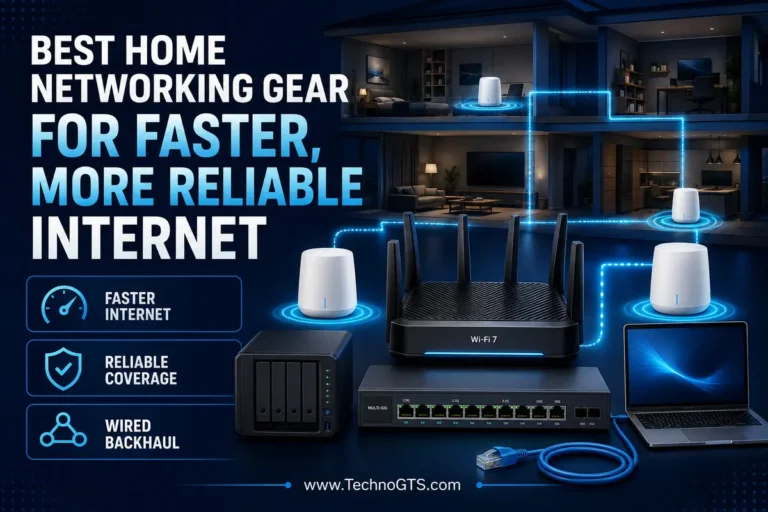
Backhaul—the connection between mesh nodes—is central to performance. Wireless backhaul is convenient but consumes radio resources and weakens as distance and obstacles increase. Ethernet backhaul gives each node a stable wired path and is usually the best option for fast, repeatable coverage. A home with existing cabling should inspect suitable Ethernet switches and verify its Ethernet cable infrastructure before spending extra on flagship wireless capacity.
Mesh also differs from a basic repeater. A coherent mesh system coordinates network names, node communication, updates, and roaming assistance. A Wi-Fi extender can be adequate for one low-demand edge location, but it may introduce a second network name or cut effective throughput. When several rooms matter, a well-planned mesh or wired access-point design is normally the cleaner long-term solution.
📌 Key Takeaway: Buy mesh to improve the path to distant rooms. Buy a faster standard only when internet speed, wired ports, and client hardware can use it.
Quick Summary
The TP-Link Deco BE63 offers the best combination for most buyers moving to whole-home Wi-Fi 7. TP-Link identifies it as a BE10000 tri-band platform, and each node includes four 2.5GbE WAN/LAN ports. That symmetric node design makes it easy to use wired backhaul, connect local equipment near a satellite, or change which unit serves as the gateway. The main caution is HomeShield: some security and parental-control features belong to paid tiers.
The eero Pro 7 is the smoother option for people who would rather manage topology through an app than tune channels and routing rules. Each node supports two auto-sensing 5GbE ports, and eero rates one unit for up to 2,000 square feet and 200-plus devices. Its simplicity, broad compatibility with older eero products, and three-year warranty are attractive; advanced security and parental-control features may require eero Plus.
Choose the ASUS ZenWiFi BT10 when local controls, VPN options, security tools, and 10GbE matter as much as coverage. It is a BE18000 tri-band system with 4×4 radios on 5GHz and 6GHz, two 10GbE connections per unit, AiMesh compatibility, and subscription-free AiProtection Pro features. It costs more and requires more configuration judgment than eero or Google.
The NETGEAR Orbi 870 Series is designed for a very large or extremely busy home. NETGEAR rates a three-pack for up to 9,000 square feet, with a 10GbE WAN port on the router and four 2.5GbE LAN ports on each router or satellite. The kit is expensive, physically prominent, and potentially excessive for a conventional 2,000-square-foot home.
The Google Nest Wifi Pro is the pragmatic pick for Google Home households using internet at Gigabit speed or below. Its Wi-Fi 6E tri-band design, built-in Thread border router, Matter support, and simple Google Home management remain relevant. Two Gigabit Ethernet ports per node limit its wired ceiling, and it cannot mesh with older Google Wifi or standard Nest Wifi hardware.
Homes still deciding whether the latest standard is necessary should compare TechnoGTS’s Wi-Fi 6 router resources with the Wi-Fi 7 router category. Mesh architecture often produces a greater real-world coverage gain than changing the standard alone.
Mesh Coverage Starts With Placement
| Award | System | Standard | Wired Highlight | Best For | Main Compromise |
|---|---|---|---|---|---|
| 🏆 Best Overall | TP-Link Deco BE63 | Tri-band Wi-Fi 7, BE10000 | 4× 2.5GbE per node | Balanced multi-gig homes | Some HomeShield features require payment |
| ✨ Best for Simple Management | eero Pro 7 | Tri-band Wi-Fi 7 | 2× 5GbE per node | App-first households | Limited advanced controls; eero Plus costs extra |
| ⚙️ Best Premium Controls | ASUS ZenWiFi BT10 | Tri-band Wi-Fi 7, BE18000 | 2× 10GbE per node | Power users and fast wired backhaul | Premium price and denser interface |
| 🏡 Best for Very Large Homes | NETGEAR Orbi 870 | Tri-band Wi-Fi 7, BE21000 | 10GbE WAN; 4× 2.5GbE LAN | Large properties and heavy device loads | Very expensive and physically large |
| 💡 Best for Google Smart Homes | Google Nest Wifi Pro | Tri-band Wi-Fi 6E, AXE5400 | 2× Gigabit per node | Google Home, Matter and sub-gigabit service | No Wi-Fi 7 or multi-gig Ethernet |
Coverage estimates are not additive guarantees. Three nodes rated at 2,000 square feet each do not automatically cover every 6,000-square-foot building, because useful coverage zones must overlap. A satellite must hear its upstream node well enough to deliver traffic reliably. The optimal count depends on construction, floor layout, where the internet enters, and which rooms need high throughput.
Place the gateway near the center of use whenever cabling permits. Put satellites between the gateway and weak rooms—not at the farthest weak location. Keep nodes elevated and exposed, away from metal cabinets, thick appliances, large mirrors, aquariums, and dense utility equipment. The TechnoGTS mesh Wi-Fi resource center provides category context, while the home networking hub helps plan switches, cabling, gateways, and client connections.
Why Trust TechnoGTS
TechnoGTS treats mesh as a network design rather than a collection of advertised speeds. Each product must serve a distinct buyer, be currently available to US consumers, and have specifications that can be checked against official documentation. We separate manufacturer claims from editorial judgment and avoid presenting theoretical aggregate wireless rates as expected speed-test results.
We also account for surrounding hardware. A fast mesh gateway connected to a slow ISP modem, Gigabit switch, or outdated client adapter remains constrained. Desktop owners can explore compatible network adapters, while users seeking an easier client upgrade can review USB Wi-Fi adapters. Neither client upgrade fixes a poorly placed mesh node.
Pricing and subscriptions can change. This guide therefore uses price tiers and flags optional services instead of treating a temporary discount as permanent value. Coverage and device figures are attributed to manufacturers and used only as starting points.
Research and Evaluation Methodology
The research process used current official US product pages and technical specifications, including the TP-Link Deco BE63, eero Pro 7, ASUS ZenWiFi BT10, NETGEAR Orbi 870 Series, and Google Nest Wifi Pro specifications. Evaluation focuses on architecture and verified features rather than fabricated hands-on measurements.
| Evaluation Area | What Was Examined | Why It Matters |
|---|---|---|
| Coverage design | Node count, placement flexibility and manufacturer estimates | Mesh exists to improve consistency across space |
| Backhaul | Wireless bands, MLO, Ethernet speed and port count | A weak node-to-node path constrains every satellite client |
| Client performance | Wi-Fi generation, 6GHz availability and radio configuration | Clients cannot use features they do not support |
| Roaming | Unified network, steering standards and ecosystem behavior | Moving devices should transition without manual network changes |
| Management | App, browser tools, segmentation, VPN and parental controls | Software determines daily ownership quality |
| Security and cost | Updates, free features, subscriptions and warranty | Long-term cost extends beyond the hardware box |
Mesh roaming is assisted, not commanded entirely by the system. The client device often decides when to leave one access point and join another. Support for 802.11k/v/r and good firmware can improve transitions, but a “seamless” label cannot guarantee that every legacy client will roam perfectly.
For internet delivered over cellular service, read about 5G routers separately. A mesh system distributes the local network; it cannot fix weak cellular reception or carrier congestion. Homes with one isolated weak corner may also compare Wi-Fi extenders before committing to a full replacement.
Selection Methodology
The shortlist began with current mesh systems sold to US households and then separated them by buyer intent. Products were rejected when US availability was unclear, their port topology created an unjustified bottleneck, or they added no defensible use case. Four Wi-Fi 7 systems represent next-generation performance, while one current Wi-Fi 6E system provides a rational lower-cost alternative.
Priority went to node symmetry. When every node includes capable ports, a buyer can connect a television, console, workstation, NAS, or wired backhaul near a satellite without purchasing a switch immediately. Systems with restricted satellite hardware were judged more cautiously even if the gateway looked impressive.
We also evaluated whether the system can grow. TP-Link Deco, eero, and ASUS AiMesh support expansion within their ecosystems, but compatibility rules differ. Never assume nodes from different brands interoperate. Buyers planning a wired backbone should inspect Ethernet cable choices in one paragraph and assess suitable Ethernet switches separately before choosing a pack size.
🔍 Editor’s Insight: The best two-node system with excellent placement will usually outperform a poorly placed three-node flagship kit. Buy topology first and radio class second.
TP-Link Deco BE63 — Best Overall

Quick verdict: The Deco BE63 offers the strongest overall balance of Wi-Fi 7 performance, flexible node placement, useful 2.5GbE ports, simple app setup, and pack value. Its symmetric hardware makes wired backhaul and local device connections unusually straightforward.
TP-Link markets the BE63 as a BE10000 tri-band system, with theoretical rates across 2.4GHz, 5GHz, and 6GHz. The important buyer-facing feature is not the summed number; it is the combination of 6GHz, 320MHz support, MLO, and four 2.5GbE WAN/LAN ports on every unit. That architecture can support a multi-gig gateway, a wired satellite, and local equipment without forcing all fast devices through one connection.
The compact white cylinders are easier to distribute through a home than large antenna arrays. Internal antennas keep the exterior clean, and any unit can function as the router. The neutral design encourages open placement, which is more useful than a high-gain specification undermined by a cabinet door.
Deco’s app-led management targets households rather than network hobbyists. Setup, node addition, device lists, guest Wi-Fi, prioritization, parental controls, and security are presented in a coherent interface. Advanced HomeShield capabilities may require a subscription, so buyers should verify the current free-versus-paid split before relying on a particular feature.
Quick Decision Snapshot
| Decision Field | Assessment |
|---|---|
| 🏆 Award | Best Overall |
| 💰 Typical US Price Tier | Upper midrange |
| 🎯 Best For | Multi-gig fiber, wired or wireless backhaul, mixed-use families |
| ✅ Main Strength | Four 2.5GbE ports on every flexible node |
| ⚠️ Main Compromise | Some HomeShield functions are subscription-based |
| 🔁 Closest Alternative | eero Pro 7 for simpler ownership; ASUS BT10 for 10GbE and deeper controls |
Key Specifications
| Feature | Verified Specification |
|---|---|
| Wireless | Tri-band Wi-Fi 7, BE10000 |
| Band rates | 6GHz 5,188 Mbps; 5GHz 4,324 Mbps; 2.4GHz 574 Mbps theoretical |
| Wi-Fi 7 features | MLO, 320MHz, 4K-QAM on supported clients and conditions |
| Ethernet | 4× 2.5GbE WAN/LAN per node |
| Manufacturer coverage claim | Up to 7,600 sq. ft. for a 3-pack |
| Manufacturer device claim | Up to 200 devices |
| Backhaul | Wireless and optional Ethernet |
| Management | Deco app |
| Security | WPA3 and HomeShield ecosystem |
Setup, Backhaul, and Roaming
The Deco app guides the user through connecting one unit to the modem or fiber gateway, naming the network, and adding satellites. When replacing an ISP combination gateway, determine whether bridge or passthrough mode is available. Two active routers can create double NAT, which complicates inbound connections, gaming, VPN servers, and port forwarding.
Wireless backhaul can use the tri-band radio resources dynamically. For the most consistent performance, connect nodes through 2.5GbE where practical. A wired link prevents walls and distance from weakening the node-to-node path and preserves wireless airtime for phones, laptops, and smart-home devices.
Roaming uses one Deco network name and coordinated steering. The client still participates in the decision, so old phones or IoT devices may cling to a distant node. Avoid placing Decos too close together; overlapping strong signals can make client decisions less predictable.
Performance and Compatibility Analysis
A 2.5GbE ceiling is realistic for many current US fiber plans. The BE63 cannot create 10GbE links, but several 2.5GbE devices often provide more practical value than a single 10GbE port. A workstation beside a satellite can connect locally at 2.5GbE while the node uses another 2.5GbE connection for wired backhaul.
Wi-Fi 7 and Wi-Fi 6E clients can use 6GHz, while older devices fall back to 5GHz or 2.4GHz. 6GHz offers wide, relatively clean channels but loses strength more quickly through obstacles. Satellite placement remains essential even with the latest standard.
The system works with older Wi-Fi clients and can expand with compatible Deco units, although mixing generations may change backhaul behavior and maximum capability. Review the mesh Wi-Fi category before mixing hardware, and use the home networking guides to plan switches and gateway modes.
Reasons to Buy and Things to Consider
| ✅ Reasons to Buy | ⚠️ Things to Consider |
|---|---|
| Four 2.5GbE ports per node offer excellent flexibility | No 10GbE for ultra-high-end networks |
| Tri-band Wi-Fi 7 includes 6GHz and 320MHz | Peak features require compatible Wi-Fi 7 clients |
| Clean app-led setup and expansion | Some HomeShield tools cost extra |
| Wired backhaul can run at 2.5GbE | Manufacturer coverage is not guaranteed in every building |
| Symmetric nodes simplify placement | Power users may want deeper local controls |
Who Should Buy It—and Who Should Skip It
Buy the Deco BE63 if you have a medium-to-large home, expect Gigabit or multi-gig service, and want a mesh that supports both wireless and fast wired backhaul. It is especially useful when local wired devices are spread across rooms because each node supplies several multi-gig ports.
Skip it if the internet plan is below 500 Mbps, current Wi-Fi 6 coverage is stable, and there are no 6GHz clients. A less expensive system may deliver the same perceived internet speed. Compare current Wi-Fi 6 routers and evaluate whether a carefully positioned Wi-Fi extender can solve one low-demand edge location.
Value Assessment
The BE63 wins because its hardware does not force an early expansion purchase. Four 2.5GbE ports, flexible node roles, 6GHz, and wired backhaul cover a wide range of modern homes. Its value declines if all equipment is Gigabit and no Wi-Fi 7 client is planned, but it is a sound platform for a household genuinely moving beyond Gigabit networking.
eero Pro 7 — Best for Simple Management

Quick verdict: eero Pro 7 is the best system for buyers who want modern tri-band Wi-Fi 7 and multi-gig ports without becoming network administrators. It prioritizes automatic optimization, easy expansion, and app-based oversight, while sacrificing manual control and placing some features behind eero Plus.
Each unit has two auto-sensing 5GbE ports. eero states that the system is appropriate for internet plans up to 5 Gbps and claims wireless speeds up to 3.9 Gbps under compatible conditions. One node is rated for up to 2,000 square feet and 200-plus devices, but both figures are manufacturer planning estimates rather than guarantees.
The compact white enclosure is designed to remain visible in living spaces. That is a genuine performance advantage: nodes hidden behind televisions or in closets cannot distribute signals effectively. eero’s ecosystem also supports older eero generations, although mixing hardware can limit the overall network to the capabilities and backhaul behavior of the combined set.
TrueMesh automatically chooses paths through the network. The buyer gains fewer knobs but also fewer opportunities to create a poor channel plan. eero Plus can add advanced security, ad blocking, parental tools, password management, and related services according to the current plan; the hardware’s basic routing does not require the subscription.
Quick Decision Snapshot
| Decision Field | Assessment |
|---|---|
| ✨ Award | Best for Simple Management |
| 💰 Typical US Price Tier | Premium mainstream |
| 🎯 Best For | Busy families, home offices and owners who prefer automatic optimization |
| ✅ Main Strength | Cohesive app experience and two 5GbE ports per node |
| ⚠️ Main Compromise | Limited manual controls and optional subscription costs |
| 🔁 Closest Alternative | Deco BE63 for more ports; Nest Wifi Pro for Google Home on slower service |
Key Specifications
| Feature | Verified Specification |
|---|---|
| Wireless | Tri-band Wi-Fi 7 |
| MLO | Supported |
| Ethernet | 2× auto-sensing 5GbE per unit |
| Internet plan positioning | Up to 5 Gbps, according to eero |
| Manufacturer coverage claim | Up to 2,000 sq. ft. per unit |
| Manufacturer device claim | 200-plus devices per unit |
| Mesh | eero TrueMesh |
| Smart home | Thread, Matter and Zigbee controller functions documented by eero |
| Warranty | Three years, according to the current US product page |
Setup, Backhaul, and Roaming
The eero app handles account setup, gateway discovery, node addition, updates, device viewing, guest access, and basic policy controls. This simplicity depends on a cloud-connected account and mobile application. Buyers who require a detailed local browser interface or extensive manual channel control should not choose eero.
Either 5GbE port can identify its role automatically. With wired backhaul, one port may connect upstream and the other to a local device or switch. A two-port node can require an external switch sooner than the Deco BE63, but 5GbE gives the path more headroom.
Wireless backhaul is designed to optimize itself. Place satellites where they still receive a strong signal; the app’s placement guidance is useful, but a physical inspection remains important. Wired backhaul is preferred when walls or floors severely attenuate 6GHz and 5GHz.
Performance and Compatibility Analysis
Tri-band operation gives eero separate spectrum options for clients and node communication. MLO-capable Wi-Fi 7 clients may use multiple links, but actual behavior depends on client hardware, operating system, drivers, firmware, and radio conditions. Older clients remain compatible without acquiring Wi-Fi 7 features.
The two 5GbE ports are well matched to high-speed fiber, a multi-gig switch, or fast wired backhaul. Do not assume a 5 Gbps internet plan produces 5 Gbps on one phone; client spatial streams, protocol overhead, signal quality, and the service path all matter.
Owners adding wired infrastructure can review Ethernet switches separately from Ethernet cable requirements. A switch expands ports; it does not improve a weak wireless link by itself.
Reasons to Buy and Things to Consider
| ✅ Reasons to Buy | ⚠️ Things to Consider |
|---|---|
| Two 5GbE auto-sensing ports per unit | Only two ports may require an external switch |
| Simple setup and automated mesh decisions | Fewer manual controls than ASUS or TP-Link |
| Tri-band Wi-Fi 7 and MLO | eero Plus adds recurring cost for advanced services |
| Compatible with previous eero generations | Mixed generations can reduce network capability |
| Three-year warranty on the current product page | Cloud/app-centered ownership is not for everyone |
Who Should Buy It—and Who Should Skip It
Buy eero Pro 7 if reliable roaming, simple management, and low administrative effort matter more than granular configuration. It suits remote-working families, dense smart homes, and small businesses that need a clean mesh without a steep learning curve.
Skip it if you want local traffic analysis, detailed VPN routing, manual radio tuning, or subscription-free advanced parental controls. The ASUS BT10 is better for deep management, while Deco BE63 supplies more ports. For context, compare the Wi-Fi 7 router category and the dedicated mesh Wi-Fi guides.
Value Assessment
eero Pro 7’s value is the time it saves. Buyers are paying for a cohesive ecosystem and automation as much as for radios and ports. That trade is worthwhile for owners who would otherwise struggle with node placement and management, but enthusiasts may feel constrained after the novelty of easy setup wears off.
ASUS ZenWiFi BT10 — Best Premium Controls

Quick verdict: The ZenWiFi BT10 is the best premium mesh for buyers who want 10GbE backhaul, high-capacity Wi-Fi 7 radios, AiMesh expansion, sophisticated VPN options, network segmentation, and subscription-free AiProtection Pro. It delivers more control than eero or Google, but the system is expensive and its software demands more attention.
ASUS specifies a BE18000 tri-band platform: up to 11,529 Mbps on 6GHz, 5,764 Mbps on 5GHz, and 688 Mbps on 2.4GHz. Each node uses eight internal antennas, with 4×4 radios on 6GHz and 5GHz plus 2×2 on 2.4GHz. Those specifications provide capacity for demanding client and backhaul scenarios, although a normal 2×2 phone cannot use every spatial stream.
Every BT10 includes one 10GbE WAN/LAN port, one 10GbE LAN port, a Gigabit WAN/LAN port, and USB 3.0. That arrangement supports a 10GbE internet connection and 10GbE wired backhaul or local network link simultaneously. A downstream multi-gig switch is still useful because the remaining built-in Ethernet connection is Gigabit rather than 2.5GbE.
ASUSWRT and the ASUS Router app expose far more controls than most mesh systems. Smart Home Master can create separate networks for IoT, children, and VPN use. AiProtection Pro adds security assessment, malicious-site blocking, two-way intrusion prevention, and infected-device blocking without a recurring subscription. VPN Fusion, WireGuard, OpenVPN, and other documented protocols serve households with complex routing needs.
Quick Decision Snapshot
| Decision Field | Assessment |
|---|---|
| ⚙️ Award | Best Premium Controls |
| 💰 Typical US Price Tier | Flagship |
| 🎯 Best For | 10GbE homes, network enthusiasts, VPN users and home studios |
| ✅ Main Strength | Dual 10GbE plus deep subscription-free management tools |
| ⚠️ Main Compromise | Cost, complexity and large feature set |
| 🔁 Closest Alternative | Deco BE63 for better mainstream value; Orbi 870 for maximum property coverage |
Key Specifications
| Feature | Verified Specification |
|---|---|
| Wireless | BE18000 tri-band Wi-Fi 7 |
| Radio configuration | 6GHz 4×4, 5GHz 4×4, 2.4GHz 2×2 |
| Wi-Fi 7 features | MLO, 320MHz and 4K-QAM on supported devices |
| Processor and memory | 2.0GHz quad-core, 2 GB RAM, 256 MB flash |
| Ethernet | 1× 10GbE WAN/LAN, 1× 10GbE LAN, 1× Gigabit WAN/LAN |
| USB | USB 3.0 |
| Manufacturer coverage claim | Up to 6,000 sq. ft. for a 2-pack |
| Mesh | ASUS AiMesh |
| Security | AiProtection Pro, WPA3, guest and segmented networks |
Setup, Backhaul, and Roaming
The ASUS Router app can complete basic installation, but the web interface is where the platform’s depth becomes apparent. Begin with a minimal configuration: gateway, updated firmware, strong administrator password, normal SSID, and a verified satellite link. Add VPN routes, USB storage, segmentation, QoS, or custom DNS one layer at a time so troubleshooting remains manageable.
Smart AiMesh can use MLO-oriented wireless backhaul or 10GbE wired backhaul. Wired 10GbE is the cleanest design when cabling exists, because each node receives a predictable high-capacity path. Wireless backhaul can be excellent at short range but will be more sensitive to walls and node positioning.
AiMesh supports a range of compatible ASUS routers, allowing reuse and expansion. Put the highest-capability unit at the gateway when combining models. Mixed hardware may limit backhaul options, port speeds, or certain features, so check the current ASUS compatibility documentation rather than assuming every AiMesh logo produces an identical system.
Performance and Compatibility Analysis
The 4×4 5GHz and 6GHz radios provide headroom for multiple clients and backhaul. Their benefit is mostly aggregate capacity; most consumer clients remain 2×2. A single laptop’s result is determined by its own radio, channel width, distance, driver, interference, and protocol overhead.
Dual 10GbE is valuable for 5–10 Gbps fiber, wired backhaul, a NAS, or a high-speed workstation. Owners should map the path from optical network terminal to gateway, node, switch, and endpoint. One Gigabit element can become the effective ceiling despite the BT10’s premium hardware.
Client desktops may need a modern network adapter to use faster wired or wireless links. A USB Wi-Fi adapter is easier to install, but USB bus limits, antenna placement, driver quality, and heat can reduce performance.
Reasons to Buy and Things to Consider
| ✅ Reasons to Buy | ⚠️ Things to Consider |
|---|---|
| Dual 10GbE supports serious wired backhaul and WAN | Other built-in Ethernet connection is Gigabit |
| Strong 4×4 radio capacity on 5GHz and 6GHz | Most clients cannot use all four streams |
| Extensive VPN, segmentation and traffic tools | Dense interface has a learning curve |
| AiProtection Pro avoids a recurring security fee | Flagship price is excessive for ordinary broadband |
| AiMesh offers broad expansion options | Large feature set requires careful configuration |
Who Should Buy It—and Who Should Skip It
Buy the BT10 if the home already has or is building a 10GbE backbone, if advanced VPN and network separation are real requirements, or if a content-creation studio and fast NAS sit on different floors. It is also strong for an owner who wants an AiMesh system without paying monthly for core protection tools.
Skip it if the internet plan is below 1 Gbps, all switches are Gigabit, and management simplicity matters more than control. eero Pro 7 is easier; Deco BE63 is more balanced. TechnoGTS’s home networking section helps map the wired design, while the Ethernet switch category covers port expansion.
Value Assessment
The BT10 is expensive but not hollow. Its dual 10GbE, 4×4 radios, security tools, VPN suite, segmentation, and USB functions can replace several separate compromises. It becomes poor value only when the buyer never activates those capabilities.
NETGEAR Orbi 870 Series — Best for Very Large Homes

Quick verdict: The Orbi 870 Series is the best choice here for very large properties that need high-capacity Wi-Fi 7 across several zones. A three-pack carries a manufacturer claim of up to 9,000 square feet, includes a 10GbE WAN on the router, and provides four 2.5GbE LAN ports on every router or satellite. Its price and physical presence demand a genuine coverage need.
NETGEAR classifies the system as BE21000 tri-band Wi-Fi 7. Eight internal antennas with amplifiers reside in each tower. MLO can combine the shared 5GHz and 6GHz paths for backhaul and fronthaul according to supported modes. The system is designed to keep several high-demand rooms active rather than maximize one benchmark beside the gateway.
The router contains one 10GbE internet port and four 2.5GbE LAN ports. Each satellite also contains four 2.5GbE LAN ports. This is an excellent layout for televisions, consoles, workstations, and wired backhaul distributed across a property. The limitation is that wired satellite backhaul tops out at 2.5GbE rather than 10GbE.
Orbi’s app streamlines installation, remote monitoring, device lists, and network creation. The platform supports main, IoT, and guest networks. NETGEAR Armor adds deeper security and privacy services through an optional subscription. Buyers should compare the current included functions, trial period, renewal cost, and support terms before treating Armor as part of the hardware value.
Quick Decision Snapshot
| Decision Field | Assessment |
|---|---|
| 🏡 Award | Best for Very Large Homes |
| 💰 Typical US Price Tier | Ultra-premium |
| 🎯 Best For | Large multi-story properties and many active users |
| ✅ Main Strength | Broad three-node design with abundant 2.5GbE LAN ports |
| ⚠️ Main Compromise | Very high price and 2.5GbE wired satellite backhaul ceiling |
| 🔁 Closest Alternative | ASUS BT10 for 10GbE backhaul; Deco BE63 for better value |
Key Specifications
| Feature | Verified Specification |
|---|---|
| Wireless | BE21000 tri-band Wi-Fi 7 |
| Antennas | 8 internal antennas with amplifiers per unit |
| Router ports | 1× 10GbE WAN, 4× 2.5GbE LAN |
| Satellite ports | 4× 2.5GbE LAN per satellite |
| Backhaul | Shared 5GHz and 6GHz MLO; optional 2.5GbE wired backhaul |
| Manufacturer coverage claim | Up to 9,000 sq. ft. for a 3-pack |
| Manufacturer device claim | Up to 150 concurrent devices shown on the current page |
| Management | Orbi app |
| Security service | Optional NETGEAR Armor |
Setup, Backhaul, and Roaming
Install the gateway near the internet handoff but use Ethernet to improve its location if the handoff sits at an extreme corner. Place the first satellite one or two zones away where it receives a strong path, then place the second to extend coverage further. A chain layout can work in long homes, while a star layout is better when both satellites can hear the gateway well.
Wireless backhaul uses 5GHz and 6GHz resources dynamically. Thick walls can weaken both, particularly 6GHz. The 2.5GbE wired-backhaul option is strongly recommended when the property already contains Ethernet. Four LAN ports on every unit make local wired clusters easy to build.
Orbi assists roaming under one network, but client behavior remains involved. Avoid putting three powerful nodes too close together. If devices bounce between nodes or remain attached to distant hardware, adjust physical placement before adding another satellite.
Performance and Compatibility Analysis
The manufacturer’s 21 Gbps figure sums theoretical rates and does not predict one client’s internet speed. The Orbi 870’s real architectural advantage is distributed capacity: capable radios, multiple satellites, strong local port counts, and flexible backhaul for simultaneous activity.
The 10GbE WAN accommodates very fast service, but a wired client connected to an Orbi LAN port uses 2.5GbE. That is sufficient for most consumer endpoints and many NAS workflows, yet a buyer needing 10GbE from gateway through each satellite should choose a different topology or the ASUS BT10.
Very large properties often need outdoor or detached-building planning beyond indoor mesh. Do not place indoor Orbi hardware outdoors. Consult the home networking guides for cabling and building-to-building considerations, and compare 5G routers only when cellular service is the internet source or backup.
Reasons to Buy and Things to Consider
| ✅ Reasons to Buy | ⚠️ Things to Consider |
|---|---|
| Designed for extremely broad whole-home coverage | Three-pack is exceptionally expensive |
| Four 2.5GbE LAN ports on every router and satellite | Wired satellite backhaul is limited to 2.5GbE |
| 10GbE internet port supports fast service | Large towers need visible placement |
| Tri-band Wi-Fi 7 with shared MLO backhaul | Armor adds recurring cost for advanced services |
| Separate main, IoT and guest networks | Small homes cannot justify the scale |
Who Should Buy It—and Who Should Skip It
Buy Orbi 870 if the property is large, the family runs many simultaneous high-bandwidth tasks, and the budget prioritizes coverage over compact hardware. It is particularly suitable when satellite rooms also need several Ethernet connections.
Skip it for apartments, compact houses, or modest broadband. A two-node Deco or eero system costs far less and may cover the space more cleanly. Compare the mesh Wi-Fi category and the Wi-Fi router guides before paying for three premium towers.
Value Assessment
Orbi 870 is a scale purchase, not a bargain purchase. Its value emerges when one system replaces dead zones, separate switches, inconsistent repeaters, and overloaded access points across a substantial property. In an ordinary home, the same scale becomes needless cost and radio overlap.
Google Nest Wifi Pro — Best for Google Smart Homes

Quick verdict: Nest Wifi Pro remains a sensible choice for Google Home users who value simple automatic management, Matter and Thread support, attractive placement-friendly hardware, and sub-Gigabit or Gigabit internet. Its Wi-Fi 6E radios are current enough for many households, but two Gigabit Ethernet ports and lack of Wi-Fi 7 make it unsuitable for ambitious multi-gig networks.
Google specifies an AXE5400 tri-band Wi-Fi 6E design with 2×2 radios on 2.4GHz, 5GHz, and 6GHz. It supports WPA3, secure boot, automatic security updates, device prioritization, 802.11s mesh, and 802.11k/v steering. Each unit can act as a router, giving pack buyers symmetric hardware.
The glossy rounded enclosure comes in several colors and is designed to remain visible. That design matters because Google’s performance relies on good placement just like every other mesh. A system hidden behind décor loses the advantage of having attractive nodes.
Nest Wifi Pro integrates a Thread border router, Matter support, and management through the Google Home app. It is not compatible in one mesh with older Google Wifi or standard Nest Wifi points. Owners upgrading an older Google system must replace the active mesh rather than reusing previous nodes.
Quick Decision Snapshot
| Decision Field | Assessment |
|---|---|
| 💡 Award | Best for Google Smart Homes |
| 💰 Typical US Price Tier | Midrange, often promotion-sensitive |
| 🎯 Best For | Google Home users, Wi-Fi 6E clients and plans up to Gigabit |
| ✅ Main Strength | Simple automation with Matter and Thread integration |
| ⚠️ Main Compromise | Gigabit Ethernet and no Wi-Fi 7 |
| 🔁 Closest Alternative | eero Pro 7 for a modern multi-gig app-first system |
Key Specifications
| Feature | Verified Specification |
|---|---|
| Wireless | AXE5400 tri-band Wi-Fi 6E |
| Radio configuration | 2×2 at 2.4GHz, 5GHz and 6GHz |
| Ethernet | 2× Gigabit ports per router |
| Manufacturer coverage claim | Up to 2,200 sq. ft. per router |
| Manufacturer device claim | Up to 100 devices per point |
| Mesh | Expandable IEEE 802.11s |
| Roaming | 802.11k/v client steering |
| Smart home | Matter and Thread border router |
| Security | WPA3, secure boot and automatic updates |
Setup, Backhaul, and Roaming
The Google Home app handles installation, node addition, guest Wi-Fi, device lists, prioritization, family controls, and diagnostics. The experience is friendly for Google ecosystem users but offers fewer technical options than ASUSWRT. A Google account and mobile app are fundamental to ownership.
Ethernet backhaul is supported, but the two-port design means a wired satellite uses one port upstream and leaves one for a local device. Add a Gigabit switch if several wired clients sit nearby. The entire wired path remains capped at Gigabit.
Automatic steering and self-monitoring reduce administrative work. They do not eliminate placement requirements. Keep nodes in open areas with overlapping coverage and resist adding extra points before diagnosing the actual weak zone.
Performance and Compatibility Analysis
Wi-Fi 6E gives compatible clients access to 6GHz, which can be cleaner than crowded 5GHz at short range. It does not include Wi-Fi 7 MLO or 320MHz channels. For a 300–800 Mbps internet plan, that may not matter; client range and backhaul are more likely to determine the experience.
Gigabit Ethernet is the defining limit. Protocol overhead means practical routed throughput is lower than the port’s raw 1 Gbps rate. Buyers with a 2 Gbps plan, multi-gig NAS, or 2.5GbE workstation should use a newer system.
Google’s Matter and Thread integration is valuable to a compatible smart home, but smart-home protocols and normal Wi-Fi are different layers. Readers can explore broader networking and Wi-Fi guidance and the focused home networking category to understand device roles.
Reasons to Buy and Things to Consider
| ✅ Reasons to Buy | ⚠️ Things to Consider |
|---|---|
| Attractive nodes support visible placement | No Wi-Fi 7 features |
| Google Home app is familiar to ecosystem users | Only two Gigabit ports per unit |
| Matter and Thread border-router support | Cannot mesh with older Google Wifi or Nest Wifi |
| Wi-Fi 6E provides 6GHz for compatible clients | Limited advanced network controls |
| Automatic updates and secure boot | Not suitable for multi-gig internet |
Who Should Buy It—and Who Should Skip It
Buy Nest Wifi Pro if the household already uses Google Home, the service is at or below Gigabit, and straightforward smart-home integration matters more than advanced routing. It is also reasonable for buyers whose Wi-Fi 6E devices can use 6GHz but who do not need Wi-Fi 7 pricing.
Skip it if you have multi-gig internet, want to reuse older Google mesh points, or require detailed VPN and VLAN-style management. eero Pro 7 is the app-first multi-gig upgrade; Deco BE63 is the better port value. Buyers can compare newer hardware through the Wi-Fi 7 router hub or assess mature options in the Wi-Fi 6 router category.
Value Assessment
Nest Wifi Pro is a value recommendation only for the correct ceiling. Its Google integration, 6GHz radio, and simple management can provide an excellent experience on conventional broadband. Buying it for a multi-gig plan creates an immediate wired bottleneck and poor long-term value.
Detailed Mesh Wi-Fi Buying Guide

The right mesh decision begins with a floor plan, not a retail box. Mark where the modem or fiber ONT sits, where people work and stream, which walls are dense, where Ethernet exists, and which devices require the highest speed. That map reveals whether the home needs one router, two nodes, three nodes, or wired access points.
Confirm That Mesh Solves the Actual Problem
Mesh is appropriate when coverage is inconsistent across several rooms, the home has multiple floors, the internet handoff sits at an edge, or users move frequently while connected. It is less useful when one computer has a weak adapter, the ISP is congested, or a modem is failing.
Run a wired speed test near the gateway to confirm the internet service. Then test Wi-Fi beside the router and in problem rooms. If performance is poor even beside the router, replacing the whole network may be justified. If performance is strong nearby but weak at distance, placement or mesh is the likely answer.
A single isolated low-demand room may be served by a Wi-Fi extender, but repeaters can reduce efficiency or complicate network names. A coordinated mesh Wi-Fi system is normally preferable when coverage must be consistent across multiple areas.
Choose the Right Node Count
More nodes do not always improve a network. Every node transmits management traffic and competes for spectrum. Excessive overlap can cause interference, confuse sticky clients, and reduce the number of clear channels available.
Start with these broad planning assumptions:
| Home Situation | Sensible Starting Point | Why |
|---|---|---|
| Apartment or open small home | 1 capable router or 1 mesh node | Additional nodes may create unnecessary overlap |
| Medium two-story home | 2 nodes | One gateway plus one well-placed satellite often covers both levels |
| Long or segmented home | 2–3 nodes | Distance and interior barriers may require another transition point |
| Very large three-story property | 3 nodes | Separate levels or wings benefit from distributed radios |
| Detached building | Wired/fiber link plus access point | Wireless mesh through exterior walls may be unreliable |
Manufacturer square-footage claims assume favorable conditions. Brick, concrete, plaster mesh, mirrors, metal ducting, radiant barriers, appliances, and neighboring networks reduce coverage. Treat estimates as comparisons within a brand, not promises.
Place Nodes for a Strong Backhaul
A satellite needs a strong path to the gateway or another node. Placing it in the dead zone repeats a weak connection. Instead, position the node approximately between the gateway and target area, then test both the backhaul and client performance.
Keep units elevated, exposed, and several feet from dense electronics or metal. Avoid floors, cabinets, utility closets, and the immediate rear of televisions. Nodes should overlap enough for roaming and backhaul but not sit so close that they duplicate the same small area.
In a long home, a chain can extend coverage: gateway to node one to node two. In a broad home, a star pattern with both satellites talking directly to the gateway can reduce dependency on an intermediate node. The app may choose routes automatically, but physical geometry still governs signal quality.
Wired Backhaul Versus Wireless Backhaul
Wired backhaul connects nodes through Ethernet. It is generally the most consistent option because walls and wireless congestion do not weaken the node-to-node path. It also leaves radio airtime available for clients.
Wireless backhaul is easier when wiring is unavailable. Dual-band systems share bands between clients and backhaul, while tri-band systems have more spectrum options. Modern Wi-Fi 7 systems may use MLO across 5GHz and 6GHz. A dedicated backhaul band is not automatically superior if it is weak or poorly placed.
Before wiring, check the full link rate. A 2.5GbE node connected through a Gigabit switch negotiates at Gigabit. Review Ethernet switch options and Ethernet cable guidance as separate decisions. Existing Cat 5e may support 2.5GbE at ordinary home distances when installed well, while 10GbE requires more careful cable and distance planning.
Understand Dual-Band, Tri-Band, and 6GHz
Dual-band mesh uses 2.4GHz and 5GHz. It can be cost-effective, especially with wired backhaul. Tri-band systems add another 5GHz radio or 6GHz, increasing flexibility for clients and backhaul.
6GHz offers wide, relatively clean channels and is available to Wi-Fi 6E or Wi-Fi 7 clients. It generally penetrates walls less effectively than lower frequencies. A nearby laptop may see excellent performance while a distant room relies on 5GHz.
Wi-Fi 7 adds features such as MLO, 320MHz channels, and 4K-QAM. MLO can use multiple links for throughput, latency, or resilience. 320MHz offers greater capacity under suitable 6GHz conditions. 4K-QAM needs a high-quality signal. Each requires compatible clients and should not be treated as a universal speed multiplier.
Match Ethernet Speed to the Internet and LAN
The port chain determines wired performance. Identify:
- ISP gateway or ONT output speed.
- Mesh gateway WAN speed.
- Backhaul speed to satellites.
- LAN speed at each node.
- Switch, cable, and endpoint adapter speeds.
Google Nest Wifi Pro tops out at Gigabit Ethernet. Deco BE63 provides four 2.5GbE ports per unit. eero Pro 7 provides two 5GbE ports. ASUS BT10 supports 10GbE WAN/LAN and 10GbE LAN. Orbi 870 accepts 10GbE internet but uses 2.5GbE LAN and wired satellite links.
Choose several 2.5GbE ports when many rooms contain mainstream multi-gig devices. Choose 10GbE when the home has a fast NAS, workstation, 5–10 Gbps fiber, or 10GbE backbone. Paying for 10GbE without a compatible endpoint provides no immediate benefit.
Check Client Capabilities
A Wi-Fi 7 mesh does not turn a Wi-Fi 5 phone into a Wi-Fi 7 device. The client connects using its own standard, spatial streams, channel width, and supported band. Most phones and laptops are 2×2, even when the mesh node has 4×4 radios.
For a desktop, a PCIe network adapter can provide stronger antennas and modern standards. A USB Wi-Fi adapter is easier to install but may have weaker thermal and antenna design. Update operating systems and drivers before diagnosing a new mesh.
Roaming support also matters. Systems use standards such as 802.11k and 802.11v to assist clients, but the client ultimately chooses when to roam. Legacy IoT products may remain attached to a distant node. A separate IoT network can simplify compatibility and isolation.
Evaluate Software and Privacy
Mesh systems differ as much in software as in radios. eero and Google emphasize automation and mobile apps. TP-Link balances app simplicity with broader controls. ASUS provides extensive local settings, VPN, traffic analysis, and segmentation. Orbi targets guided management with optional Armor services.
Ask these questions before purchase:
- Can the system operate in access-point mode behind an ISP router?
- Are guest and IoT networks isolated from the primary LAN?
- Which parental controls are free?
- Does security require a subscription after a trial?
- Can the owner manage it through a browser, app, or both?
- Are VPN client, VPN server, and policy routing supported?
- How long are security updates expected?
- Does the system require a cloud account?
No security suite replaces strong passwords, endpoint updates, multifactor authentication, backups, and careful account behavior. Router protection is one layer.
ISP Gateways, Bridge Mode, and Double NAT
Many providers supply a modem/router combination. Connecting a mesh gateway behind it without planning creates two routing layers. Double NAT may not affect browsing, but it can complicate gaming, inbound services, VPN servers, port forwarding, and some smart-home connections.
Use bridge mode or IP passthrough when supported, or place the mesh in access-point mode. ISP television, voice, or authentication requirements may depend on the provider’s gateway, so confirm before removing equipment.
If the internet source is cellular, mesh still handles the LAN while a modem or 5G router handles the last mile. Fast indoor Wi-Fi cannot improve a congested cell tower or weak outdoor signal.
Price and Ownership Tiers
| Tier | What Buyers Should Expect | Best For | Common Compromise |
|---|---|---|---|
| Budget Wi-Fi 6 mesh | Dual-band, Gigabit Ethernet, app setup | Sub-Gigabit homes | Less wireless backhaul capacity |
| Wi-Fi 6E midrange | Tri-band with 6GHz, usually Gigabit | Modern clients on Gigabit plans | No Wi-Fi 7; limited multi-gig ports |
| Mainstream Wi-Fi 7 | Tri-band and 2.5GbE | Multi-gig households | Optional subscriptions or 2×2 radios |
| Premium Wi-Fi 7 | 5GbE/10GbE, stronger radios, richer software | Fast fiber, studios, enthusiasts | High cost and complexity |
| Large-property flagship | Several powerful nodes and extensive LAN ports | Very large homes | Extreme total price |
Hardware is only part of the cost. Include extra satellites, switches, cable installation, client adapters, subscriptions, and possible ISP gateway changes. A less expensive wired-backhaul system can outperform a flagship kit using weak wireless backhaul.
Common Mesh Buying Mistakes
- Multiplying coverage claims: Node zones must overlap; advertised areas are not guaranteed.
- Putting satellites in dead zones: A node needs a strong upstream path.
- Buying too many nodes: More radios can produce interference and sticky clients.
- Ignoring Ethernet topology: One Gigabit link can cap a multi-gig system.
- Assuming tri-band means dedicated backhaul: Architectures allocate radios differently.
- Confusing aggregate rate with client speed: BE and AX numbers sum theoretical bands.
- Forgetting subscriptions: Advanced security and parental tools may renew automatically.
- Mixing ecosystems blindly: Mesh compatibility is brand- and model-dependent.
- Expecting the router to fix the ISP: Local coverage cannot increase service bandwidth.
- Hiding attractive nodes: Mesh units need open, elevated placement.
Pre-Purchase Checklist
- Draw the home layout and mark high-priority rooms.
- Test wired ISP speed before replacing equipment.
- Confirm bridge, passthrough, or access-point mode.
- Decide wired or wireless backhaul for every node.
- Select the smallest practical node count.
- Match WAN, LAN, backhaul, switch, cable, and adapter speeds.
- Count Wi-Fi 6E and Wi-Fi 7 clients.
- Verify ecosystem compatibility before reusing old nodes.
- Compare free and paid management features.
- Confirm warranty, support, returns, and firmware policy.
The home networking category can help complete this checklist, while the broader networking and Wi-Fi hub provides routes to the supporting equipment.
Product Comparison Tables
Wireless and Wired Architecture
| System | Wireless Design | Fastest Port | Ports per Node | Backhaul Strength | Best Fit |
|---|---|---|---|---|---|
| TP-Link Deco BE63 | BE10000 tri-band Wi-Fi 7 | 2.5GbE | 4 | Flexible 2.5GbE wired or tri-band wireless | Best overall balance |
| eero Pro 7 | Tri-band Wi-Fi 7 | 5GbE | 2 | 5GbE wired or automated TrueMesh | Simple premium management |
| ASUS ZenWiFi BT10 | BE18000 tri-band Wi-Fi 7 | 10GbE | 3 Ethernet plus USB | 10GbE wired or Smart AiMesh MLO | Power users |
| NETGEAR Orbi 870 | BE21000 tri-band Wi-Fi 7 | 10GbE WAN | Router: 5; satellite: 4 | 2.5GbE wired or enhanced shared wireless | Very large homes |
| Google Nest Wifi Pro | AXE5400 tri-band Wi-Fi 6E | 1GbE | 2 | Gigabit wired or 802.11s wireless | Google smart homes |
Software and Ownership Comparison
| System | Management Style | Security Model | Smart-Home Angle | Main Limitation |
|---|---|---|---|---|
| Deco BE63 | Deco app, approachable controls | HomeShield free and paid tiers | Alexa/Google control and broad Deco ecosystem | Some advanced tools cost extra |
| eero Pro 7 | Highly automated eero app | Optional eero Plus | Thread, Matter, Zigbee controller | Limited manual settings |
| ZenWiFi BT10 | App plus deep ASUSWRT | AiProtection Pro without recurring fee | Smart Home Master networks | More complex administration |
| Orbi 870 | Orbi app | Optional NETGEAR Armor | Separate main, IoT and guest networks | Premium price and service upsells |
| Nest Wifi Pro | Google Home app | Built-in updates and basic family tools | Matter and Thread border router | Gigabit ceiling and ecosystem lock-in |
Final Buyer-Type Matrix
| Buyer | Best Choice | Why | Choose Instead If |
|---|---|---|---|
| Most multi-gig homes | Deco BE63 | Four 2.5GbE ports and balanced Wi-Fi 7 | eero Pro 7 if simplicity is more important |
| App-first family | eero Pro 7 | Automated management and 5GbE | Nest Wifi Pro if the plan is only Gigabit |
| Network enthusiast | ZenWiFi BT10 | 10GbE, VPN, segmentation and deep controls | Deco BE63 if value matters more |
| Very large property | Orbi 870 | Powerful multi-node coverage and many LAN ports | ASUS BT10 if 10GbE backhaul is essential |
| Google smart home | Nest Wifi Pro | Google Home, Matter and Thread integration | eero Pro 7 for Wi-Fi 7 and multi-gig |
Readers comparing a conventional router with these systems should visit the Wi-Fi router category in one step and the dedicated mesh Wi-Fi section in another. The architecture choice matters more than the brand name.
Frequently Asked Questions
1. What is a mesh Wi-Fi system?
A mesh system uses a gateway and one or more coordinated nodes to create one managed wireless network across a larger area. Nodes communicate through wireless or Ethernet backhaul and assist compatible clients as they move between coverage zones.
2. Is mesh Wi-Fi faster than a normal router?
Mesh is not automatically faster beside the gateway. It is usually faster in distant rooms because a node shortens the radio path. A strong standalone router may outperform mesh in a small open home, while mesh wins in segmented or multi-story layouts.
3. How many mesh nodes do I need?
Use the smallest number that provides overlapping coverage. One or two nodes may suit a medium home; three may help a large or long layout. Construction and placement matter more than a simple square-footage calculation.
4. Where should I place mesh satellites?
Place them between the gateway and weak area, where they still receive a strong upstream signal. Keep them elevated and open. Do not put a satellite at the deepest point of a dead zone and expect it to recover a signal that is not there.
5. Is wired backhaul worth it?
Yes, especially for high-speed plans, thick walls, or stationary nodes. Ethernet provides a predictable path and preserves wireless airtime for clients. Match switch, cable, and node port speeds to avoid an unexpected bottleneck.
6. Does tri-band mesh always have dedicated backhaul?
No. Some systems dedicate a band, while others dynamically share all bands between clients and backhaul. Wi-Fi 7 systems may use MLO across multiple links. Read the product’s architecture rather than assuming “tri-band” means one fixed design.
7. Can I mix mesh nodes from different brands?
Generally no. Consumer mesh ecosystems are usually proprietary even when products share Wi-Fi standards. EasyMesh can improve interoperability in supported products, but do not assume Deco, eero, Orbi, AiMesh, and Google nodes can form one managed mesh.
8. Can I mix old and new nodes from the same brand?
Sometimes. eero, Deco, and AiMesh support many cross-generation combinations, but features, backhaul, and speed may be limited by the older hardware. Google Nest Wifi Pro specifically cannot mesh with older Google Wifi or standard Nest Wifi units.
9. Will mesh Wi-Fi fix slow internet?
It fixes weak indoor distribution, not a slow ISP connection. Test through Ethernet at the gateway first. If wired speed is poor, troubleshoot the modem, ONT, provider, service plan, or line before replacing Wi-Fi.
10. Is Wi-Fi 7 mesh worth the cost?
It is worthwhile for multi-gig service, modern Wi-Fi 7 clients, fast wireless backhaul, or a long ownership horizon. A Wi-Fi 6 or Wi-Fi 6E system remains sufficient for many sub-Gigabit households.
11. Can I use a mesh system with my ISP modem/router?
Yes. Ideally, place the ISP gateway in bridge or passthrough mode, or run the mesh in access-point mode. Avoid unplanned double NAT when gaming, inbound services, or VPN servers matter.
12. Does a mesh system create one network name?
Normally yes. Nodes coordinate one SSID and assist roaming. Guest, IoT, child, or MLO networks may use additional names. The client still decides when to roam, so behavior varies by device.
13. Why does my phone stay connected to a distant node?
Some clients are “sticky” and hold a connection until signal drops below an internal threshold. Move nodes, reduce excessive overlap, update client software, or briefly toggle Wi-Fi. Adding more nodes may make the problem worse.
14. Can I connect Ethernet devices to a satellite?
Yes, when the satellite has LAN ports. Deco BE63 and Orbi 870 are especially flexible. eero Pro 7 has two ports; Nest Wifi Pro has two Gigabit ports. A switch can expand local capacity.
15. Do mesh systems require a subscription?
Basic routing normally does not. eero Plus, NETGEAR Armor, and advanced HomeShield tiers add services for recurring fees. ASUS includes AiProtection Pro features without a subscription, while Google includes core security and family tools.
16. Which mesh system is best for gaming?
Use wired Ethernet to a nearby node with strong wired backhaul whenever possible. ASUS BT10 provides the most advanced controls and 10GbE path, while Deco BE63 offers better mainstream value. Internet route and server latency still matter.
17. Which mesh system is best for thick walls?
No indoor Wi-Fi system reliably defeats every dense wall. Use Ethernet backhaul and place a node on each side of the barrier. ASUS BT10, Deco BE63, eero Pro 7, and Orbi 870 all support capable wired strategies.

18. How long should a mesh system last?
Hardware can last many years, but useful life depends on firmware support, security updates, internet speed, port requirements, client standards, and availability of replacement nodes. Buy for planned needs, not speculative maximums.
Homes with one weak location can still compare Wi-Fi extender guidance, while client-specific problems may require a better network adapter. Neither should be purchased before identifying the bottleneck.
Final Verdict
The TP-Link Deco BE63 is the best mesh Wi-Fi system for most homes seeking fast whole-home coverage. Its Wi-Fi 7 radios, 6GHz band, four 2.5GbE ports per node, flexible router roles, wired-backhaul support, and approachable Deco app create the strongest overall balance. It has enough capacity for multi-gig upgrades without entering the price of an ultra-premium property-scale kit.
The eero Pro 7 is the best alternative for buyers who prioritize simple, automatic management. Its two 5GbE ports and modern tri-band Wi-Fi 7 hardware provide substantial capability, while TrueMesh and the app reduce administrative work. Accept the tradeoff of fewer manual controls and potential eero Plus cost.
Spend more on the ASUS ZenWiFi BT10 when dual 10GbE, advanced VPN routing, subscription-free AiProtection Pro, segmentation, and detailed management are concrete requirements. Choose the NETGEAR Orbi 870 Series when the property is large enough to justify several powerful towers and extensive 2.5GbE local connectivity.
Spend less with Google Nest Wifi Pro when the household uses Google Home, internet speed is at or below Gigabit, and Matter or Thread integration matters more than Wi-Fi 7. Its Gigabit ports are a firm ceiling, but not every home needs multi-gig networking.
Before buying, draw the network and select the fewest nodes that can cover priority rooms with a strong backhaul. Explore the TechnoGTS networking and Wi-Fi hub for supporting components and use the home networking resource center to plan switches, cabling, gateway modes, and client upgrades.
The decisive tradeoff is between coverage, backhaul, control, and ownership cost. Deco BE63 balances those four best. The other systems win only when simplicity, 10GbE control, extreme property size, or Google smart-home integration is more important than overall balance.