
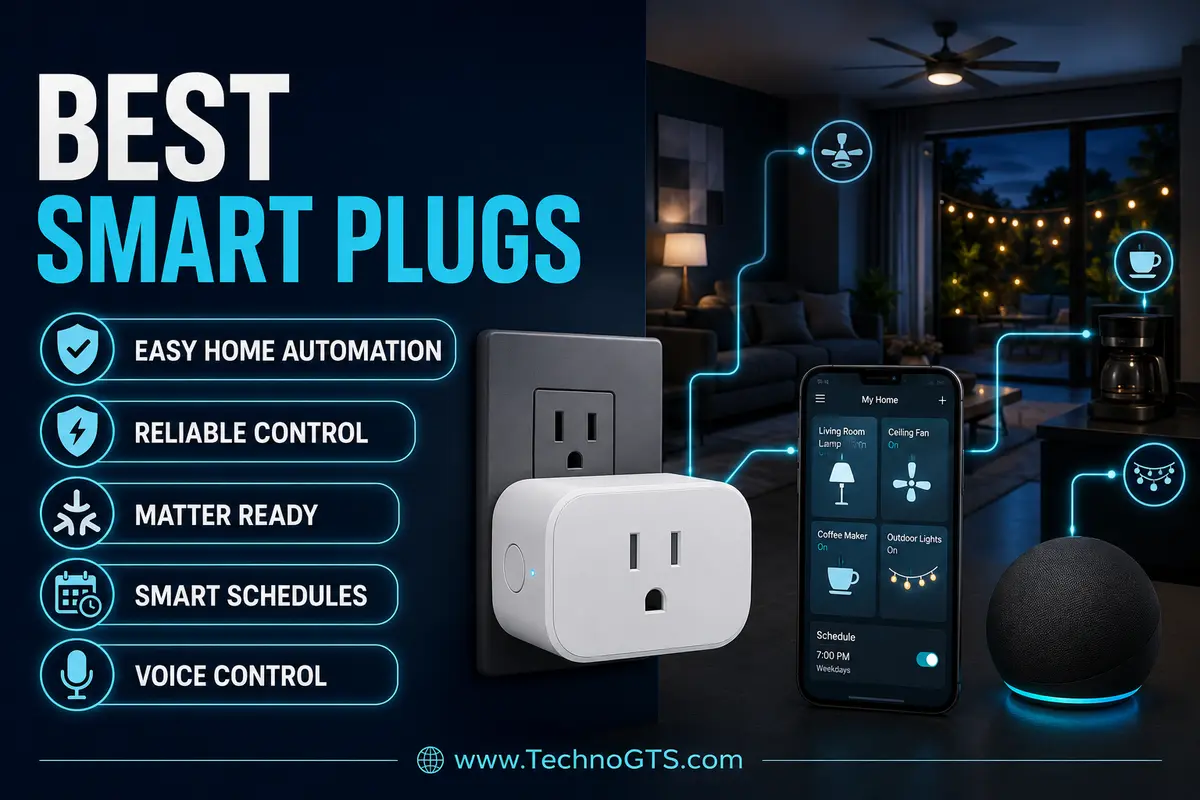
Best Smart Plugs for Easy, Reliable Automation
The Smallest Smart-Home Device Can Control a Surprisingly Important Load
A smart plug is one of the simplest ways to automate a home. Plug it into a wall outlet, connect a lamp or small appliance, and the ordinary device gains schedules, remote switching, scenes, and voice control. That apparent simplicity is also the source of common buying mistakes. A smart plug is not merely a wireless button. It is a mains-voltage switching device that must be electrically appropriate for the load, physically suitable for the location, compatible with the chosen ecosystem, and reliable when the internet or home hub is unavailable.
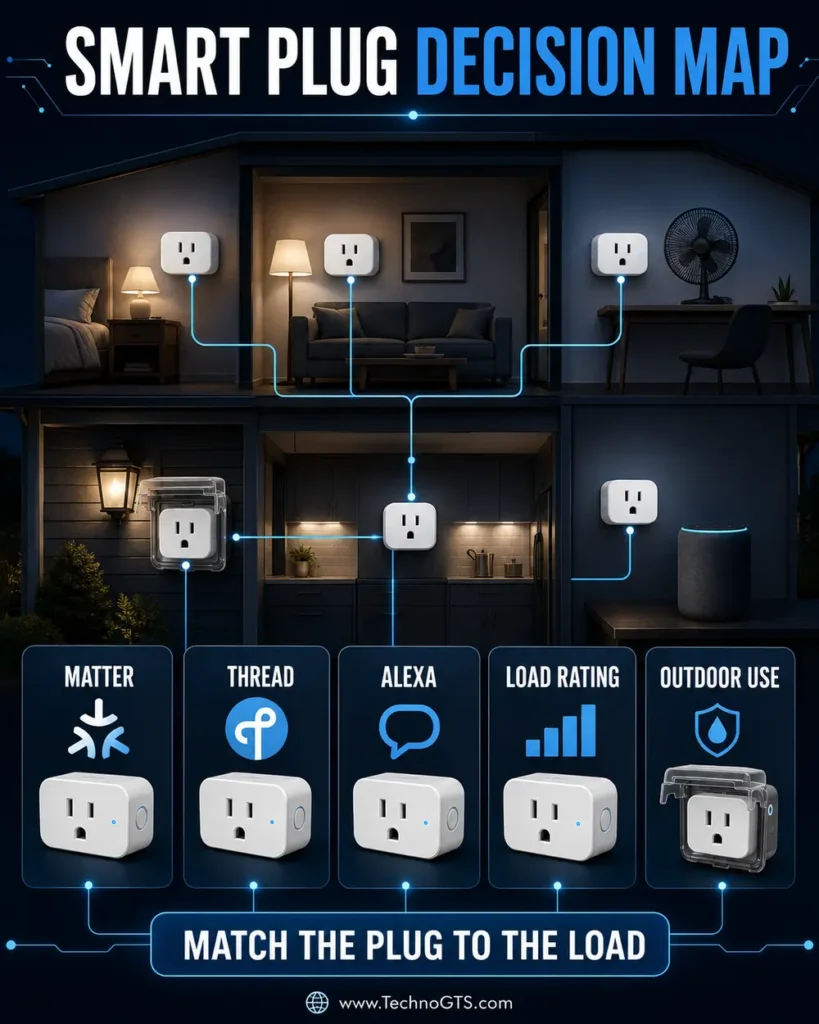
The best smart plugs for a bedside lamp is not automatically the best plug for a coffee maker, holiday lights, aquarium pump, or outdoor landscape transformer. Electrical labels distinguish general-use current, resistive load, tungsten/incandescent load, LED/electronic ballast current, and motor horsepower. A plug rated “15A” in one category may have a lower allowance for another. The connected appliance’s own instructions may prohibit use with timers or remote controls. Safety comes before automation.
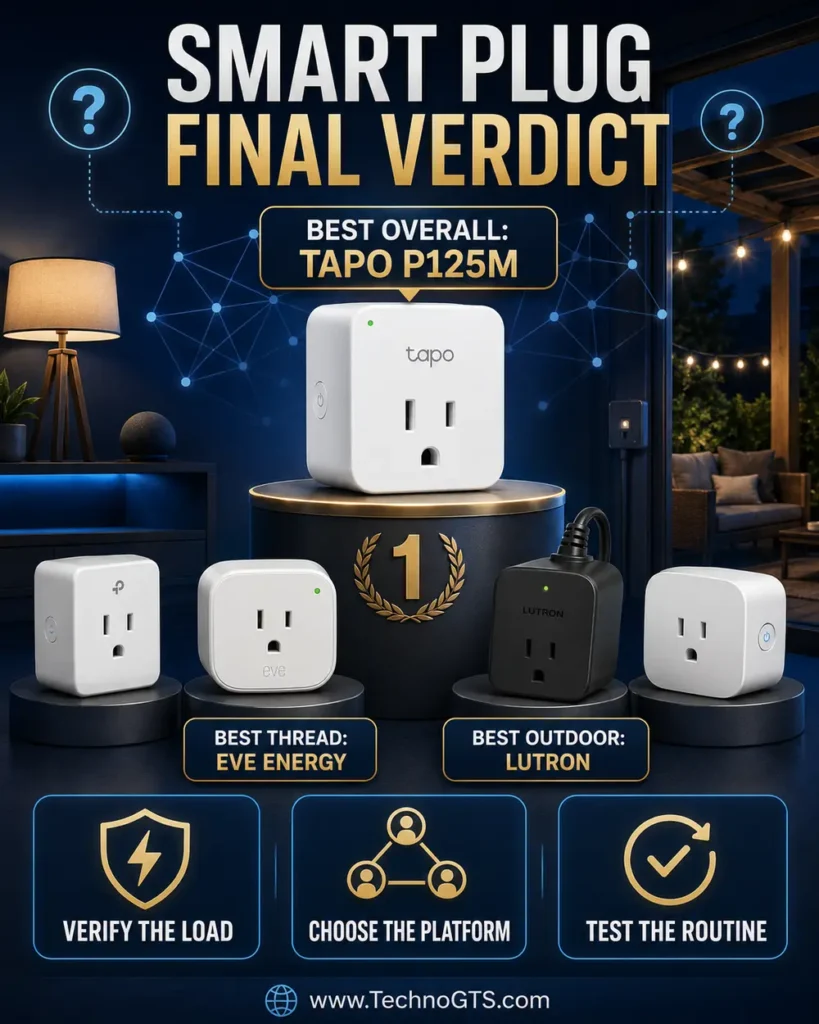
This guide recommends five products for five distinct roles. The Tapo P125M is our best overall value because its compact Wi-Fi design, Matter certification, schedules, remote control, and broad platform options cover most low-risk household routines without requiring a dedicated brand hub. Eve Energy is the premium Thread choice for readers building a responsive Matter network and interested in energy insights. Leviton D215P comes from an established electrical-device manufacturer and publishes unusually clear load ratings. Amazon Smart Plug is the straightforward Alexa-first option. Lutron Caséta Outdoor Smart Plug PD-15OUT-BL handles selected outdoor lighting, motor, and pump jobs through Lutron’s hub-based ecosystem.
These products do not all communicate the same way. Tapo, Leviton, and Amazon models use 2.4GHz Wi-Fi for their primary connection. Eve Energy uses Thread and requires a compatible Matter controller with Thread border-router capability. Lutron uses its own highly regarded Caséta/Clear Connect system and needs a Caséta Smart Hub for app and ecosystem integration. “No hub” reduces the initial shopping list, but a dedicated hub can reduce Wi-Fi dependence and improve whole-system consistency.
Matter helps compatible products join multiple ecosystems through a common IP-based standard. It does not make every vendor feature universal. Basic on/off control and shared administration may work through Matter while detailed energy history, firmware tools, away-mode behavior, or advanced schedules remain in the manufacturer’s app. Thread is a low-power mesh transport, not another name for Matter. A device can support Matter over Wi-Fi or Matter over Thread.
Before buying, choose the automation rather than the product. Write the desired rule in one sentence: “Turn the living-room lamp on at sunset and off at 11 p.m.” “Power holiday lights from dusk until bedtime.” “Turn a fan on only when a compatible sensor reports a condition.” Then identify the load, environment, failure consequences, ecosystem, and control method. This converts a broad product category into a precise requirement.
Our smart-home hub covers the larger ecosystem around plugs, lights, locks, and sensors. Readers planning connected routines can use the home automation section to decide whether schedules should live in a plug, platform, hub, or automation controller.
This is a research-led US buying guide based on official product and support documentation. We do not claim unperformed hands-on tests. Reliability depends on firmware, wireless conditions, hub health, cloud availability, outlet condition, and the appliance. The testing section provides a repeatable procedure for setup, local recovery, schedule behavior, heat checks, and power-failure validation.
⚡ Safety-first rule: A smart plug must be rated for the exact appliance and environment. Never exceed the manufacturer’s load table, bypass appliance safety controls, daisy-chain extension devices, or automate equipment whose unexpected startup could injure someone or damage property.
Quick Summary
Best overall — Tapo P125M: A compact Matter-certified Wi-Fi plug with Alexa, Siri/Apple Home, and Google Home pathways, plus Tapo app schedules, away mode, remote control, sharing, and auto-off. It is the easiest recommendation for lamps, decorative lighting, and other compatible indoor loads when energy monitoring is not the primary requirement.
Best Matter-over-Thread option — Eve Energy: A premium plug that uses Thread, participates as a routing node in the Thread mesh, and requires a compatible Matter controller plus Thread border router. Eve emphasizes privacy and energy-consumption visibility. It is well suited to a mature Apple, Alexa, Google, or SmartThings Matter environment when the required hub infrastructure already exists.
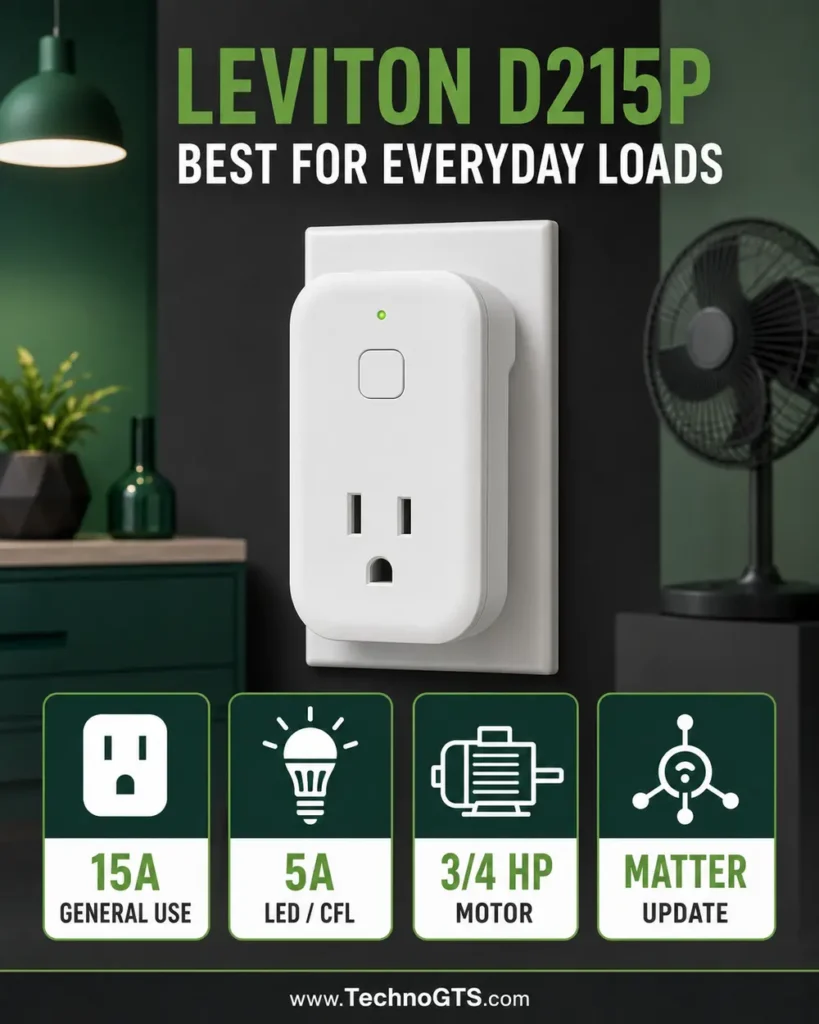
Best electrical-brand choice — Leviton Decora Smart D215P: A compact Wi-Fi plug-in switch with published ratings for 15A general use, 5A LED/CFL/electronic ballast, 1500W incandescent/halogen, 15A magnetic ballast, and up to 3/4 HP motor loads. Matter can be enabled on supported second-generation units through the documented firmware path. Verify model/revision and load instructions.
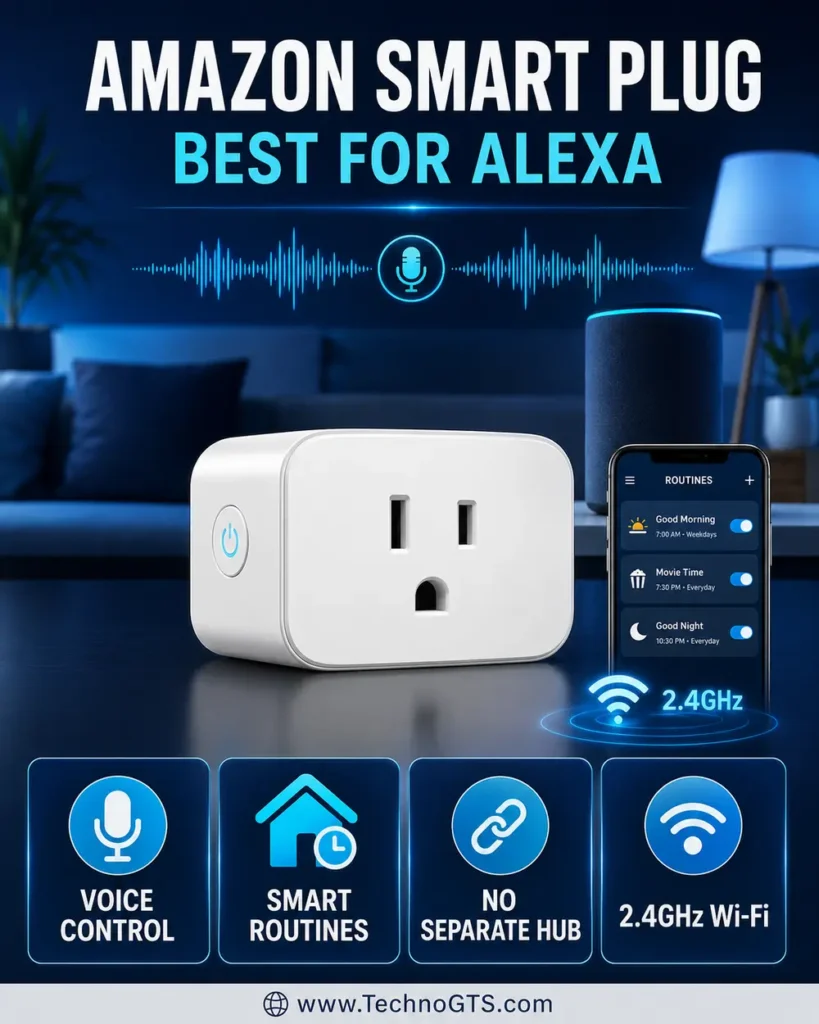
Best for Alexa simplicity — Amazon Smart Plug: A 2.4GHz Wi-Fi plug designed around the Alexa app with no separate hub required. Amazon’s compliance page lists 120V, 60Hz, 15A maximum input and additional load information. It is easy for Alexa households but deliberately limited for readers who want Matter multi-admin or another primary platform.
Best outdoor option — Lutron Caséta Outdoor Smart Plug PD-15OUT-BL: A weather-oriented on/off controller for compatible outdoor lighting and selected motor/pump loads. Lutron documents up to 15A lighting load, up to 1/2 HP motor and pump loads, and specific transformer/magnetic-ballast limits. Smart operation requires the Caséta ecosystem and proper outdoor outlet protection/installation.
If your main goal is connected lighting rather than controlling an existing lamp, our smart bulbs guide may offer dimming, color, and per-bulb scenes that an on/off plug cannot. If automation should react to motion, doors, temperature, or leaks, browse smart sensors before designing the rule.
Smart Comparison Table
| Recommendation | Connection | Hub requirement | Standout strength | Best use | Major caution |
|---|---|---|---|---|---|
| Tapo P125M | 2.4GHz Wi-Fi; Matter | No brand hub; Matter controller for Matter platform use | Compact, affordable multi-platform control | Indoor lamps and compatible everyday loads | No headline energy-monitoring focus |
| Eve Energy | Thread; Matter | Matter controller + Thread border router required | Thread routing, privacy, energy insights | Premium Matter/Thread automation | Higher system requirement and price |
| Leviton D215P | 2.4GHz Wi-Fi; firmware-enabled Matter support | No Leviton hub | Clear load table; wire-free companion support | Lamps, motors, fans and compatible general loads | Matter setup may require firmware/app onboarding first |
| Amazon Smart Plug | 2.4GHz Wi-Fi | No separate hub; Alexa app/account | Easiest Alexa-first workflow | Simple Alexa schedules and voice control | Alexa-centric; not a broad Matter pick |
| Lutron PD-15OUT-BL | Caséta/Clear Connect | Caséta Smart Hub for app/platform automation | Outdoor reliability and published motor/pump rating | Holiday lights, landscape loads, compatible pumps | Outdoor electrical requirements; hub cost |
The most feature-rich model is not automatically the most reliable. A simple local schedule can be more dependable than a routine involving cloud services, several brands, and multiple conditions. Conversely, a dedicated platform can coordinate more devices and provide occupancy-based automation that a single plug cannot understand.
Pairing plugs with voice control often begins with a device from our smart speaker guide. For touch control, cameras, and household dashboards, review smart displays before deciding which ecosystem should own routines.
Why Trust Us
TechnoGTS evaluates smart plugs as electrical controls first and smart-home accessories second. We separate enclosure size, radio protocol, platform compatibility, relay behavior, schedules, energy data, electrical ratings, environment, safety listings, and failure recovery. This avoids the common mistake of ranking products solely by app screenshots or the number of assistant logos on the box.
Official documentation grounds the recommendations. Tapo identifies the P125M as Matter certified and lists compact design, remote control, schedules, voice control, auto-off, away mode, and household sharing. Eve states that its current Matter Energy model requires a compatible hub supporting both Thread and Matter and acts as a Thread router node. Leviton publishes load categories for D215P and documents the phased Matter firmware process for supported Decora Smart Wi-Fi 2nd Gen models. Amazon provides an official safety/compliance page for its plug. Lutron publishes load limits for the outdoor Caséta model.
We do not convert those specifications into universal promises. “Works with” can depend on an updated app, compatible hub, supported region, current firmware, account, and platform feature set. Coverage can change with walls and interference. Schedules may be stored locally or depend partly on cloud services. Energy readings are informative rather than a substitute for a revenue-grade meter unless explicitly certified for that role.
Home-automation context also matters. A plug switching a lamp can become part of a larger security routine with a smart camera, but it should not be represented as a security system. Entry automation may integrate with smart locks, yet unlocking a door and energizing an appliance require different risk controls.
✅ Editorial boundary: Product revisions, Matter firmware, supported platforms, apps, electrical certifications, and prices can change. Verify the exact model number, packaging, current support page, and load rating before purchase.
Testing Methodology
Our smart-plug test plan begins before pairing. Inspect the product, outlet, and connected appliance. Confirm that the outlet is secure, correctly wired, and appropriate for the location. Compare the appliance nameplate and instruction manual with every relevant smart-plug load category. Do not use a plug that is merely close to the required rating. Never test with a damaged cord, loose receptacle, ungrounded adapter, or wet indoor-only device.
Pair the plug in the room where it will operate. Record setup time, app permissions, account requirements, firmware update process, and whether the plug blocks the second receptacle. Rename it with an unambiguous phrase that voice assistants can understand. Test the physical button before adding routines.
Next validate commands from the manufacturer app and chosen ecosystem. Test on/off response on the local Wi-Fi network, from cellular data outside the home, and by voice. For Matter devices, share to a second platform only after the first is stable. Record which features appear in each platform; energy history and advanced scheduling may remain vendor-specific.
Create one simple schedule and one timer. Observe at least several cycles. Disconnect the internet while keeping local network and hubs powered, then see whether schedules and local controls continue. Results differ by product, firmware, and where the automation is stored. Do not assume Matter guarantees every automation works during a cloud outage.
Simulate a power failure. Turn off the circuit safely, restore it, and observe the plug’s recovery state, Wi-Fi/Thread reconnection time, schedule behavior, and connected appliance state. A plug that defaults on after power restoration may be inappropriate for equipment that should remain off. Check the product’s power-loss setting where available.
For energy-monitoring models, connect a stable known load and compare the displayed power with a suitable reference meter if available. Look for plausible readings and consistent history rather than laboratory accuracy. Very low loads may be below useful resolution. Never open the plug or probe mains contacts.
Test thermal behavior only within the supported load and environment. After extended operation, the enclosure may become mildly warm; unusual heat, discoloration, odor, buzzing, repeated clicking, or intermittent power is a stop condition. Unplug safely and contact the manufacturer. Do not cover the device or place it in a sealed space unless the instructions permit it.
Finally test the automation that matters: motion-to-lamp, sunset schedule, away routine, or pump control. Include sensor failure, hub reboot, lost Wi-Fi, and manual override. Smart-home routines connected to video doorbells or smart sensors should fail safely and remain understandable to every household member.
Selection Methodology
We started with current US models from brands that publish product and support documentation. Electrical rating clarity and intended environment were the first filters. Products with vague load claims, unclear model identity, or questionable marketplace provenance were excluded. Safety certification was considered important, but readers must verify the mark on the exact unit and its listing record rather than trusting copied product-page text.
The final five represent distinct ownership styles. Tapo offers accessible Matter-over-Wi-Fi. Eve offers Matter over Thread with energy insight. Leviton offers electrical-industry experience and a detailed load table. Amazon provides a focused Alexa path. Lutron provides a purpose-built outdoor Caséta option. This range is more useful than five nearly identical white Wi-Fi cubes.
We weighted dependable control and recovery above exotic automation counts. Compact design matters because a plug that blocks the second receptacle doubles its physical cost. A clear physical button matters during app failure. Firmware support matters because smart-home standards evolve. The ability to reset and transfer ownership matters when a home changes platforms.
Readers with several ecosystems should review smart-home hubs before scattering routines across apps. Households using voice and visual dashboards should compare smart displays as the control surface rather than choosing plugs one at a time.
Tapo P125M: Best Overall Matter Smart Plug
Product Snapshot
| Attribute | Details |
|---|---|
| Best for | Affordable indoor automation across major Matter ecosystems |
| Connection | 2.4GHz Wi-Fi; Matter certified |
| Hub | No Tapo hub required; compatible Matter controller for Matter platform onboarding |
| Core features | Schedules, timer/auto-off, away mode, remote control, voice, sharing |
| Physical design | Compact mini plug intended to preserve adjacent outlet access |
| Main caution | Verify exact version and load table; not an outdoor or energy-monitoring specialist |
The Tapo P125M is our best overall smart plug because it addresses the ordinary automation job without imposing a proprietary hub. It connects through 2.4GHz Wi-Fi, can be controlled in the Tapo app, and carries Matter certification for integration with compatible ecosystems. That gives new users a simple starting point and experienced users a route away from single-platform lock-in.
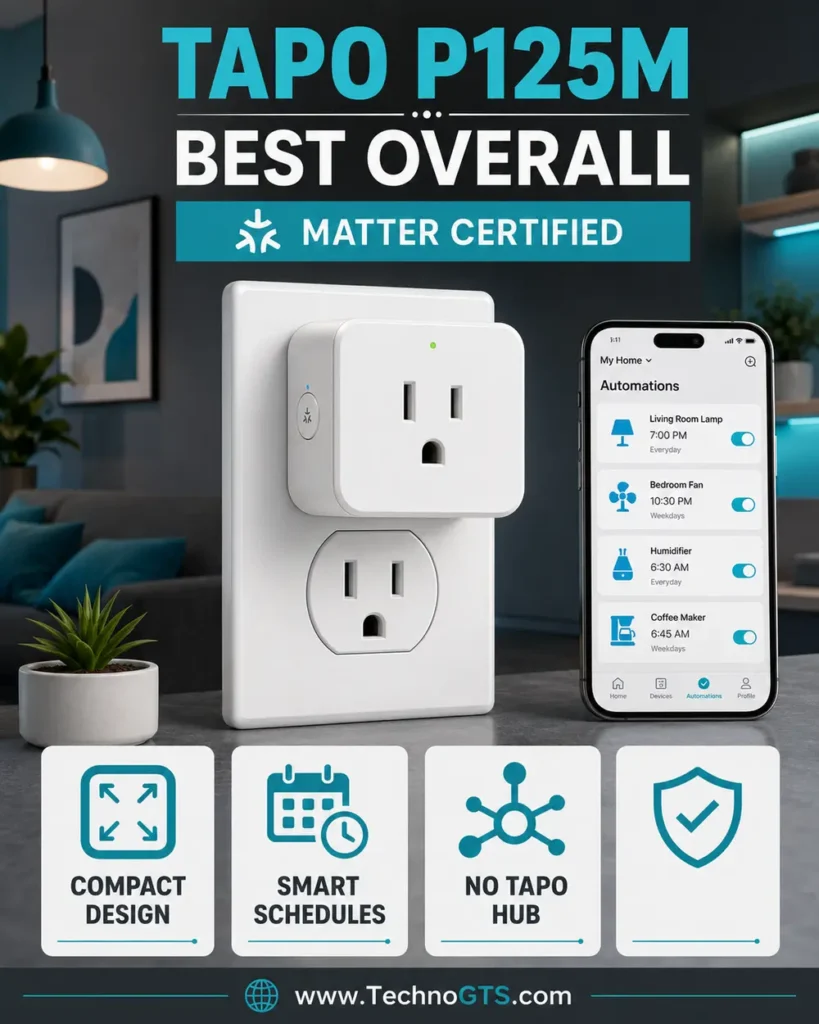
Its compact enclosure is a practical advantage. Smart plugs often block the neighboring receptacle or collide with oversized power adapters. Tapo specifically emphasizes the mini design. Measure clearance anyway, particularly on GFCI outlets, sideways receptacles, power strips, and recessed installations. Plug directly into a suitable wall outlet unless the manufacturer explicitly approves another arrangement.
The automation toolkit covers common needs: remote on/off, schedules, timers, away mode, auto-off, voice commands, and family sharing. A living-room lamp can follow sunset/bedtime routines; a curling-iron safety routine can use auto-off only if the appliance instructions and load rating permit external control; decorative lights can run for a fixed evening window. The plug does not add dimming unless the product and load specifically support it—P125M is an on/off switch.
Matter is the strategic advantage. A compatible controller can commission the plug into Apple Home, Alexa, Google Home, or another supported Matter platform. Multi-admin can share it between ecosystems. Tapo’s own app may still be necessary for firmware, diagnostics, or vendor-specific features. Keep the Matter setup code private; it is effectively a device onboarding credential.
Tapo P125M official product page
What We Like
- Matter-certified interoperability: Broadens platform choice and supports multi-admin scenarios.
- No dedicated brand hub: A straightforward entry point for Wi-Fi homes.
- Compact body: Better chance of keeping the adjacent receptacle usable.
- Practical automation tools: Schedules, auto-off, away mode, sharing, and remote control cover everyday routines.
- Physical control: Manual on/off remains available when a phone is inconvenient.
What Could Be Better
- Wi-Fi smart devices add clients to the home router and depend on good 2.4GHz coverage.
- Matter exposes a common feature set, not every Tapo-specific capability.
- Buyers seeking detailed power history should choose an energy-monitoring model.
- Indoor-only design must not be used in wet or exposed outdoor locations.
Automation and Reliability Analysis
The P125M is ideal for deterministic routines: turn on, turn off, follow a schedule, or react to a platform event. Reliability improves when rules remain simple. A routine involving presence, weather, multiple cloud services, and several third-party conditions has more failure points than a local time schedule.
Matter control can provide a local path through the chosen controller, but the exact automation engine and remote-access behavior belong to that ecosystem. Test commands with internet access disabled. Document whether the Tapo schedule continues, whether platform automations execute, and whether remote access understandably stops.
Place the router or access point so 2.4GHz coverage is strong at the outlet. Do not use a plug as evidence that the entire room has good Wi-Fi; low-powered IoT radios can behave differently from phones. If several smart devices lose connection in one area, improve the network rather than repeatedly resetting each plug.
Setup, Security, and Daily Use
Install the Tapo app, create the necessary account, and add the plug on a supported 2.4GHz network. Update firmware before sharing it to another ecosystem. Give it a clear name such as “Living Room Floor Lamp,” not “Plug One.” Test the physical button and app control before building automations.
For Matter, scan or enter the code through the chosen controller and store the card securely. Add a second ecosystem only after normal operation is stable. If commissioning fails, avoid rapid factory resets; confirm controller compatibility, phone Bluetooth/permissions, network isolation, IPv6/multicast behavior, and firmware.
Use a guest or IoT network only if it permits the local discovery and controller traffic Matter needs. Overly aggressive client isolation can prevent pairing. Security segmentation must be designed end to end rather than achieved by placing devices on a network they cannot communicate through.
Who Should Buy It?
Choose the P125M for affordable indoor lamps, fans, decorative lighting, and compatible small appliances when broad ecosystem support and compact size matter. It is a strong first Matter product because it can move with the household’s platform choices.
Skip it for outdoor use, dimming, safety-critical equipment, or cases where Thread and detailed energy insight are core requirements. Eve Energy or Lutron’s outdoor model fits those narrower roles better.
Bottom Line
Tapo wins overall by making Matter, compact hardware, and practical scheduling accessible without a dedicated brand hub. Its value depends on correct load selection and a stable 2.4GHz network—not on the number of assistant logos.
Eve Energy: Best Thread Smart Plug
Product Snapshot
| Attribute | Details |
|---|---|
| Best for | Premium Matter homes that already have a Thread border router |
| Connection | Matter over Thread |
| Hub | Compatible Matter controller and Thread border router required |
| Standout role | Acts as a powered Thread routing node; energy-consumption insight |
| Ecosystems | Compatible Matter platforms subject to controller and feature support |
| Main caution | Higher price and infrastructure requirement |
The current Eve Energy is the most network-oriented plug in the comparison. Instead of joining 2.4GHz Wi-Fi directly, it communicates through Thread, a low-power IPv6 mesh designed for smart-home devices. Because the plug is mains powered, it can relay Thread traffic as a router node and strengthen the mesh for compatible accessories. It still needs a Thread border router to connect that mesh to the home IP network and a Matter controller to manage it.
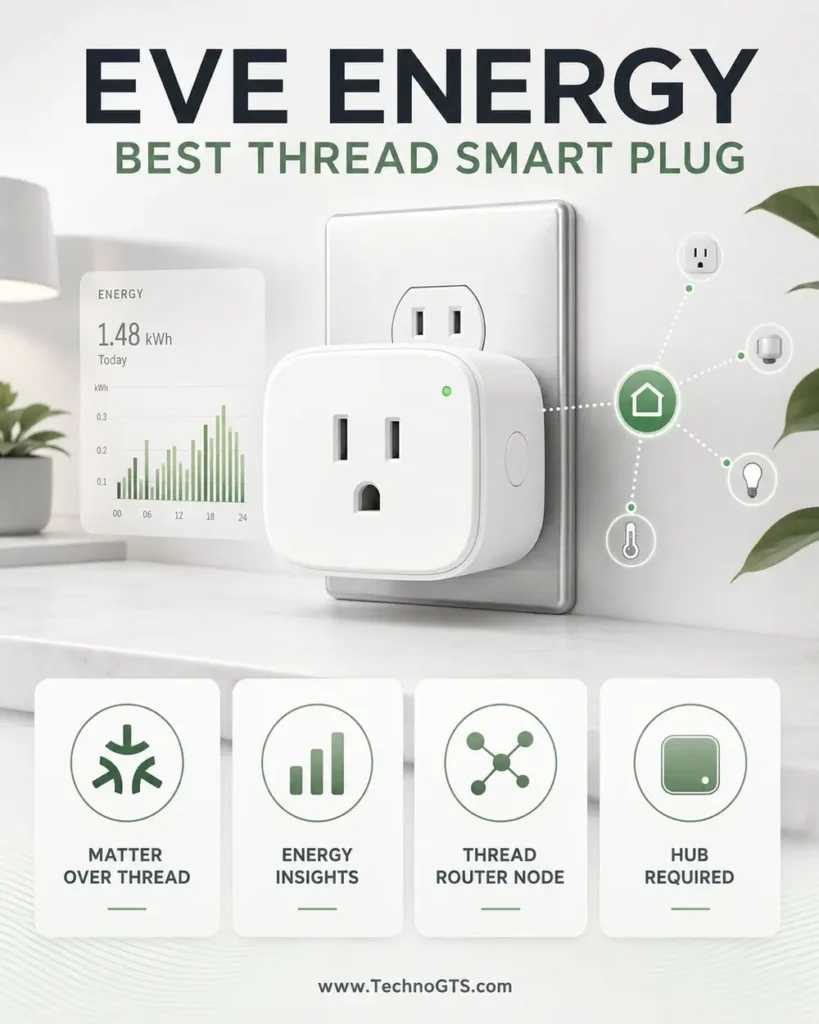
That requirement can be invisible in product marketing. A phone is not a permanent border router. Compatible Apple TV/HomePod, Echo, Google Nest, SmartThings, or other devices may provide controller/border-router roles, but model and firmware matter. Eve explicitly says the Matter-enabled Energy requires a hub supporting both Thread and Matter. Verify the existing hub before buying.
Eve’s long-standing strengths include privacy-focused design and energy visibility. Users can monitor consumption and estimate cost through supported Eve features/platform combinations. Matter exposes standardized device control, while detailed historical charts may depend on the Eve app and platform capabilities. Android and non-Apple experiences have expanded through Matter, but feature parity should not be assumed.
Thread can improve responsiveness and reduce dependence on crowded Wi-Fi, especially as the mesh grows. It is not immune to placement or infrastructure problems. Border routers need good network connectivity; Thread devices still use radio; duplicate or partitioned fabrics can complicate troubleshooting. A single plug in a distant detached space may perform worse than a Wi-Fi plug with strong coverage.
Eve Energy official US product page
What We Like
- Matter over Thread: A modern local-network architecture that avoids adding another direct Wi-Fi client.
- Thread router function: The powered plug can relay traffic for other Thread devices.
- Energy insights: Useful for understanding appliance consumption and standby behavior.
- Multi-platform potential: Matter supports compatible ecosystems and multi-admin sharing.
- Privacy focus: Eve emphasizes local control and reduced cloud dependence.
What Could Be Better
- Requires both a Matter controller and Thread border router.
- Higher purchase price than basic Wi-Fi plugs.
- Advanced energy history may not appear identically in every platform.
- Migrating or resetting Matter fabrics can be less intuitive than ordinary Wi-Fi onboarding.
Automation and Reliability Analysis
Eve Energy is compelling in a home that already has several Thread devices. Every well-placed powered routing node can provide alternate mesh paths. This helps battery sensors that cannot relay for others. The plug should not be purchased solely as a signal booster; its primary job remains switching a compatible load.
Energy monitoring makes automations observable. A user can see whether a lamp, entertainment center, or office setup actually draws power when “off.” Do not use the plug to hard-cut devices that require graceful shutdown, firmware updates, or continuous connectivity. Computers, consoles, networking equipment, refrigerators, and medical equipment are poor candidates for casual power cutting.
Test whether the selected platform stores automations locally on the hub and what happens when the internet is unavailable. Thread is local transport, but voice assistants, remote access, and some routine logic may still use cloud services. Reliability is the behavior of the whole platform, not the radio alone.
Setup, Security, and Daily Use
First update the intended Matter controller and border router. Add Eve Energy through the chosen ecosystem using its Matter code. Keep the code and ownership information secure. Allow time for Thread routing to stabilize, then check the ecosystem’s network diagnostics if available.
The Eve app can expose additional insight on supported platforms. When sharing to another ecosystem, use Matter multi-admin rather than factory-resetting and creating a separate fabric unintentionally. Record which platform owns the device and where critical routines live.
Name the plug by appliance and room. Review energy history after several days, not minutes. A high reading deserves investigation, but an unusual number is not proof of appliance failure. Cross-check with a suitable meter and appliance specifications.
Who Should Buy It?
Choose Eve Energy when a compatible Thread border router already exists, local responsiveness and privacy matter, and energy insight has real value. It is an excellent premium plug for mature Matter homes and for building a stronger Thread mesh around sensors.
Skip it when you want the cheapest simple timer, lack a Thread border router, or need outdoor/motor-specific control. Tapo or Amazon offers simpler Wi-Fi onboarding; Lutron handles the outdoor role.
Bottom Line
Eve Energy is the premium Matter-over-Thread choice. Its price buys a more sophisticated network role and energy visibility, but only a properly equipped Matter home can use those advantages.
Leviton D215P: Best for Demanding Everyday Loads
Product Snapshot
| Attribute | Details |
|---|---|
| Best for | Buyers who want clear load ratings and an established electrical-device ecosystem |
| Connection | 2.4GHz Wi-Fi; Matter support via documented firmware path on supported 2nd Gen units |
| Hub | No Leviton hub required |
| Published ratings | 15A general/magnetic; 5A LED/CFL/electronic ballast; 1500W incandescent; 3/4 HP motor |
| Special option | Can pair with compatible wire-free Anywhere Switch companion |
| Main caution | Confirm exact D215P revision, firmware, platform, and load category |
The Leviton Decora Smart Wi-Fi D215P stands out because Leviton publishes a detailed load table rather than relying on one oversized amp figure. The plug is rated for 15A general use and magnetic ballast, 5A LED/CFL/electronic ballast, 1500W incandescent/halogen, and up to a 3/4 HP motor according to the official page. Those categories make it easier to judge lamps, fans, and selected appliances correctly.
That does not mean every device below 15A is appropriate. Startup current, duty cycle, control electronics, compressor behavior, and appliance instructions matter. A smart plug should not control a space heater, air conditioner, major appliance, or safety-critical pump unless the exact plug and appliance documentation explicitly permit the application. Local electrical codes and outlet condition also apply.
Leviton’s My Leviton app provides schedules, remote control, scenes, and ecosystem connections. Supported Decora Smart Wi-Fi 2nd Gen D215P units can receive a firmware update enabling Matter according to Leviton’s rollout documentation. The device may need to be onboarded in My Leviton and updated before a Matter code becomes available. First-generation or different models should not be assumed upgradeable.
An unusual feature is compatibility with Leviton’s wire-free Anywhere Switch companion for additional physical on/off control. That can make a plug-controlled lamp behave more like a switched room light without rewiring. Physical controls are valuable for guests and household members who do not want to use a phone or voice assistant.
Leviton D215P official product page
What We Like
- Detailed load specifications: Easier to match safely with different appliance types.
- Established electrical brand: Strong documentation and support ecosystem.
- No dedicated hub: Connects through existing 2.4GHz Wi-Fi.
- Matter upgrade path: Supported second-generation models can gain broader ecosystem integration.
- Wire-free companion option: Adds a convenient wall-style manual control location.
What Could Be Better
- Matter support can depend on exact model and firmware update state.
- Wi-Fi coverage and cloud/app behavior remain part of reliability.
- The electrical capability may encourage unsafe assumptions if appliance instructions are ignored.
- Energy monitoring is not the headline feature of this switch model.
Automation and Reliability Analysis
The D215P is a good fit for loads that benefit from a stronger published motor rating, such as a compatible portable fan, while still supporting ordinary lighting. Motor horsepower is not interchangeable with amps; use the exact table and motor nameplate. Pumps require special caution because unexpected restart, dry running, freezing, flooding, or loss of prime can damage property.
Schedules can live in the Leviton ecosystem, while Matter platforms can provide cross-brand routines after the upgrade. Keep the simplest critical schedule in the most dependable supported layer. Test behavior during cloud and internet interruption, especially after firmware changes.
The Anywhere companion can improve usability by preserving intuitive manual control. It should be labeled and located logically. Do not create an automation where one household member believes the outlet is off while another rule can re-energize it unexpectedly.
Setup, Security, and Daily Use
Add the plug to My Leviton on 2.4GHz Wi-Fi, install firmware, and confirm normal switching. If Matter is desired, follow Leviton’s official steps for the exact device. Save both account recovery and Matter code securely. Avoid deleting the device from the original app before understanding how firmware and vendor features will be managed.
Leviton documents a factory-reset sequence involving a long button hold and status-light changes. Keep that instruction available, but use reset as the final troubleshooting step. First verify Wi-Fi, router changes, app status, and service availability. Factory reset destroys pairing and automations.
Inspect the plug periodically when used with motors or higher-load devices. Discontinue use if the receptacle becomes loose or the enclosure shows abnormal heat. Electrical wear is not repaired by reconnecting Wi-Fi.
Who Should Buy It?
Choose D215P when published load detail, electrical-brand support, and optional physical companion control matter. It is a strong choice for compatible lighting, fans, and other properly matched indoor loads.
Skip it for outdoor exposure, energy-history priorities, or a plug-and-play Matter experience where firmware staging is undesirable. Tapo and Eve provide more direct Matter positioning; Lutron handles outdoor control.
Bottom Line
Leviton wins the demanding everyday-load category because it tells buyers which kinds of loads the plug can control. That clarity is more valuable than a generic 15A badge.
Amazon Smart Plug: Best for Alexa Simplicity
Product Snapshot
| Attribute | Details |
|---|---|
| Best for | Alexa households wanting a simple, focused smart plug |
| Connection | 2.4GHz Wi-Fi |
| Hub | No separate hub required; managed in Alexa app |
| Published input | 120V, 60Hz, 15A max, with official load details |
| Core features | Alexa voice, app control, routines, schedules |
| Main caution | Alexa-centric; limited reason to buy for other ecosystems |
The Amazon Smart Plug is intentionally uncomplicated. It joins a 2.4GHz Wi-Fi network through the Alexa app and becomes an Alexa device without a separate bridge. Existing Echo users can add voice commands, schedules, and routines with minimal platform decisions. That focus makes it easy to recommend inside Alexa and hard to recommend outside it.
Amazon’s official compliance documentation identifies model-specific electrical information including 120V, 60Hz, 15A maximum input and load details such as motor and TV ratings. Buyers should use the current page for the exact model, because Amazon listings and multipacks can change. The safety mark on the physical product is more authoritative than a third-party copied table.
The plug works well for ordinary Alexa routines: turn on a lamp at sunset, power decorative lighting for three hours, or switch a compatible fan with a voice command. Alexa can combine it with motion sensors, Echo presence features, or other devices. Complex routines add cloud and account dependencies; test the exact behavior rather than assuming an Echo makes every action local.
Amazon’s Frustration-Free Setup can simplify onboarding with a compatible account/device context. That convenience also means ownership and household organization deserve attention. Remove the plug from the account and factory reset it before resale, return, or gifting.
Amazon Smart Plug safety and compliance
What We Like
- Direct Alexa integration: No third-party skill or separate brand app for normal operation.
- No dedicated bridge: Uses existing 2.4GHz Wi-Fi.
- Simple routines: Alexa schedules and voice commands are familiar to Echo owners.
- Official compliance page: Model-specific electrical information is available.
- Physical button: Manual control remains available.
What Could Be Better
- It is designed for Alexa rather than Matter multi-platform flexibility.
- No strong reason to choose it for Apple Home, Google Home, or SmartThings-first households.
- Wi-Fi and cloud/account health influence advanced operation.
- Energy monitoring is not a core capability.
Automation and Reliability Analysis
Amazon Smart Plug is strongest when the Alexa app is already the household’s automation center. One account manages groups, rooms, voice names, and routines. Avoid names that collide with Echo devices or groups; “Office Lamp Plug” is clearer than “Office.” Test voice commands from different rooms.
Routines can use times, voice, device state, and compatible sensors. A smart speaker or display can become the interface, but the plug should retain a manual path. Household members must know that unplugging the controlled lamp or using its own switch can make the smart plug appear broken.
During internet loss, manual button operation should remain the fallback. App, remote, or voice behavior may be limited. Do not use this or any cloud-oriented consumer plug for a load that requires guaranteed control or alarm-grade supervision.
Setup, Security, and Daily Use
Use the Alexa app’s Add Device workflow, select Plug, and follow instructions. Confirm the phone, account, and Wi-Fi are correct. Update the Alexa app and any Echo firmware. Place the plug where the manual button and status indicator remain accessible.
Enable account multifactor authentication and review household profiles. Smart-home device control can be shared through Amazon household arrangements; avoid sharing primary credentials. Review voice purchasing separately—plug control and commerce permissions are different risks.
Before creating routines, test the appliance after manual power interruption. Some electronic devices do not resume operation when power returns, so a smart plug can cut power but cannot press the appliance’s soft-power button.
Who Should Buy It?
Choose Amazon Smart Plug when Alexa is the unquestioned primary ecosystem and you want the shortest path to app/voice control. It is suitable for compatible indoor lighting and simple household loads.
Skip it if Matter portability, Thread, energy data, or non-Alexa control matters. Tapo P125M is the more flexible mainstream choice, while Eve Energy is the premium Thread option.
Bottom Line
Amazon Smart Plug succeeds through focus. It is the easy Alexa plug, not the universal smart-home plug, and that clarity makes it reliable for the right household.
Lutron Caséta Outdoor Smart Plug PD-15OUT-BL: Best Outdoor Option
Product Snapshot
| Attribute | Details |
|---|---|
| Best for | Compatible outdoor lighting, pumps, motors, and seasonal automation |
| Connection | Lutron Caséta/Clear Connect |
| Hub | Caséta Smart Hub required for app, schedules, and integrations |
| Published ratings | Up to 15A lighting; up to 1/2 HP motor/pump; specified transformer/ballast limits |
| Operation | On/off only; outdoor-oriented enclosure and cable arrangement |
| Main caution | Must follow outdoor outlet, GFCI, weather-cover, mounting, load, and code requirements |
The Lutron Caséta Outdoor Smart Plug PD-15OUT-BL is the only product here intended for the outdoor role. It controls compatible loads through Lutron’s Clear Connect radio and integrates with the Caséta Smart Hub. That architecture avoids putting another Wi-Fi client at the edge of the yard and builds on Lutron’s reputation for dependable lighting control.
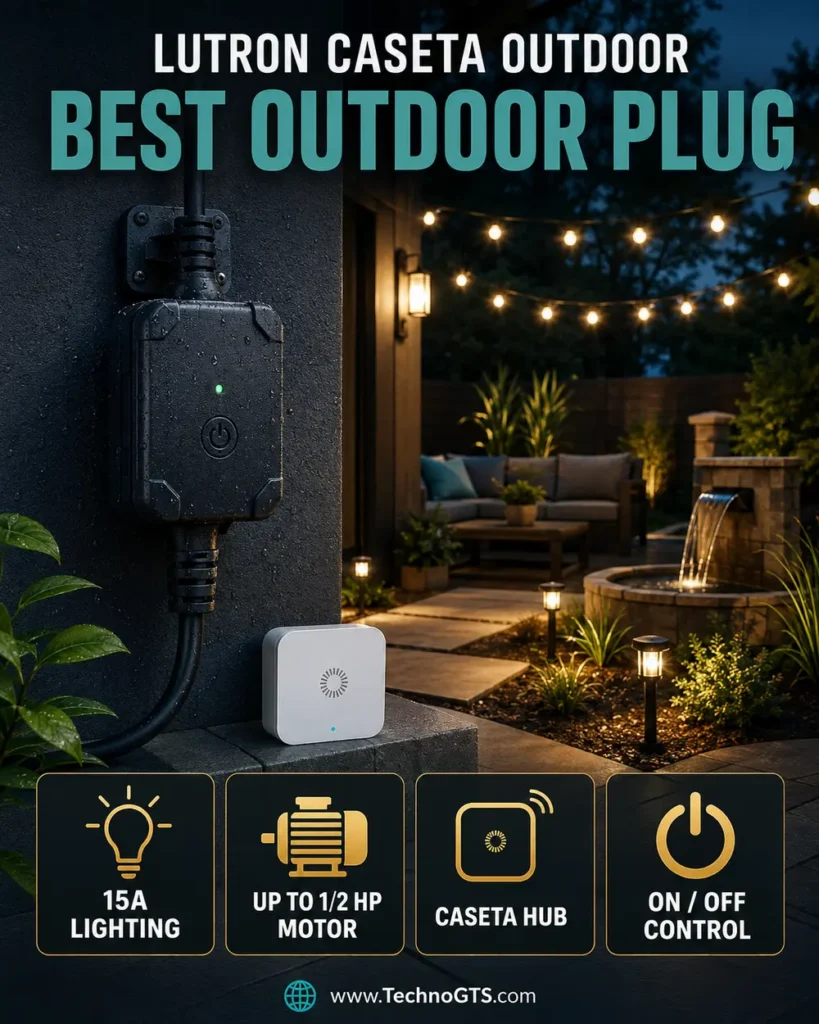
Lutron publishes specific capabilities: up to 15A of lighting load, up to 1/2 HP motor and pump loads, and limits for lighting transformers or magnetic ballasts. The plug is on/off only. It does not dim outdoor lights, vary pump speed, or add appliance protection. Use the exact official table and connected-equipment instructions.
Outdoor suitability is more than a weather-resistant enclosure. The branch circuit, receptacle, in-use cover, GFCI protection, cord routing, mounting orientation, drip loops, extension cords, and local code must all be correct. Never place a connection in standing water or expose a non-weather-rated downstream connector. Follow Lutron’s installation guide and use a qualified electrician when the outlet is questionable.
The Caséta Smart Hub adds cost but enables schedules, scenes, app control, voice assistants, and integration with other Caséta devices. Lutron’s dedicated radio can be more predictable than distant outdoor Wi-Fi. A Pico remote or wall control can provide intuitive manual operation depending on the supported configuration.
Lutron Caséta Outdoor Smart Plug official support page
What We Like
- Purpose-built outdoor role: Better choice than placing an indoor plug in a plastic bag or improvised enclosure.
- Published motor/pump rating: Suitable for selected compatible loads up to the documented limit.
- Caséta reliability: Dedicated low-frequency control architecture and mature ecosystem.
- Strong automation options: Hub-based schedules and platform integrations.
- Manual control: Physical operation remains available at the device/system level.
What Could Be Better
- Requires a Caséta Smart Hub for smart features.
- Higher total cost than indoor Wi-Fi plugs.
- On/off only, without energy monitoring or dimming.
- Outdoor installation remains dependent on receptacle protection and code compliance.
Automation and Reliability Analysis
Holiday and landscape lighting is the easiest use case: sunset on, fixed bedtime off, with manual override. Outdoor pumps and motors require a risk assessment. A pump unexpectedly starting during maintenance can injure someone; a pump failing to run can damage property. Use lockout procedures, labels, and automation that fails safely.
Lutron schedules and scenes can coordinate outdoor lights with interior Caséta lighting. Presence or geofencing can add convenience but should not be the sole safety control. Sunrise/sunset automation should use the correct location and time zone and be reviewed after account changes.
Dedicated hub operation can reduce reliance on yard Wi-Fi, but the hub, router, and home power still matter for app and remote functions. Put essential networking equipment on appropriate backup power if outage behavior matters. Test what continues locally when internet access is unavailable.
Setup, Security, and Daily Use
Inspect and prepare the outdoor receptacle before pairing. Mount and orient the plug exactly as Lutron instructs. Connect only a compatible load with weather-rated cord/connector arrangements. Pair through the Caséta app and Smart Hub, update the system, name the load, and build one simple schedule.
Use a GFCI-protected outdoor circuit and a proper weatherproof in-use cover as required. The smart plug does not replace these protections. Do not bury cords, route them through windows/doors where pinched, or use indoor extension cords outdoors.
Test manual control, app control, schedule execution, GFCI trip/recovery, hub reboot, and power restoration. Record whether the load returns on or off. For seasonal use, clean and dry the device before storage according to instructions and inspect cords before reinstalling.
Who Should Buy It?
Choose PD-15OUT-BL for outdoor holiday lights, landscape lighting, fountains, and compatible pumps/motors when Caséta’s hub-based reliability and published load support justify the cost. It is especially sensible for households already using Caséta.
Skip it for indoor lamps, plug-level energy monitoring, dimming, or a home with no interest in a hub. Tapo or Eve is better for indoor automation.
Bottom Line
Lutron wins outdoors because it is designed and documented for that environment and for selected motor/pump loads. Its value is purpose-built control, not cheap per-outlet automation.
Detailed Buying Guide: Choose a Smart Plug Safely
1. Start With the Appliance, Not the App
Read the appliance nameplate and manual. Record voltage, running current or watts, motor horsepower, and any warning against timers or remote switching. Identify whether the load is resistive, incandescent/tungsten, LED/electronic ballast, magnetic ballast, transformer, or motor. Compare it with the plug’s exact table.
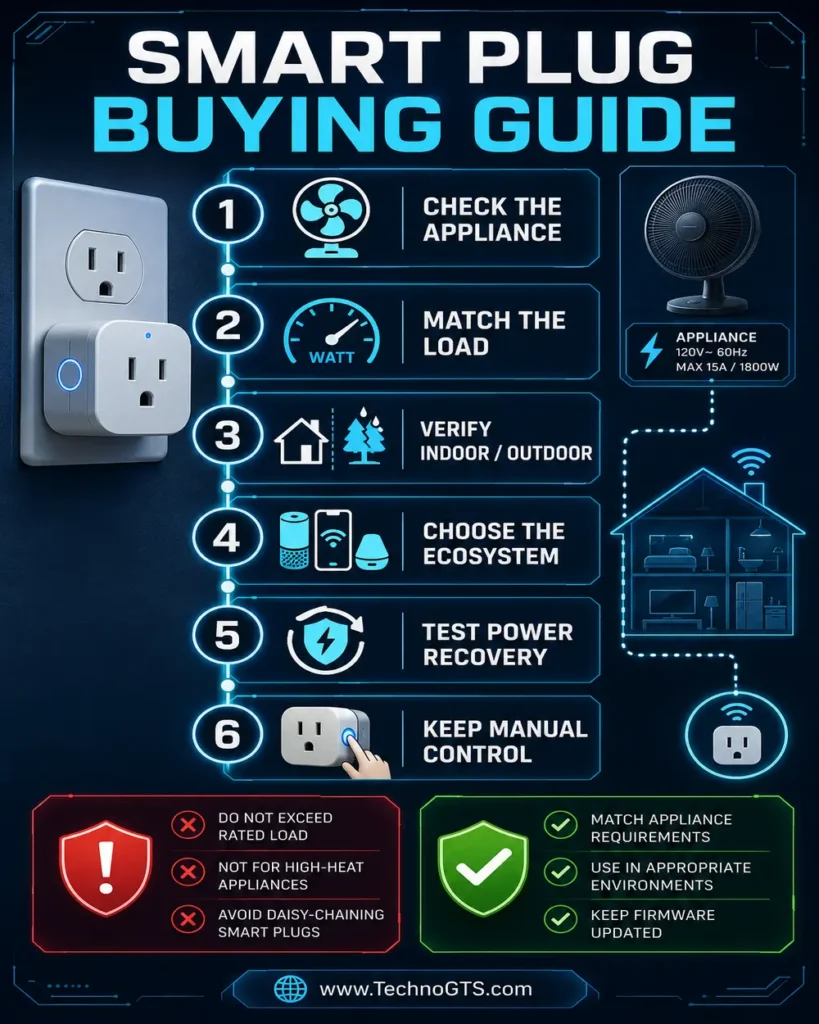
Do not estimate startup current from running watts. Motors, compressors, and power supplies can draw much more at startup. A plug may switch a 15A resistive load but permit a lower motor rating. When documentation is unclear, ask the manufacturer or use a professionally specified control.
Our smart plug category provides product context, while the home automation guide helps decide whether on/off control is appropriate at all.
2. Avoid High-Risk and Safety-Critical Loads
Do not casually automate space heaters, electric blankets, hot plates, cooking appliances, air conditioners, refrigerators, sump pumps, medical equipment, aquariums, or power tools. Some may be permitted by a specific manufacturer under explicit conditions, but consequences of failure or unexpected startup are high.
A plug is not an over-temperature controller, water-level sensor, motor starter, surge protector, GFCI, or life-safety system unless explicitly listed and documented for that function. Never bypass the appliance’s built-in switch or safety interlock.
3. Confirm Indoor or Outdoor Rating
Indoor plugs belong in dry indoor locations. A porch roof does not automatically make an indoor product safe; humidity, condensation, wind-driven rain, insects, and temperature still apply. Outdoor models must be installed with the orientation, outlet, cover, GFCI, and cord arrangement in their instructions.
Pair outdoor control with properly specified devices from our smart sensors guide only when the automation remains safe. Outdoor cameras in the smart camera category have separate power and weather requirements.
4. Understand Amps, Watts, and Load Types
For a simple resistive approximation, watts equal volts multiplied by amps. At 120V, 15A corresponds to 1800W, but continuous-load rules, derating, appliance behavior, and category ratings may reduce allowable use. The product’s specific label and instructions control.
LED lamps use low steady power but can have inrush current. Electronic power supplies and magnetic transformers behave differently. A dimmer plug must be compatible with a dimmable light and load type; never use an on/off smart plug as a dimmer.
5. Verify Safety Certification
Look for a recognized testing-laboratory mark appropriate to the US/Canada and verify the exact model in the laboratory database when practical. A printed logo in a marketplace image is not enough. Buy through the manufacturer or an authorized retailer and inspect packaging and model number.
Certification does not override improper use. A listed indoor plug remains unsafe outdoors. A listed 15A plug remains unsuitable for an unsupported motor or damaged receptacle.
6. Choose Wi-Fi, Thread, Zigbee, Z-Wave, or Proprietary Radio
Wi-Fi plugs connect directly to the router and avoid a dedicated hub. They are convenient for small deployments but add clients and depend on 2.4GHz coverage. Thread plugs join a low-power mesh and require a border router. Zigbee and Z-Wave plugs require compatible hubs but can form robust automation networks.
Proprietary systems such as Lutron Caséta use a dedicated bridge and radio optimized for their ecosystem. The hub is an extra box but can centralize rules, reduce Wi-Fi load, and improve consistency.
Choose the architecture through our smart-home hub guide. If the home already depends on voice control, align with a platform from our smart speaker category.
7. Understand Matter and Thread
Matter defines a common application layer for device onboarding and control. It can run over Wi-Fi, Ethernet, or Thread. A Matter-over-Wi-Fi plug still connects to Wi-Fi. A Matter-over-Thread plug requires a Thread border router. A Matter controller manages the device in an ecosystem.
Multi-admin allows one Matter device to be shared with multiple platforms. It does not synchronize every vendor automation or expose every proprietary feature. Firmware updates and energy history may remain in the vendor app.
8. Inventory Controllers and Border Routers
Before buying a Thread plug, identify the exact hub model and confirm that it provides both Matter-controller and Thread-border-router roles. Product families can contain older units with similar names but different capabilities. Update hub firmware before commissioning.
Multiple border routers can improve resilience when they participate in the same Thread network, but platform credentials and fabric management can be complex. Avoid factory resets unless necessary; they can create orphaned devices and duplicated homes.
9. Decide Where Automations Should Run
A schedule stored on the plug may survive internet failure. A platform routine may run on a local hub or cloud. A voice command typically involves a speaker/controller and may involve cloud processing. Ask the vendor where each automation executes and test it.
Keep critical routines simple. If a light must turn off nightly, a local device schedule may be preferable to a chain involving a sensor cloud, third-party integration, and voice platform. Use complex logic only when its benefit justifies additional failure points.
10. Evaluate Energy Monitoring
Energy data can reveal standby consumption, estimate cost, and confirm whether a device is operating. Compare instantaneous watts, cumulative kilowatt-hours, history length, export options, and whether data remains available after subscription or platform changes.
Smart-plug readings are not automatically utility-grade. Very low loads, rapidly changing power supplies, and reactive loads can affect interpretation. Do not use a consumer plug for billing, compliance, or safety shutdown unless certified for it.
11. Check Size and Outlet Geometry
Measure the plug against the actual receptacle. A compact design may preserve the second outlet in a standard vertical arrangement but block space on a power strip or GFCI. Large side-facing cords can interfere with buttons. The status light may be too bright for a bedroom.
Avoid stacking heavy adapters where they pull from the wall. Do not use multi-plug converters or extension cords unless the manufacturer explicitly allows the arrangement. Direct wall connection is the safest default.
12. Plan Manual Control
Every automation should have an understandable manual override. The physical button must be reachable. A wall companion or labeled remote can be better for shared rooms. Do not force guests to install an app to turn on a lamp.
Manual state and automation state can conflict. If someone switches a lamp off at its own inline switch, the smart plug cannot turn it back on. Standardize how the household controls each device and label unusual setups.
13. Design Names, Rooms, and Voice Phrases
Use names combining room and appliance: “Kitchen Window Lights,” “Office Fan,” or “Patio String Lights.” Avoid duplicate words shared with rooms, speaker groups, or scenes. Test phrases with every household member.
Group plugs by room in the primary platform and keep vendor-app names aligned. A mismatch creates confusion during support. Document which platform owns each routine.
14. Secure Accounts and Networks
Use unique passwords and multifactor authentication. Review household sharing instead of sharing credentials. Update firmware and apps. Remove devices from accounts and factory reset before return, sale, or disposal.
An IoT VLAN can improve isolation but may block discovery, Matter, casting, and controller traffic. Configure multicast, mDNS, IPv6, and firewall rules deliberately. A simple guest network with client isolation may prevent smart-home operation entirely.
15. Test Power-Loss Recovery
Determine whether the plug returns on, off, or to the previous state after an outage. Some products allow a configurable choice. The safest state depends on the load. Lights may return to the previous state; heaters and motors often should remain off.
Test schedules after the outage and after the router/hub reboots. Verify time-zone and daylight-saving behavior. A plug without a real-time clock may need network time before schedules execute correctly.
16. Consider Subscription and Cloud Longevity
Most basic smart plugs do not require a paid subscription, but platform security, energy history, or advanced automation can. Review which features are local, free, paid, and cloud dependent. Consider the manufacturer’s firmware record and product lifecycle.
Matter can make basic control more portable, but it does not guarantee indefinite vendor support. A good plug should still provide safe manual operation if an app changes.
17. Build Automations Around Other Smart Devices
Motion or door sensors can trigger lamps. Smart locks can initiate an arrival scene. A thermostat can coordinate a compatible fan, although climate equipment should not be casually power-cycled. Cameras and doorbells can trigger lights, but false detections must not create harmful behavior.
Explore smart locks and video doorbells as separate security decisions. Use smart thermostats for HVAC control rather than switching HVAC equipment through a general smart plug.
18. Use a Prepurchase Checklist
- Exact model and hardware revision identified
- Recognized safety certification verified
- Voltage/frequency match the outlet
- Exact load type and startup demand supported
- Appliance allows remote/timer control
- Indoor/outdoor environment appropriate
- Hub/controller/border router confirmed
- Preferred platform supports required features
- Physical size fits the receptacle
- Power-loss behavior acceptable
- Manual override accessible
- Return window allows real routine testing
Product Comparison Tables
Best Choice by Automation Style
| Use case | First choice | Why | Alternative |
|---|---|---|---|
| Affordable multi-platform indoor use | Tapo P125M | Matter, compact design, schedules, no brand hub | Leviton D215P |
| Matter-over-Thread and energy insight | Eve Energy | Thread router role, premium energy visibility | Tapo energy-monitoring variant |
| Clearly documented load categories | Leviton D215P | Detailed ratings and electrical-brand support | Lutron for outdoor |
| Alexa-only simplicity | Amazon Smart Plug | Direct Alexa app workflow | Tapo P125M |
| Outdoor lighting and selected motors/pumps | Lutron PD-15OUT-BL | Purpose-built outdoor Caséta control | No indoor substitute |
Connectivity and Ownership
| Product | Radio | Dedicated hub? | Matter | Energy monitoring | Outdoor |
|---|---|---|---|---|---|
| Tapo P125M | 2.4GHz Wi-Fi | No | Yes | Not the primary feature | No |
| Eve Energy | Thread | Compatible Matter/Thread hub required | Yes | Yes | No, use correct regional outdoor model separately |
| Leviton D215P | 2.4GHz Wi-Fi | No | Supported 2nd Gen firmware path | Not primary | No |
| Amazon Smart Plug | 2.4GHz Wi-Fi | No separate hub | No broad Matter positioning | No | No |
| Lutron PD-15OUT-BL | Clear Connect/Caséta | Yes for smart ecosystem use | Through platform integrations, not a Matter plug claim | No | Yes, when installed as directed |
Load-Fit Decision Matrix
| Load | Appropriate approach | Key verification |
|---|---|---|
| Table/floor lamp | Most indoor plugs if rating fits | LED/incandescent category, bulb returns on with power |
| Decorative/holiday lights | Indoor or outdoor model by location | Total wattage, connection weather protection |
| Portable fan | Leviton or rated model | Motor HP/current, startup, appliance permission |
| Fountain/landscape pump | Lutron outdoor if exact rating/use fits | Motor HP, GFCI, dry-run/freeze/flood risk |
| Computer/network equipment | Usually do not hard-cycle routinely | Graceful shutdown, updates, data integrity |
| Heater/cooking appliance | Avoid unless both manufacturers explicitly approve | Fire risk, unattended restart, dedicated controls |
| Refrigerator/freezer | Do not use a casual consumer routine | Compressor start, food safety, alarm/supervision |
| Medical/life-safety device | Do not use general smart plug | Certified professional solution required |
For platform-wide planning, use our home automation resources. If switches, plugs, and sensors need one coordinator, the smart-home hub category provides the next comparison.
Lighting and climate loads deserve their own products. Compare smart bulbs for dimming/color and smart thermostats for supported HVAC control rather than forcing those jobs through an on/off plug.
Frequently Asked Questions
1. What is the best smart plug for most people?
The Tapo P125M is our best overall choice because it is compact, Matter certified, broadly compatible, and equipped with useful schedules, remote control, away mode, and auto-off. “Best” still depends on load and environment. Eve Energy is better for Thread and energy data; Lutron is better outdoors.
Browse the smart plug category for alternatives and the home automation guide for routine design.
2. What appliances can I safely connect to a smart plug?
Only appliances whose voltage, current, load type, startup behavior, environment, and instructions match the plug. Lamps and decorative lighting are common. Motors require an explicit horsepower rating. High-heat, compressor, safety-critical, medical, and unattended-risk equipment should not be assumed compatible.
3. Can I use a smart plug with a space heater?
Avoid it unless both the heater and smart-plug manufacturers explicitly approve that exact use and the installation meets every requirement. Space heaters are high-power fire-risk devices and many instructions prohibit extension devices or remote switching. Use built-in controls or a purpose-designed solution.
4. Do smart plugs save electricity?
They can reduce standby consumption by switching compatible devices fully off, but the plug itself consumes power. Savings depend on the load and schedule. Energy-monitoring models help quantify use. Do not cut power to devices that need updates, graceful shutdown, clocks, or continuous operation.
Use smart displays for household energy dashboards where supported and smart sensors for condition-based routines.
5. What is a Matter smart plug?
It supports the Matter application standard for onboarding and basic control through compatible ecosystems. Matter can enable multi-admin sharing. It does not mean every vendor feature appears everywhere, and it can operate over either Wi-Fi or Thread depending on the product.
6. Is Thread better than Wi-Fi for smart plugs?
Thread can provide a responsive low-power mesh and avoids adding direct Wi-Fi clients. Powered plugs can relay for other Thread devices. It requires a compatible border router and controller. Wi-Fi is simpler when only a few plugs are needed and coverage is strong. Neither is universally better.
Review smart-home hubs before choosing Thread infrastructure and smart speakers for controller/voice options.
7. Does Eve Energy require a hub?
Yes. Eve states that its Matter-enabled Thread model requires a compatible hub supporting both Matter and Thread-border-router functions. Confirm the exact controller model and firmware; similar-looking older speakers or displays may not provide both roles.
8. Does Tapo P125M require a hub?
It does not require a dedicated Tapo hub because it connects through 2.4GHz Wi-Fi. Using it through Matter requires a compatible Matter controller in the chosen ecosystem. The Tapo app may still manage firmware and vendor-specific features.
9. Can one smart plug work with Alexa and Apple Home simultaneously?
A Matter plug with multi-admin support can be shared across compatible ecosystems. Set it up in one platform, then use that platform’s Matter sharing process. Feature sets and routine state may not synchronize perfectly. Keep the onboarding code private.
10. Will smart-plug schedules run when the internet is down?
It depends on where the schedule is stored. Device-local or hub-local schedules may continue; cloud routines may not. Thread or Matter does not guarantee that every automation is local. Test the exact schedule by disconnecting WAN access while leaving the LAN and hubs powered.
Use the home automation section for failure-aware routine design and the smart-home hub guide for local-controller options.
11. What happens after a power outage?
The plug may return off, on, or to its previous state, depending on model and settings. It must also reconnect to Wi-Fi/Thread and restore time/routines. Test recovery. Select the safest state for the appliance; motors and heat-producing devices generally should not restart unexpectedly.
12. Can a smart plug dim a lamp?
Only a model explicitly designed as a dimmer can vary brightness, and the bulb/load must be compatible. Standard smart plugs—including the on/off products here—only switch power. For flexible dimming and color, consider a smart bulb instead.
13. Can I put a smart plug on a power strip?
Direct wall connection is the safest default. Do not daisy-chain power strips, extension cords, and plugs unless the manufacturer explicitly permits the arrangement. The combined load must remain within every component’s rating, and the smart plug must not block ventilation or create mechanical strain.
14. Are outdoor smart plugs waterproof?
Weather-resistant does not mean waterproof or safe in standing water. Install the Lutron outdoor model exactly as directed, with proper GFCI protection, weatherproof receptacle/cover, orientation, and cord connections. Never use an indoor plug outside.
Outdoor automation may coordinate with smart cameras or video doorbells, but each device needs its own rated power arrangement.
15. Can a smart plug control a pump?
Only when the exact plug has an appropriate motor/pump rating and the entire application is safe. Lutron lists up to 1/2 HP for the PD-15OUT-BL; that is not approval for every pump. Evaluate startup current, duty cycle, GFCI, dry-run, flooding, freezing, and unexpected-start hazards.
16. How many Wi-Fi smart plugs can my router handle?
The router’s client count is not the only limit. Airtime, DHCP, 2.4GHz congestion, multicast, app/cloud architecture, and coverage matter. A few plugs are trivial for a healthy router; dozens of IoT devices may justify better access-point design or a hub-based Thread/Zigbee/Z-Wave system.
17. Why does my smart plug keep going offline?
Common causes include weak 2.4GHz signal, changed SSID/password, router band-steering behavior, client isolation, DHCP issues, firmware bugs, cloud outage, loose receptacle, or failing hardware. Move a temporary access point closer or test another outlet before repeated factory resets.
18. Is energy monitoring accurate enough for billing?
Consumer smart-plug energy data is useful for trends and estimates but is not automatically revenue-grade. Billing, compliance, and critical measurement require certified metering. Compare unusual readings with a suitable reference and the appliance specifications.
19. Should smart plugs use a separate IoT network?
Segmentation can improve security, but Matter, discovery, casting, and local controllers need specific multicast/IPv6 paths. A guest network with full isolation may break setup. Use VLANs only when the router/firewall can allow required traffic without broadly exposing trusted devices.
Coordinate plugs with smart locks and smart sensors through least-privilege routines rather than placing everything on one unrestricted network.
20. What should I test during the return window?
Verify model, certification, fit, load rating, manual control, app and voice response, schedules, remote access, Matter multi-admin, power-loss state, internet-outage behavior, heat under supported load, reset procedure, and household usability. Test the real automation several times before relying on it.
Final Verdict
The Tapo P125M is the best smart plug for most indoor automation because its compact design, Matter certification, useful Tapo features, and no-hub Wi-Fi setup create a flexible starting point. It is ideal for compatible lamps and everyday loads when the household may change ecosystems later.
Choose Eve Energy when a Matter/Thread infrastructure already exists and energy insight plus local mesh participation justify the premium. Choose Leviton D215P when a clearly documented load table and electrical-brand ecosystem matter. Choose Amazon Smart Plug for a household committed to Alexa simplicity. Choose Lutron PD-15OUT-BL for properly installed outdoor lighting and compatible motor/pump applications.
The winning product is always subordinate to the electrical decision. Verify the exact load, certification, location, recovery state, controller, and household manual override. Use the TechnoGTS smart-home hub to connect the broader system and the smart plug category for model-specific alternatives.
🏁 Our practical recommendation: Start with Tapo P125M for an ordinary indoor Matter routine. Move to Eve for Thread and energy data, Leviton for a carefully matched demanding load, Amazon for Alexa-only simplicity, or Lutron for a correctly installed outdoor job.